Introduction
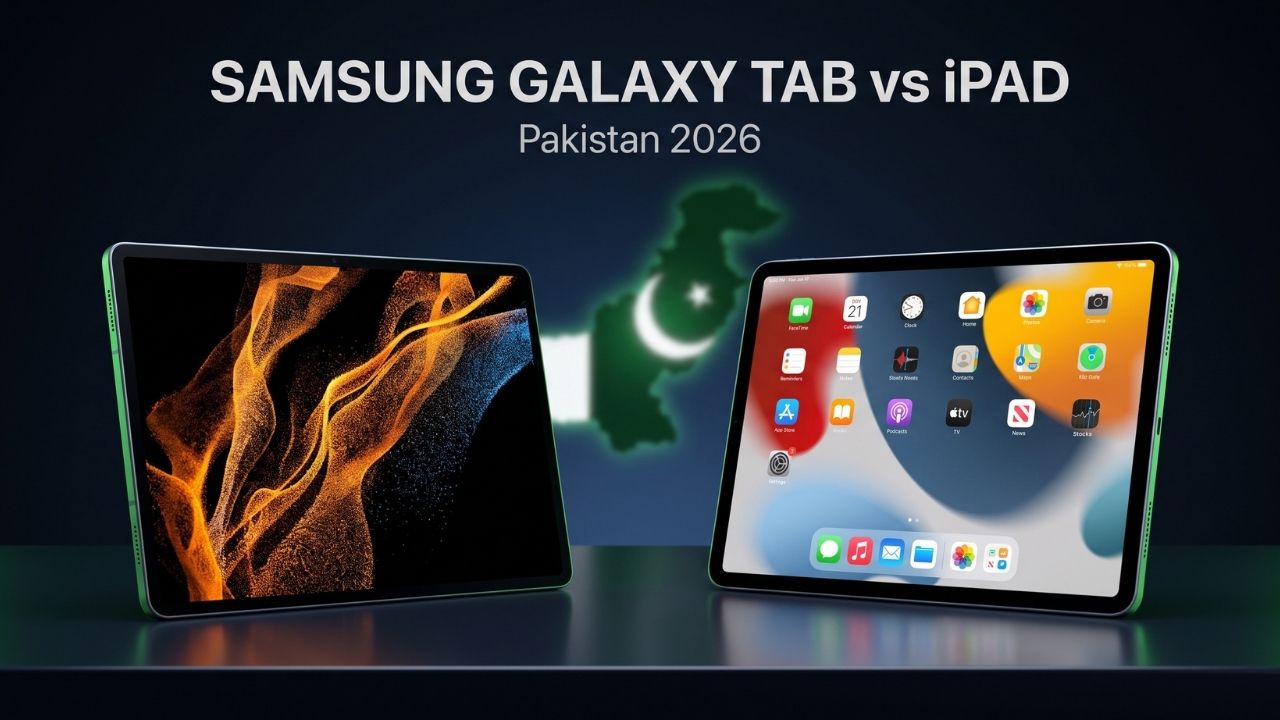
Choosing between a Samsung Galaxy Tab and an iPad represents one of the most significant decisions for tablet buyers in Pakistan. Both brands dominate the premium and mid-range tablet markets, but they offer fundamentally different experiences, ecosystems, and value propositions that matter differently depending on your needs and budget.
The tablet landscape in Pakistan has evolved considerably by 2026. With students relying heavily on digital learning, professionals needing portable productivity solutions, and families seeking entertainment devices, the stakes are higher than ever. Samsung and Apple have each refined their tablet offerings, creating compelling options across various price points—but which one truly delivers better value for Pakistani consumers?
This comprehensive comparison cuts through the marketing noise to help you understand the real differences between Samsung Galaxy Tab and iPad. We’ll examine everything from pricing and specifications to ecosystem integration, software longevity, and practical day-to-day performance. Whether you’re a student on a budget, a creative professional, or simply someone wanting the best tablet experience, this guide provides the clarity you need to make an informed decision.
Quick Answer
Samsung Galaxy Tab vs iPad: Which should you buy? Choose iPad if you prioritize premium build quality, longer software support (5-6 years), superior app optimization, and seamless integration with other Apple devices—though you’ll pay premium prices starting from Rs. 89,999. Choose Samsung Galaxy Tab if you want better value for money, more size and price options (starting Rs. 42,999), expandable storage, greater customization, Samsung DeX for productivity, and better file management—ideal for budget-conscious buyers and Android ecosystem users.
Key Takeaways
- Price difference is substantial: Samsung tablets range from Rs. 42,999 to Rs. 179,999, while iPads start at Rs. 89,999 and reach Rs. 349,999
- Software support favors Apple: iPads receive 5-6 years of updates versus 3-4 years for Samsung tablets
- Display technology differs: Samsung uses AMOLED on premium models; Apple uses LCD with excellent calibration across the range
- Ecosystem integration matters: iPad excels with other Apple devices; Samsung works better with Android phones and Windows PCs
- Value proposition varies by price: Samsung offers better budget and mid-range value; Apple dominates premium quality
- App optimization differs: iPadOS apps generally offer better tablet optimization than Android equivalents
- Productivity approaches differ: Samsung DeX provides desktop-like experience; iPadOS offers refined touch-first interface
- Expandable storage: Only Samsung tablets offer microSD expansion; iPads require purchasing higher storage variants
- Stylus support: Apple Pencil leads for creativity; S Pen (on compatible models) offers good functionality with lower entry cost
- Resale value: iPads retain value significantly better in Pakistan’s secondary market
Table of Contents
Understanding the Samsung Galaxy Tab vs iPad Debate
The Samsung Galaxy Tab vs iPad comparison isn’t simply about specifications on paper—it represents two fundamentally different philosophies about what tablets should be and how people should use them.
The Apple Approach
Apple views the iPad as a distinct product category that bridges phones and computers while maintaining its own identity. The company controls hardware, software, and ecosystem integration completely, creating a curated experience where everything works seamlessly together—but within Apple’s defined parameters.
Apple’s iPad philosophy prioritizes simplicity, security, and longevity. The company supports devices with software updates for 5-6 years, maintains strict app quality standards through the App Store, and designs hardware-software integration that competitors struggle to match.
The Samsung Approach
Samsung treats Galaxy Tab tablets as part of the broader Android ecosystem, offering flexibility, choice, and integration with the wider world of technology. Rather than controlling every aspect, Samsung provides options—multiple price points, screen sizes, and feature combinations.
Samsung’s approach emphasizes versatility. Features like Samsung DeX transform tablets into desktop-like productivity tools, expandable storage accommodates varying budgets, and deep customization lets users tailor experiences to their preferences.
Why the Debate Matters in Pakistan
For Pakistani consumers, this comparison carries additional weight due to several local factors:
Price sensitivity: Pakistan’s market spans extreme budget consciousness to premium buyers, making Samsung’s broader price range appealing.
Ecosystem diversity: Most Pakistani consumers use Android smartphones, making Samsung tablets integrate more naturally with existing devices.
Repair and service availability: Both brands maintain service centers in major cities, but parts availability and repair costs differ significantly.
Content consumption habits: Pakistani users prioritize entertainment and educational content, where both platforms excel but with different strengths.
Resale considerations: The secondary market for tablets in Pakistan is active, and resale value differs substantially between brands.
Understanding these contextual factors helps frame the technical comparison that follows.
Price Comparison: Samsung Galaxy Tab vs iPad in Pakistan
Price often determines which tablet buyers ultimately choose. The Samsung Galaxy Tab vs iPad price difference in Pakistan is substantial and worth examining carefully.
2026 Pricing Overview
| Tablet Model | Price Range (PKR) | Value Proposition |
| Samsung Galaxy Tab A9 | Rs. 42,999 – Rs. 49,999 | Budget entry point |
| Samsung Galaxy Tab S9 | Rs. 139,999 – Rs. 179,999 | Premium Android tablet |
| Samsung Galaxy Tab S9 FE | Rs. 89,999 – Rs. 109,999 | Mid-premium option |
| iPad 10th Gen | Rs. 89,999 – Rs. 119,999 | Entry Apple tablet |
| iPad Air (M2) | Rs. 149,999 – Rs. 199,999 | Mid-premium Apple tablet |
| iPad Pro 11-inch (M4) | Rs. 249,999 – Rs. 349,999 | Professional Apple tablet |
| iPad Pro 13-inch (M4) | Rs. 299,999 – Rs. 449,999 | Premium Apple tablet |
For more specific Samsung pricing details, check our dedicated article on Samsung Galaxy Tab A9 price Pakistan 2026.
Price-to-Value Analysis
Budget segment (Under Rs. 50,000): Samsung dominates completely. The Galaxy Tab A9 provides genuine tablet functionality at Rs. 42,999, while Apple offers no comparable iPad at this price point. For students and basic users, this segment heavily favors Samsung.
Mid-range segment (Rs. 50,000 – Rs. 100,000): Competition intensifies. The Samsung Galaxy Tab S9 FE at Rs. 89,999 competes directly with the iPad 10th Generation at similar pricing, each offering distinct advantages we’ll explore in subsequent sections.
Premium segment (Rs. 100,000+): Both brands excel but target different users. Samsung’s Tab S9 at Rs. 139,999+ provides AMOLED displays and Android flexibility, while iPad Air and iPad Pro models deliver unmatched performance and app optimization at higher prices.
Total Cost of Ownership
Beyond initial purchase price, consider:
Accessories: Apple’s official accessories (Smart Keyboard, Apple Pencil) cost significantly more (Rs. 35,000+ combined) than Samsung equivalents (Rs. 15,000-25,000 for Book Cover Keyboard and S Pen).
Storage upgrades: Apple charges premium prices for storage increases (Rs. 20,000-40,000 more for higher capacities), while Samsung tablets offer microSD expansion at market rates (approximately Rs. 3,000-8,000 for 128GB-512GB cards).
Insurance and AppleCare+: Apple’s extended warranty costs Rs. 18,000-35,000 depending on model, while Samsung Care+ ranges Rs. 8,000-15,000.
Resale value: iPads retain 50-60% of original value after 2-3 years in Pakistan’s market; Samsung tablets typically retain 35-45%.
Build Quality and Design Philosophy
Physical design and build quality significantly impact daily tablet satisfaction.
Materials and Construction
iPad construction: Apple uses aluminum unibody construction across nearly all iPad models, creating premium feel and excellent structural rigidity. The manufacturing tolerances are exceptionally tight, with consistent quality control that results in minimal variation between units.
The symmetrical design philosophy means iPads feel balanced regardless of orientation. Bezels are carefully proportioned to provide grip space without looking dated. The industrial design is timeless—2-3 year old iPads don’t look obviously outdated.
Samsung Galaxy Tab construction: Samsung’s approach varies by price tier. Budget models like the Tab A9 use aluminum frames with plastic backs, while premium Tab S9 models feature metal construction throughout. Build quality on flagship models rivals iPad, though mid-range Samsung tablets show more variability in materials.
Samsung tablets often include features like fingerprint sensors integrated into power buttons and expandable storage slots, which add functionality but create additional potential failure points.
Weight and Portability
| Model | Weight | Thickness | Portability |
| iPad 10th Gen | 477g | 7.0mm | Excellent |
| iPad Air 11″ | 462g | 6.1mm | Excellent |
| iPad Pro 11″ | 444g | 5.9mm | Exceptional |
| Samsung Tab A9 | 332g | 6.9mm | Excellent |
| Samsung Tab S9 | 498g | 5.9mm | Very Good |
| Samsung Tab S9+ | 581g | 5.7mm | Good (larger) |
Samsung’s Tab A9 leads in portability due to its smaller 8.7-inch size, while larger tablets (11+ inches) show minimal weight differences between brands.
Durability Considerations
Screen durability: Both brands use reinforced glass, but replacement costs differ dramatically. iPad screen repairs through Apple Authorized Service Providers in Pakistan cost Rs. 25,000-75,000 depending on model, while Samsung screen replacements range Rs. 15,000-45,000.
Water resistance: Neither brand offers water resistance ratings on most tablet models, unlike smartphones. Both recommend keeping tablets away from moisture.
Long-term reliability: iPads generally show better long-term reliability in Pakistan’s climate, with fewer reports of screen separation, battery swelling, or charging port failures compared to Samsung tablets after 2-3 years of use.
Display Technology and Quality
Display quality fundamentally affects the tablet experience, whether you’re reading, watching videos, or working with creative content.
Display Technology Comparison
Samsung’s AMOLED advantage: Premium Samsung tablets like the Tab S9 series feature Dynamic AMOLED 2X displays offering perfect blacks, infinite contrast ratios, and vibrant colors. AMOLED technology displays each pixel individually, allowing true black when pixels turn off completely.
This technology excels for:
- Movie and video consumption (superior contrast)
- Dark mode interfaces (actual black, saving battery)
- HDR content (better highlight and shadow detail)
- Outdoor visibility at maximum brightness
For deeper understanding of display technologies, explore our AMOLED vs LCD vs IPS comparison guide.
Apple’s LCD refinement: iPads use IPS LCD technology with Apple’s Liquid Retina branding. While technologically “older” than AMOLED, Apple’s implementation is exceptional:
- Industry-leading color accuracy (critical for professional work)
- Excellent brightness levels (600+ nits typical, 1000+ nits on Pro models)
- True Tone technology adjusting white balance to ambient lighting
- ProMotion (120Hz adaptive refresh on Pro models)
- Nano-texture glass option on iPad Pro for reduced glare
Resolution and Pixel Density
| Tablet | Resolution | PPI | Refresh Rate |
| iPad 10th Gen | 2360 x 1640 | 264 | 60Hz |
| iPad Air 11″ | 2360 x 1640 | 264 | 60Hz |
| iPad Pro 11″ | 2420 x 1668 | 264 | 120Hz (ProMotion) |
| Samsung Tab A9 | 1340 x 800 | 179 | 60Hz |
| Samsung Tab S9 | 2560 x 1600 | 274 | 120Hz |
| Samsung Tab S9+ | 2800 x 1752 | 266 | 120Hz |
Apple maintains consistent 264 PPI across most models, ensuring text and images appear equally sharp regardless of which iPad you choose. Samsung’s range varies more dramatically, with budget models showing noticeably lower sharpness.
Real-World Display Performance
Color accuracy: iPads lead for professional creative work requiring color precision. Samsung’s vibrant colors look more punchy but are less accurate out of the box, though professional color modes improve accuracy on Tab S9 models.
HDR performance: Both support HDR10+ content, but implementation differs. Samsung’s AMOLED provides superior contrast for dramatic HDR content, while iPad Pro’s mini-LED backlighting (on 12.9″ Pro models) offers competitive performance with higher peak brightness.
Reading comfort: For extended reading, iPads offer slightly better eye comfort due to True Tone technology and more natural color temperature. Samsung’s always-on display feature on Tab S9 provides quick information glances without fully waking the device.
Performance and Processors
Processing power determines how smoothly tablets handle demanding tasks and how long they remain relevant.
Chip Architecture
Apple Silicon dominance: iPads in 2026 use variations of Apple’s M-series and A-series chips:
- iPad 10th Gen: A14 Bionic (2020 architecture, still powerful)
- iPad Air: M2 chip (desktop-class performance)
- iPad Pro: M4 chip (cutting-edge performance rivaling laptops)
Apple’s chip design integrates CPU, GPU, Neural Engine, and memory on a single chip with industry-leading efficiency. The unified memory architecture enables capabilities competitors struggle to match.
Samsung’s varied approach: Samsung tablets use different processors across models:
- Galaxy Tab A9: MediaTek Helio G99 (budget-efficient)
- Galaxy Tab S9 FE: Samsung Exynos 1380 (mid-range)
- Galaxy Tab S9: Qualcomm Snapdragon 8 Gen 2 (flagship)
Performance varies dramatically across Samsung’s lineup. The Snapdragon 8 Gen 2 in Tab S9 delivers excellent performance competitive with iPad Air, though still behind iPad Pro’s M4 chip in raw benchmarks.
Real-World Performance Differences
App loading and multitasking: iPads feel instantly responsive across all models. Even the base iPad 10th Gen with older A14 chip launches apps without delay. Samsung’s performance experience depends heavily on which model you choose—Tab S9 matches iPad responsiveness, while Tab A9 shows occasional stutters with heavy multitasking.
Gaming performance: iPad Pro leads gaming performance thanks to optimized Metal graphics API and powerful Apple Silicon GPUs. However, the Android gaming ecosystem has improved significantly, and high-end Samsung tablets handle intensive games like Genshin Impact and Call of Duty Mobile very well. For mobile gaming enthusiasts, our best gaming phone Pakistan 2026 PUBG COD guide offers additional perspective.
Video editing and creative work: iPad dominates professional creative workflows. Apps like LumaFusion, Procreate, and Final Cut Pro (iPad version) leverage Apple Silicon’s unified memory and Neural Engine for capabilities that exceed many laptops. Samsung tablets handle creative work adequately with apps like Adobe Lightroom and Kinemaster, but the app ecosystem and optimization lag behind.
Future-proofing: Apple’s chips age better. A 3-year-old iPad often feels faster than a 3-year-old Samsung tablet due to superior software optimization and more powerful baseline performance. The M2 iPad Air purchased in 2026 will likely perform well into 2031, while a 2026 Samsung Tab S9 may feel dated by 2029-2030.
Operating Systems: iPadOS vs One UI
The software experience defines daily interaction more than any specification.
iPadOS Philosophy
iPadOS 17 (with iPadOS 18 coming later in 2026) represents Apple’s vision of touch-first computing. Key characteristics include:
Simplicity and consistency: Every interaction follows predictable patterns. Settings are in one place, app behavior is consistent, and gestures work uniformly across all apps.
App quality control: Apple’s App Store review process ensures basic quality standards. While this creates friction for developers, it results in fewer low-quality or malicious apps reaching users.
Privacy focus: Privacy features are built deeply into iPadOS, with app tracking transparency, on-device processing for sensitive data, and regular privacy reports showing how apps use permissions.
Limitations by design: File management remains less flexible than traditional computers. Sideloading apps is intentionally difficult. Customization options are limited compared to Android.
One UI for Tablets
Samsung’s One UI (version 5.5 in 2026, with 6.0 updates rolling out) takes Android 13/14 and adds tablet-optimized features:
Flexibility and customization: Home screen layouts, icon packs, system fonts, and navigation styles are extensively customizable. Power users can install alternative launchers, file managers, and completely transform the interface.
Samsung DeX: This desktop mode transforms the tablet into a PC-like experience with resizable windows, taskbar, and keyboard-mouse optimization. It’s genuinely useful for productivity work.
Multi-Window superiority: Samsung’s implementation of split-screen multitasking exceeds iPadOS, allowing up to three apps simultaneously with pop-up windows for additional apps.
File system access: True file system access enables power user workflows impossible on iPad. Moving files between apps, accessing network storage, and managing downloads works like a traditional computer.
Inconsistency challenges: Android app quality for tablets varies wildly. Many apps are poorly optimized for large screens, simply showing phone layouts stretched awkwardly.
Learning Curve Differences
iPad: Easier for technology novices. Parents buying for elderly relatives or young children often prefer iPad’s intuitive simplicity. Most users become comfortable within days.
Samsung Galaxy Tab: More complex initially but offers greater long-term potential for power users. The learning curve is steeper, but capabilities expand as users discover features.
Software Updates and Longevity
Software support duration dramatically affects total ownership costs and tablet relevance.
Apple’s Update Commitment
Apple provides industry-leading software support:
- Major OS updates: Typically 5-6 years of full iPadOS version upgrades
- Security updates: Often 7+ years from release
- Feature parity: Older iPads receive most features from new OS versions
Real example: The iPad Air 2 from 2014 received iPadOS updates through 2021—seven years of support. The 2018 iPad Pro still runs the latest iPadOS 17 flawlessly in 2026.
This longevity means purchasing even a base iPad in 2026 guarantees usability through 2031-2032, making the higher upfront cost more justifiable when amortized over device lifespan.
Samsung’s Update Record
Samsung’s tablet update policy has improved but still lags Apple:
- Major OS updates: 3-4 Android version upgrades (4 on flagship Tab S series)
- Security updates: 4-5 years from release
- Update speed: Slower rollout, often 3-6 months after Google releases new Android versions
Real example: The Galaxy Tab S7 from 2020 received updates through Android 14 in 2024—four years of major updates, respectable but shorter than iPad equivalents.
Budget Samsung tablets like the Tab A series receive fewer updates (typically 2-3 years), making them less sustainable long-term investments.
Why This Matters in Pakistan
App compatibility: Older operating systems eventually lose access to updated apps. An iPad supported for 6 years maintains app compatibility longer, extending practical usefulness.
Security: In Pakistan’s growing digital economy, security matters increasingly. Banking apps, government services, and educational platforms require updated OS security features.
Resale value: Tablets running current operating systems command significantly higher resale prices. A 3-year-old iPad still receiving updates sells for 50-60% of original price; a 3-year-old Samsung tablet stuck on outdated Android fetches only 30-40%.
Ecosystem Integration
How well a tablet integrates with your existing devices significantly impacts convenience and productivity.
Apple Ecosystem Benefits
If you already own an iPhone, Mac, Apple Watch, or AirPods, an iPad integrates seamlessly:
Universal Clipboard: Copy text on iPhone, paste on iPad instantly. Copy on iPad, paste on Mac. It works transparently across devices.
Handoff: Start an email on iPad, finish on iPhone or Mac. Open Safari tabs transfer between devices automatically.
AirDrop: Share files, photos, and documents between Apple devices at high speed without internet connection. Far more reliable than Android’s equivalent solutions.
Continuity Camera: Use your iPhone as a high-quality webcam for iPad video calls automatically.
iCloud integration: Photos, documents, notes, and data sync seamlessly across all Apple devices. The experience feels like using one device with multiple screens.
AirPods switching: AirPods automatically switch between iPad, iPhone, and Mac based on which device is actively playing audio.
This ecosystem creates genuine lock-in, but for users already invested in Apple products, it delivers meaningful daily value.
Samsung and Android Ecosystem
Samsung Galaxy Tabs integrate well with other Samsung devices and the broader Android/Windows ecosystem:
Samsung Flow: Connects Samsung tablets to Samsung phones for notifications, calls, and file transfers. Less seamless than Apple’s equivalent but functional.
Quick Share: Samsung’s answer to AirDrop works reliably between Samsung devices and increasingly with other Android devices.
Windows integration: Samsung tablets pair exceptionally well with Windows PCs through Microsoft’s Your Phone app, enabling notification mirroring, file sharing, and even running Android apps on Windows.
Google ecosystem: Deep integration with Gmail, Google Photos, Drive, and other Google services works excellently. For users embedded in Google’s ecosystem rather than Apple’s, Android tablets integrate more naturally.
Cross-platform flexibility: While Samsung-to-Samsung integration is best, Galaxy Tabs work reasonably well with any Android phone and Windows PC—unlike iPads which strongly prefer other Apple devices.
Multiple account support: Android’s native multi-user support lets families share one tablet with separate accounts, something iPad only offers on school-managed devices.
Productivity and Work Capabilities
Tablets increasingly replace laptops for many work scenarios. How well do Samsung Galaxy Tab vs iPad handle productivity?
Keyboard and Mouse Support
iPad approach: Apple offers official Magic Keyboard (Rs. 75,000-95,000) and Smart Keyboard Folio (Rs. 35,000-45,000) accessories that transform iPad into laptop-like devices. The Magic Keyboard provides excellent typing experience, trackpad with gesture support, and charging pass-through. Third-party keyboard cases cost Rs. 8,000-20,000 with varying quality.
Samsung approach: Samsung’s Book Cover Keyboard (Rs. 18,000-25,000) provides good functionality at lower prices. The DeX mode optimizes the interface for keyboard-mouse use automatically. Third-party Bluetooth keyboards work excellently, with prices from Rs. 3,000-15,000.
Mouse and trackpad support is mature on both platforms in 2026, with cursor implementation feeling native rather than bolted-on.
Desktop-Class Applications
iPad strengths:
- Microsoft Office apps optimized beautifully for iPad
- Professional creative apps (Procreate, LumaFusion, Affinity Designer) exceed desktop equivalents in touch optimization
- Apple’s Pages, Numbers, and Keynote are free and excellent
- Growing support for desktop-class versions of professional apps
iPad limitations:
- File management remains restrictive for complex workflows
- No proper external monitor support with desktop-like extended display (only mirroring or specific app implementations)
- Cannot run desktop macOS applications
- Limited background processing compared to computers
Samsung strengths:
- Samsung DeX provides genuine desktop experience with taskbar, resizable windows, and keyboard shortcuts
- Full file system access enables complex file management
- External monitor support with extended desktop through DeX
- Can access network storage and servers like a computer
- Microsoft Office for Android approaching feature parity with desktop versions
Samsung limitations:
- App optimization varies wildly—many Android apps aren’t tablet-optimized
- DeX still has occasional compatibility issues with certain apps
- Professional creative apps lag iPad versions in optimization and features
For users whose work primarily involves Microsoft Office, web apps, email, and document management, Samsung DeX on Tab S9 provides exceptional productivity. For creative professionals working with video, photos, or design, iPad offers superior apps and optimization.
Those considering full laptop functionality should also review our laptop buying guide Pakistan 2026 for perspective on when a traditional laptop makes more sense.
Entertainment and Media Consumption
Many Pakistani users primarily consume entertainment content on tablets. How do Samsung Galaxy Tab vs iPad compare for media enjoyment?
Display Quality for Media
Video streaming experience:
Samsung’s AMOLED displays on Tab S9 provide superior contrast and black levels, making them exceptional for movies and shows, particularly in dark environments. HDR content from Netflix, Amazon Prime Video, and YouTube looks spectacular with perfect blacks and vibrant colors.
iPad’s Liquid Retina displays offer excellent brightness for daytime viewing and superior color accuracy. The 12.9″ iPad Pro’s mini-LED backlight provides local dimming approaching AMOLED quality while maintaining LCD advantages.
Verdict: Narrow win for Samsung Tab S9’s AMOLED in dark environments; iPad Pro 12.9″ competes closely. Base iPad and iPad Air trail slightly behind for pure video quality.
Speaker Quality
Both brands equip tablets with quad-speaker systems on premium models, delivering impressive audio:
iPad speakers: Consistently excellent across the range. Even the base iPad 10th Gen provides clear, balanced audio with surprising bass response. iPad Pro speakers are among the best on any tablet, with true spatial audio support.
Samsung speakers: Tab S9 series features quad speakers tuned by AKG with Dolby Atmos. Audio quality matches iPad in most scenarios, with slightly more emphasis on bass.
Budget models differ more—iPad maintains good speaker quality throughout the lineup, while Samsung’s Tab A9 features only dual speakers with noticeably thinner sound.
Content Availability
Streaming services: All major platforms (Netflix, Amazon Prime Video, Disney+, Apple TV+, YouTube, Spotify) work excellently on both platforms with nearly identical experiences.
Local content: Pakistani content available through ARY Digital, Geo News, and similar services works on both platforms, though some apps are better optimized for iPad.
Content purchasing: Apple TV app and iTunes offer extensive content purchase/rental, though at US pricing. Samsung uses Google Play Movies, which also offers extensive content.
Gaming for Entertainment
Casual and mid-tier gaming works excellently on both platforms. iPad leads for serious gaming due to better game optimization and exclusive titles. Apple Arcade (subscription Rs. 1,200/month) provides excellent ad-free games optimized for iPad.
Android gaming has improved dramatically, with Google Play Pass (Rs. 950/month) offering good value. Samsung’s integration with Xbox Cloud Gaming and GeForce NOW provides AAA gaming capability with good internet connection.
Stylus and Creative Work
For students taking notes, artists creating, and professionals annotating, stylus support matters significantly.
Apple Pencil Ecosystem
Apple offers two Apple Pencil versions:
Apple Pencil 2nd Gen (Rs. 32,000-38,000):
- Pressure sensitivity: Excellent
- Tilt support: Yes
- Palm rejection: Exceptional
- Latency: Industry-leading low latency (9ms on iPad Pro)
- Attachment: Magnetic attachment and wireless charging
- Compatibility: iPad Pro, iPad Air
- Double-tap gesture for tool switching
Apple Pencil 1st Gen (Rs. 22,000-28,000):
- Pressure sensitivity: Very good
- Tilt support: Yes
- Palm rejection: Good
- Latency: Low (20ms)
- Charging: Lightning port charging (awkward)
- Compatibility: Base iPad models, older iPads
Apple Pencil strengths:
- Professional-grade drawing and note-taking apps (Procreate, Notability, GoodNotes)
- Best-in-class palm rejection—you can rest your hand naturally while writing
- Incredibly responsive with virtually no lag
- Hover feature on iPad Pro shows cursor before touching screen
Apple Pencil weaknesses:
- Expensive (costs 30-40% of base iPad price)
- No alternative—must buy Apple’s official stylus
- Easy to lose (no built-in storage in most iPads)
Samsung S Pen
Samsung’s S Pen comes included with Galaxy Tab S9 series (no additional cost) and is sold separately for compatible models:
S Pen strengths:
- Included free with Tab S9 (Rs. 0 additional cost)
- Magnetic attachment and wireless charging on Tab S9
- Excellent pressure sensitivity (4,096 levels)
- Air Actions for gesture controls
- Good palm rejection
- Samsung Notes app is excellent and free
- Third-party styluses available at lower cost
S Pen limitations:
- Slightly higher latency than Apple Pencil 2 (though improved to ~9ms on Tab S9)
- Fewer professional-level drawing apps optimized for Android tablets
- Smaller app ecosystem for stylus-focused work
Creative Application Ecosystem
iPad advantage: Professional artists overwhelmingly prefer iPad due to apps like Procreate (Rs. 2,500 one-time), Clip Studio Paint, Adobe Fresco, and Affinity Photo. These apps are deeply optimized for Apple Pencil with features that leverage its capabilities completely.
Samsung competitive: For note-taking, annotation, and casual creative work, Samsung tablets with S Pen are excellent and offer better value. Students can take handwritten notes in Samsung Notes, annotate PDFs, and sketch ideas very effectively.
Student Recommendations
For students primarily taking notes and annotating textbooks, Samsung Galaxy Tab S9 with included S Pen offers exceptional value. The cost savings of bundled stylus versus buying iPad + Apple Pencil separately is substantial (approximately Rs. 30,000-35,000 difference).
For art and design students pursuing professional creative work, iPad with Apple Pencil remains the industry standard, with apps and workflows that justify the higher investment.
Storage and Expandability
Storage decisions become permanent on iPad, while Samsung offers flexibility.
Storage Options Comparison
iPad storage tiers and pricing:
- 64GB: Base tier (iPad 10th Gen)
- 128GB: Starting point for iPad Air
- 256GB: +Rs. 20,000-25,000 premium
- 512GB: +Rs. 45,000-55,000 premium
- 1TB/2TB: +Rs. 80,000-120,000 premium (iPad Pro only)
Samsung storage tiers:
- 64GB: Budget models (Tab A9)
- 128GB: Standard on Tab S9
- 256GB: +Rs. 8,000-12,000 premium
- MicroSD expansion: +Rs. 3,000-8,000 for 128GB-512GB cards (market price)
The Expandable Storage Advantage
Samsung’s microSD card slot fundamentally changes storage economics. Consider a real scenario:
Scenario: You want approximately 512GB total storage
iPad path: Purchase 512GB iPad Air at Rs. 199,999
Samsung path: Purchase 128GB Tab S9 at Rs. 139,999 + 512GB microSD card at Rs. 7,000 = Rs. 146,999
Savings: Rs. 53,000
The microSD card works perfectly for photos, videos, music, and documents. Only apps and games must install to internal storage, and 128GB accommodates substantial app collections.
Cloud Storage Considerations
Both platforms encourage cloud storage:
iCloud: 5GB free, then Rs. 250/month (50GB), Rs. 450/month (200GB), Rs. 1,450/month (2TB). Essential for iPad users who quickly fill storage.
Google One: 15GB free, then Rs. 450/month (100GB), Rs. 850/month (200GB), Rs. 2,100/month (2TB). Works across Samsung tablets, Android phones, and any device with web browser.
Pakistani internet infrastructure has improved substantially by 2026, making cloud storage viable for many users. However, cellular data costs and unreliable connections in some areas make local storage valuable.
For detailed storage considerations across devices, our phone storage comparison Pakistan 128GB 256GB guide 2026 provides helpful perspective.
Camera Performance
Tablets aren’t primarily photography devices, but camera quality matters for video calls and occasional documentation.
Rear Camera Comparison
iPad cameras:
- iPad 10th Gen: 12MP wide camera, 4K video
- iPad Air: 12MP wide camera, 4K video at 60fps
- iPad Pro: 12MP wide + 10MP ultra-wide, 4K ProRes video, LiDAR scanner
Samsung cameras:
- Galaxy Tab A9: 8MP rear, 1080p video
- Galaxy Tab S9: 13MP rear, 4K video at 30fps
- Galaxy Tab S9+/Ultra: 13MP wide + 8MP ultra-wide, 4K video
Real-world rear camera usage: Both brands produce acceptable photos in good lighting for document scanning, whiteboard capture, and quick snapshots. Neither matches smartphone camera quality—if photography matters, use your phone. The rear camera sees minimal use on most tablets.
Front Camera Quality
Front cameras matter more for video calls and online classes:
iPad front cameras:
- iPad 10th Gen: 12MP ultra-wide with Center Stage (Rs. 89,999)
- iPad Air: 12MP ultra-wide with Center Stage (Rs. 149,999+)
- iPad Pro: 12MP TrueDepth with Center Stage (Rs. 249,999+)
Samsung front cameras:
- Galaxy Tab A9: 2MP (basic quality)
- Galaxy Tab S9: 12MP ultra-wide
- Galaxy Tab S9+/Ultra: 12MP ultra-wide
Center Stage advantage: Apple’s Center Stage feature uses the ultra-wide camera and AI to keep you centered during video calls as you move. It works excellently for online classes, professional video meetings, and family video chats. Samsung lacks equivalent functionality, making iPad superior for video conferencing.
For users prioritizing video calls, iPad’s Center Stage justifies consideration even if other factors favor Samsung.
Battery Life and Charging
Tablets should last all day. How do Samsung Galaxy Tab vs iPad compare for battery endurance?
Battery Capacity and Life
| Tablet | Battery Capacity | Video Playback | Web Browsing |
| iPad 10th Gen | 28.6 Wh (~7,600 mAh) | ~10 hours | ~9 hours |
| iPad Air 11″ | 28.93 Wh (~7,700 mAh) | ~10 hours | ~9 hours |
| iPad Pro 11″ | 31.29 Wh (~8,300 mAh) | ~10 hours | ~9 hours |
| Samsung Tab A9 | 5,100 mAh | ~8-9 hours | ~7-8 hours |
| Samsung Tab S9 | 8,400 mAh | ~12 hours | ~10 hours |
| Samsung Tab S9+ | 10,090 mAh | ~14 hours | ~11-12 hours |
Apple consistently delivers all-day battery life across the iPad lineup, with exceptional optimization making smaller batteries last as long as larger capacity Android equivalents.
Samsung’s premium tablets match or exceed iPad battery life, while budget models like Tab A9 provide adequate but shorter endurance.
Charging Speed
iPad charging:
- iPad 10th Gen: 20W charging (included in some markets, sold separately in Pakistan)
- iPad Air: 20W charging
- iPad Pro: 20W charging (40W+ supported with appropriate charger)
Samsung charging:
- Galaxy Tab A9: 15W charging
- Galaxy Tab S9: 45W fast charging
- Galaxy Tab S9+/Ultra: 45W fast charging
Samsung tablets charge faster, particularly premium models supporting 45W charging that can reach 80% in under an hour. iPads charge more slowly but generally don’t need frequent charging due to excellent battery optimization.
Neither brand offers wireless charging on tablets—a feature absent across the industry in 2026.
For users prioritizing exceptional battery life, explore our best battery phone Pakistan 2026 longest guide which covers endurance-focused devices.
Which Tablet for Which User?
Let’s clarify which tablet suits different user profiles in Pakistan.
Students (School and University)
Choose iPad if:
- You need exceptional note-taking with Apple Pencil for STEM subjects requiring diagrams and equations
- Your educational institution uses iPad-specific apps or requires iPad
- You want longest software support (6+ years through university)
- Video calls and online classes are frequent (Center Stage feature helps)
- Budget allows Rs. 120,000+ for iPad + Apple Pencil
Choose Samsung Galaxy Tab if:
- Budget is constrained (Tab A9 at Rs. 42,999 or Tab S9 FE at Rs. 89,999 with included S Pen)
- You primarily need document viewing, video lectures, and basic note-taking
- You use Android phone and want seamless integration
- Expandable storage matters for offline educational content
Recommendation: Most Pakistani students benefit more from Samsung Galaxy Tab S9 FE (Rs. 89,999) which includes S Pen, offers good performance, and costs significantly less than iPad + Apple Pencil combination (Rs. 120,000+).
Creative Professionals (Designers, Artists, Video Editors)
Choose iPad:
- Professional creative work requiring Procreate, LumaFusion, Final Cut Pro, or Adobe Creative Suite apps optimized for iPad
- Color-accurate display needed for professional output
- Apple Pencil workflow is industry standard in your field
- Performance for 4K/8K video editing or complex design files
Choose Samsung Galaxy Tab:
- Budget doesn’t allow iPad Pro pricing (Rs. 249,999+)
- Work primarily involves photo editing, basic video editing, and design mockups
- Samsung DeX provides useful desktop mode for client presentations
- AMOLED display beneficial for your specific work (videography, dark UI design)
Recommendation: iPad Pro remains the professional creative standard, with apps and performance justifying the premium price for those earning income from creative work.
Business Professionals
Choose iPad if:
- You already use iPhone and Mac (ecosystem integration)
- Security and privacy are paramount (financial services, healthcare, legal)
- You need reliable video conferencing (Center Stage)
- Budget isn’t primary concern
Choose Samsung Galaxy Tab if:
- You use Windows PC and Android phone (better integration)
- Samsung DeX desktop mode benefits your workflow
- You frequently connect to external monitors for presentations
- Office productivity (Microsoft Office, email, documents) is primary use
- Better value proposition matters
Recommendation: Samsung Galaxy Tab S9 with DeX mode provides excellent business productivity at Rs. 60,000-100,000 less than equivalent iPad Pro, making it the value choice for business users.
Entertainment and Media Consumption
Choose iPad if:
- You subscribe to Apple services (Apple TV+, Apple Music, Apple Arcade)
- You want best app quality and game optimization
- Longer software support means longer device relevance
Choose Samsung Galaxy Tab if:
- AMOLED display appeals for movie watching in dark environments
- Expandable storage needed for offline content (flights, areas with poor connectivity)
- Better value allows purchasing larger screen size within budget
- You already have Android phone with shared Google account for seamless content access
Recommendation: Samsung Galaxy Tab S9+ (Rs. 159,999) provides larger AMOLED screen at similar price to iPad Air 11″ (Rs. 149,999), offering better media experience for the same investment.
Families and Children
Choose iPad if:
- You want parental controls that are comprehensive and user-friendly
- Longer device lifespan means tablet serves children from elementary through high school
- You prioritize educational apps (many are iPad-first)
- Resale value matters when upgrading
Choose Samsung Galaxy Tab if:
- Multiple family members need separate user profiles (Android native feature)
- Budget is primary concern
- Children are young and device damage risk is higher (lower replacement cost)
- Samsung Kids mode provides adequate parental controls
Recommendation: For families with budget flexibility, iPad’s longevity (6+ years software support) means better long-term value despite higher upfront cost. For budget-conscious families, Samsung Tab A9 (Rs. 42,999) provides legitimate tablet functionality at accessible pricing.
Pros and Cons
Samsung Galaxy Tab Pros
Better value pricing: Significant cost savings across all segments, especially budget and mid-range
Expandable storage: MicroSD support dramatically reduces cost of higher storage capacities
AMOLED displays: Superior contrast and blacks on premium models for media consumption
Samsung DeX: Genuine desktop productivity mode transforms workflow capabilities
S Pen included: Premium models include stylus at no extra cost (Rs. 30,000+ savings vs Apple Pencil)
Customization freedom: Extensive Android customization options for interface, functionality, and features
File system access: Real file management like traditional computers
Better integration with Windows and Android: Works seamlessly with most users’ existing device ecosystems
Faster charging: 45W fast charging on premium models
Headphone jack: Still available on some models (Tab A9)
Samsung Galaxy Tab Cons
Shorter software support: 3-4 years vs 5-6 years for iPad
❌ Inconsistent app optimization: Many Android apps poorly optimized for tablets
Lower resale value: Retains only 35-45% value after 2-3 years
Varying quality across tiers: Budget models feel noticeably cheaper than premium alternatives
No equivalent to Center Stage: Video calling experience inferior to iPad
Smaller professional app ecosystem: Creative professional apps lag iPad versions
Less cohesive ecosystem: Multi-device integration less seamless than Apple
iPad Pros
Exceptional software support: 5-6 years of major updates ensures long-term relevance
Superior app ecosystem: Tablet-optimized apps across all categories, especially professional creative apps
Best-in-class performance: Apple Silicon chips deliver industry-leading speed and efficiency
Consistent build quality: Premium materials and construction across entire lineup
Center Stage video: Excellent video calling experience with intelligent framing
Strong resale value: Retains 50-60% value after 2-3 years
Seamless ecosystem integration: Works flawlessly with iPhone, Mac, Apple Watch, AirPods
Privacy and security: Industry-leading privacy features built throughout system
Excellent customer support: Apple Support and Apple Stores provide superior service experience
Consistent user experience: Every iPad feels familiar and refined
iPad Cons
Higher pricing: Significantly more expensive across all comparable tiers
No expandable storage: Forced to pay premium prices for higher storage capacities
Expensive accessories: Apple Pencil (Rs. 32,000+), Magic Keyboard (Rs. 75,000+)
Limited customization: iOS/iPadOS restrictions on interface modification and defaults
Restrictive file management: File system access limited compared to Android/Windows
Ecosystem lock-in: Features work best only with other Apple devices
No multiple user accounts: Can’t easily share tablet among family members with separate profiles
Slower charging: 20W charging slower than Android competitors
No headphone jack: Removed across entire current lineup
Lightning port on base models: Older connector rather than universal USB-C
Expert Buying Advice
Based on extensive experience with both ecosystems in Pakistan’s market, here’s practical guidance:
Timing Your Purchase
Best buying periods:
- Black Friday (November): Retailers offer 10-15% discounts
- 11.11 and 12.12 sales: E-commerce platforms provide competitive pricing
- Pakistan Day (March 23): National sales events feature electronics discounts
- Back to school (July-August): Student-focused promotions on tablets
Avoid purchasing:
- Immediately after new model announcements when previous generation hasn’t discounted yet
- During Ramadan when electronics typically see price increases
- First month of new model availability (wait for initial stock shortages to resolve)
Where to Buy
Authorized retailers advantages:
- Official warranty coverage
- Genuine products guaranteed
- Software support eligibility
- Service center access
Recommended retailers in Pakistan:
- Apple Premium Resellers (for iPad): iSpot, Techno Blue, iStore Pakistan
- Samsung Experience Stores (for Galaxy Tab): Available in major malls across Karachi, Lahore, Islamabad
- Online marketplaces: Daraz (Daraz Mall sellers), iShopping, Telemart
Verify before purchasing:
- Warranty card authenticity (hologram, serial number matching)
- Box seal integrity
- IMEI registration (for LTE models)
- All accessories included
- Return/exchange policy clearly understood
Storage Decision Framework
For iPad buyers:
- 64GB: Only if extreme budget constraint and you use cloud storage extensively
- 128GB: Minimum recommended for most users
- 256GB: Ideal for users who download offline content or use large apps
- 512GB+: Only if you edit video professionally or have specific high-storage needs
For Samsung buyers:
- 64GB + microSD: Budget option works fine for most users
- 128GB + microSD: Best value proposition
- 256GB: Only if you install many large games or need maximum internal storage
Warranty and Insurance
AppleCare+ for iPad (Rs. 18,000-35,000):
- Worth considering if you’re accident-prone
- Covers two accidental damage incidents with service fee
- Extends technical support
- Not mandatory—many users skip it
Samsung Care+ (Rs. 8,000-15,000):
- More affordable than Apple equivalent
- Similar accidental damage coverage
- Consider for premium Tab S9 models
- Budget models (Tab A9) probably not worth insuring
Third-party insurance:
- Various insurance companies offer device protection
- Compare coverage terms carefully
- Often not worthwhile after deductibles and limitations
Accessories to Consider
Essential:
- Screen protector (Rs. 500-2,000): Tempered glass prevents scratches
- Basic case (Rs. 1,500-5,000): Protects from drops and adds stand functionality
Valuable for specific users:
- Keyboard case (Rs. 8,000-25,000 for third-party; Rs. 35,000-95,000 for official): Essential if using tablet for productivity
- Apple Pencil / S Pen (Rs. 32,000 / included): Necessary for students taking handwritten notes or creatives
- USB-C hub (Rs. 3,000-8,000): Expands connectivity for presentations and external storage
Usually not worth it:
- Expensive branded cases beyond basic protection
- Screen protectors beyond simple tempered glass
- Most tablet “stands”—cases provide adequate stand functionality
Common Mistakes to Avoid
Buying insufficient storage on iPad: Upgrading costs Rs. 20,000-40,000 extra later via new purchase
Assuming all Android apps work well on tablets: Many are poorly optimized; test critical apps before purchasing
Overlooking software support duration: 2-year-old Samsung tablet may already be near end-of-life for updates
Not considering total ecosystem costs: iPad + Apple Pencil + Magic Keyboard costs Rs. 150,000-200,000 total
Buying budget tablet for professional use: Invest appropriately for work tool that generates income
Overlooking cellular vs Wi-Fi decision: LTE costs Rs. 15,000-25,000 more but provides valuable flexibility
Purchasing parallel import without Pakistan warranty: Saves Rs. 5,000-10,000 but eliminates warranty support
For broader device buying perspectives, explore our comprehensive best mobile 2025 guide and Samsung Galaxy Tab tablet guide Pakistan.
FAQs
Which is better: Samsung Galaxy Tab or iPad?
Neither is universally “better”—the right choice depends on your specific needs and budget. iPad excels in app optimization, software support (5-6 years), ecosystem integration with other Apple devices, and resale value. Samsung Galaxy Tab offers better value for money, expandable storage, AMOLED displays on premium models, Samsung DeX productivity features, and included S Pen on flagship models. For most Pakistani buyers prioritizing value, Samsung Galaxy Tab provides better bang-for-buck. For users wanting longest lifespan and premium app experiences, iPad justifies its higher cost.
What is the Samsung Galaxy Tab A9 price in Pakistan?
The Samsung Galaxy Tab A9 price in Pakistan ranges from Rs. 42,999 to Rs. 49,999 as of 2026, depending on storage (64GB or 128GB) and connectivity (Wi-Fi or LTE). This makes it the most affordable current Samsung tablet, suitable for budget-conscious buyers, students, and basic users needing entertainment and light productivity. For detailed specifications and buying advice, see our dedicated Samsung Galaxy Tab A9 price Pakistan 2026 guide.
Is iPad worth the extra money compared to Samsung tablet?
iPad is worth the premium cost if you value: (1) Longest software support (5-6 years vs 3-4 years), (2) Superior tablet-optimized apps, especially professional creative applications, (3) Seamless integration with existing Apple devices, (4) Better resale value (retains 50-60% vs 35-45% after 2-3 years), or (5) Best-in-class video calling with Center Stage. iPad is NOT worth extra money if you primarily need basic tablet functions (video streaming, web browsing, document viewing), already use Android phone and Windows PC, need expandable storage, or are budget-constrained. For most Pakistani users doing general tasks, Samsung tablets provide better value.
Can Samsung tablets run iPad apps?
No, Samsung tablets cannot run iPad apps. iPad uses iPadOS and apps from Apple’s App Store, while Samsung tablets use Android and apps from Google Play Store. These are completely different operating systems with incompatible app formats. However, most popular apps (Netflix, YouTube, Microsoft Office, Adobe Photoshop Express, etc.) are available on both platforms, though optimization quality often differs. iPad typically gets better tablet-optimized versions, while many Android apps simply scale up phone interfaces.
Which tablet is better for students in Pakistan?
For most Pakistani students, Samsung Galaxy Tab S9 FE (Rs. 89,999) offers the best value, including S Pen stylus for note-taking at no extra cost. It handles online classes, document viewing, note-taking, and multimedia excellently. iPad becomes the better choice if: (1) Your educational institution specifically requires iPad, (2) You need apps only available on iPad, (3) Budget allows Rs. 120,000+ for iPad + Apple Pencil combination, or (4) You want longest device lifespan (6+ years through all education levels). Budget-conscious students should consider Tab A9 (Rs. 42,999) for basic functionality.
Do Samsung tablets have better displays than iPad?
Samsung’s premium tablets (Tab S9 series) feature Dynamic AMOLED 2X displays with perfect blacks, infinite contrast, and vibrant colors—technically superior to iPad’s LCD displays for movie watching and dark environments. However, iPad displays offer better color accuracy (important for professional creative work), higher brightness for outdoor use, and True Tone technology. The “better” display depends on use case: Samsung wins for media consumption and dark mode interfaces; iPad wins for color-critical professional work and bright environment use. Budget Samsung tablets use LCD displays similar to iPad’s technology.
How long do Samsung tablets receive updates compared to iPad?
iPads typically receive 5-6 years of major iPadOS updates and 7+ years of security updates. Samsung flagship tablets (Tab S9 series) receive 4 years of Android updates and 5 years of security updates. Samsung mid-range and budget tablets receive 2-3 years of major updates. This significant difference affects long-term value: a 2026 iPad likely runs current software until 2031-2032, while a 2026 Samsung Tab A9 stops receiving major updates around 2028-2029. For buyers planning to keep tablets 4+ years, iPad’s longer support provides better value despite higher upfront cost.
Can I use Microsoft Office on both Samsung tablet and iPad?
Yes, Microsoft Office works on both platforms. Microsoft offers Word, Excel, PowerPoint, and OneNote for both iPad and Android tablets. The iPad versions are generally better optimized with more refined interfaces and occasionally earlier access to new features. Samsung tablets benefit from DeX mode, which provides desktop-like Office experience with keyboard and mouse. Both platforms offer free basic editing for screen sizes under 10.1 inches; larger screens require Microsoft 365 subscription (Rs. 1,450/month or Rs. 14,500/year) for full editing capabilities. For serious productivity work, both platforms handle Office competently.
Which tablet has better battery life?
Battery life depends on specific models rather than brand. Samsung Galaxy Tab S9+ (10,090 mAh) and Tab S9 Ultra (11,200 mAh) offer exceptional 12-14+ hours of video playback, exceeding most iPads. iPad Pro 11″ and iPad Air provide approximately 10 hours of mixed use—excellent but not class-leading. Budget tablets show more variation: iPad 10th Gen delivers consistent 9-10 hours, while Samsung Tab A9 provides 7-9 hours depending on usage. For longest battery life, choose Samsung Tab S9+ or larger. For most users, both brands provide all-day battery life with normal usage.
Are Samsung tablets good for drawing and art?
Samsung tablets with S Pen support (Tab S9 series) provide good drawing and art capability suitable for hobbyists, students, and casual creators. The S Pen offers 4,096 pressure levels, low latency, and excellent palm rejection. However, iPad with Apple Pencil remains the professional standard for digital art due to: (1) Superior app ecosystem (Procreate, Affinity Designer, Adobe Fresco optimized for iPad), (2) Slightly better latency and precision, (3) Larger professional community creating iPad tutorials and resources. For professional artists earning income from digital art, iPad Pro + Apple Pencil is the industry standard. For hobbyists and students, Samsung Tab S9 with included S Pen offers excellent value.
Can I expand storage on iPad like Samsung tablets?
No, iPads do not offer expandable storage—you cannot add microSD cards. You must choose sufficient internal storage when purchasing, and upgrading requires buying a new iPad. Samsung tablets include microSD card slots supporting up to 1TB expansion, allowing affordable storage increases for photos, videos, and documents. This fundamental difference affects value: 512GB iPad costs Rs. 50,000-70,000 more than 128GB model, while adding 512GB microSD to Samsung tablet costs only Rs. 7,000-9,000. Apps and games must install to internal storage on both platforms, but media files can use microSD on Samsung tablets.
Which tablet is better for video calls and online classes?
iPad offers superior video calling experience due to Center Stage feature, which uses AI and the ultra-wide front camera to automatically keep you centered as you move during calls. This works excellently for online classes, professional meetings, and family video chats. Samsung tablets lack equivalent functionality and use standard fixed-frame video calling. Both platforms support all major video calling apps (Zoom, Google Meet, Microsoft Teams, WhatsApp), but iPad provides noticeably better experience. For users who frequently participate in video calls or online education, iPad’s Center Stage feature provides meaningful daily value.
Conclusion
The Samsung Galaxy Tab vs iPad debate doesn’t have a universal winner—each excels in different scenarios for different users.
Samsung Galaxy Tab tablets provide exceptional value across multiple price points, from the budget-friendly Tab A9 at Rs. 42,999 to the premium Tab S9 Ultra. The inclusion of S Pen stylus on flagship models, expandable microSD storage, gorgeous AMOLED displays, and Samsung DeX productivity mode create compelling advantages for value-conscious buyers. Pakistani consumers who use Android smartphones, Windows PCs, and prioritize flexibility and customization will find Samsung tablets integrate naturally into their existing technology ecosystem.
However, Samsung’s shorter software support duration (3-4 years versus Apple’s 5-6 years), inconsistent Android app optimization for tablets, and weaker resale value represent meaningful limitations. Budget models particularly compromise on display quality and performance, creating substantial experience differences across Samsung’s tablet range.
iPad excels in different areas—superior app ecosystem with tablet-optimized professional applications, best-in-class performance from Apple Silicon chips, exceptional build quality across all models, and industry-leading software support ensuring relevance for 5-6+ years. The seamless integration with other Apple devices creates genuine daily convenience for users already invested in the Apple ecosystem. Center Stage video calling, refined user experience, and strong resale value add further advantages.
Yet iPad’s significantly higher pricing, lack of expandable storage, expensive official accessories (Apple Pencil at Rs. 32,000+, Magic Keyboard at Rs. 75,000+), and restrictive file management make it a premium choice that demands budget flexibility and acceptance of Apple’s walled garden approach.
For Pakistani buyers in 2026, we recommend:
Choose Samsung Galaxy Tab if: You want best value for money, need expandable storage, already use Android phone and Windows PC, prioritize AMOLED display for media consumption, or need Samsung DeX for productivity—particularly the Tab S9 FE (Rs. 89,999) for balanced features and value.
Choose iPad if: You want longest device lifespan (5-6 years), need professional creative apps, already own iPhone/Mac/AirPods, prioritize video calling quality, prefer refined user experience, or don’t mind paying premium prices for premium quality—particularly the iPad Air (Rs. 149,999+) for excellent performance without iPad Pro’s extreme pricing.
Both represent excellent tablets that will serve users well. The “right” choice depends entirely on your specific needs, budget, and existing technology ecosystem. Consider what matters most to you—value and flexibility, or premium quality and longevity—and choose accordingly.
Whatever you decide, buy from authorized retailers, verify warranty documentation, and invest in basic protection (screen protector and case) to maximize your tablet’s lifespan. Both Samsung and Apple create quality tablets that, chosen appropriately for your needs, will provide years of valuable service.
For more technology insights and buying guidance, explore additional resources at IT Magazine Pakistan, including our technology category covering the latest developments in Pakistan’s tech landscape.