Introduction
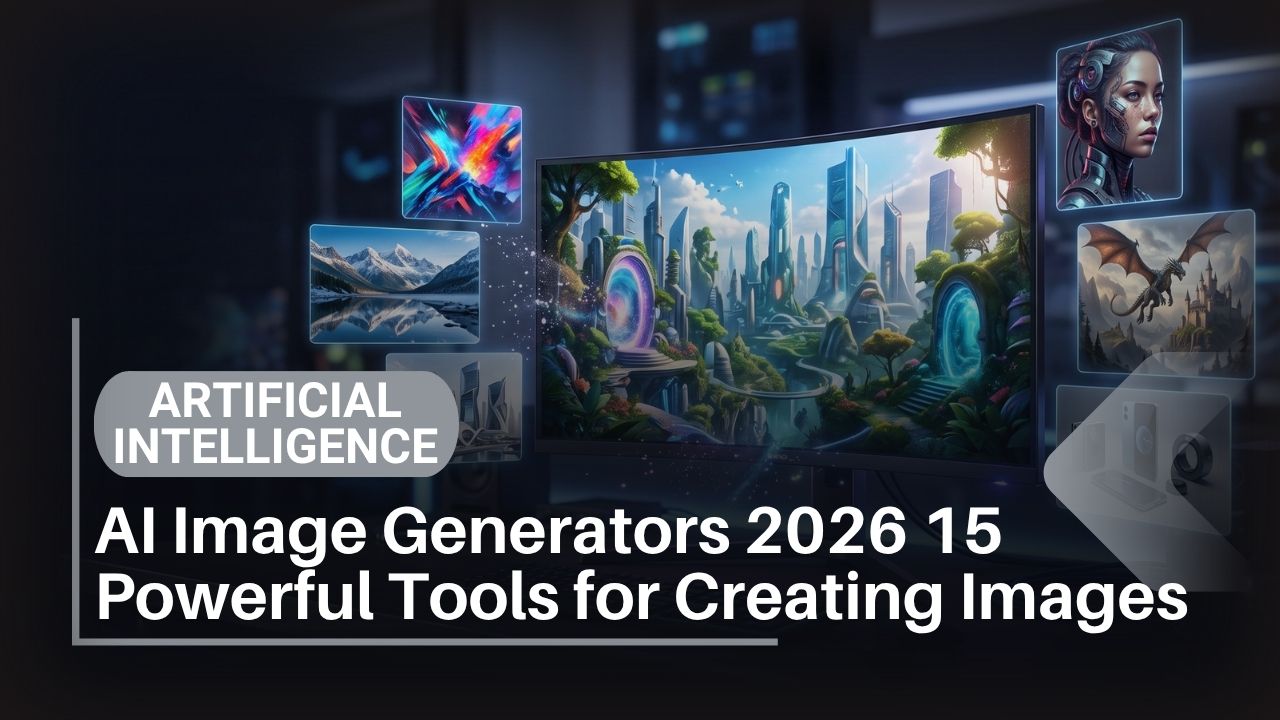
Creating professional images used to require expensive equipment, years of training, or hiring designers. Today, anyone with an internet connection can generate stunning visuals in seconds using AI image generators.
This shift happened so quickly that many people haven’t caught up. You might think image creation still requires professional skills. It doesn’t. Not anymore.
In 2026, AI image generators have advanced dramatically. They’re not creating the obviously fake, distorted images from two years ago. We’re talking about genuinely professional-quality visuals that rival stock photography and compete with professional design work.
Whether you’re a content creator needing graphics, an entrepreneur building a brand, a student working on presentations, or simply someone curious about AI capabilities, image generators offer remarkable creative possibilities. The Pakistani market is particularly well-positioned to leverage these tools—lower internet costs, growing creative communities, and global competition all favor adopting these technologies.
This guide covers 15 of the best AI image generators available in 2026. You’ll learn what each tool excels at, how they compare, pricing, and practical guidance for choosing the right one for your needs. Explore fundamental concepts of artificial intelligence.
Quick Answer
What are the best AI image generators in 2026?
For professional quality: Midjourney and DALL-E 3. For free options: Stable Diffusion and Blue Willow. For ease of use: Adobe Firefly and Canva AI. For detailed control: Stable Diffusion and Replicate. For speed: DALL-E 3 and Midjourney. Your best choice depends on your specific needs, budget, and desired output quality.
Is there a free AI image generator that’s actually good?
Yes. Stable Diffusion (completely free), Blue Willow (free with credits), and Craiyon offer free, capable image generation. Quality is good though not quite matching paid tools like Midjourney.
How much does AI image generation cost?
Free options exist. Paid tools range from $10-120/month depending on usage. Most Pakistani users find free tiers sufficient or upgrade to $10-20/month subscriptions for occasional use.
Key Takeaways
- AI image generation is remarkably fast – Professional visuals in seconds instead of hours
- Quality has improved dramatically – 2026 tools produce genuinely professional-grade images
- Free options are legitimately capable – No payment required for many use cases
- Different tools excel at different tasks – Artistic images, photorealistic, architectural, style transfer vary by tool
- Pakistani creators have competitive advantages – Lower subscription costs, growing digital economy
- Specific prompts produce better results – Detailed descriptions yield dramatically better images
- Commercial usage varies by tool – Copyright and usage rights differ; understand terms carefully
- Integration with workflow matters – Tools that fit your existing process are most valuable
- Style consistency is possible – Advanced tools can maintain visual cohesion across multiple images
- Learning curve is genuinely minimal – Most people generate good images within minutes
Table of Contents
HOW AI IMAGE GENERATORS WORK
Understanding how AI image generators function helps you use them more effectively. Explore the technology category for more AI insights.
The basic process:
AI image generators are trained on millions of images from the internet paired with text descriptions. This training allows them to learn relationships between words and visual elements.
When you provide a text prompt (description of what you want), the AI:
- Processes your description – Understands what you’re asking for
- Generates initial images – Creates multiple variations based on your prompt
- Refines iteratively – Improves images based on the patterns it learned
- Returns final images – Delivers finished visuals ready to use
Key technical concepts:
Diffusion Models – The most common approach. Start with random noise, gradually refine it into coherent images based on your prompt. More steps = higher quality but slower. Discover a comprehensive guide to 15 best AI tools
Latent Space – AI works in a compressed representation of images before converting to full resolution. This speeds processing.
Prompt Engineering – The skill of writing descriptions that produce desired results. More specific prompts yield better images.
Style Transfer – Applying artistic styles to generated images. Advanced tools handle this seamlessly.
What they’re good at:
- Fantasy artwork and creative concepts
- Product mockups and marketing visuals
- Architectural visualizations
- Artistic illustrations
- Photorealistic portraits and objects
- Logo and icon generation
- Landscape and environment creation
Limitations to understand:
- Text rendering is imperfect (words in images often look wrong)
- Consistent character generation across multiple images remains challenging
- Understanding complex spatial relationships sometimes fails
- Hands, fingers, and anatomically complex features can look odd
- Generating current events or recent real-world scenes is limited
PROFESSIONAL-GRADE IMAGE GENERATORS
1. Midjourney
Strengths: Exceptional output quality, artistic consistency, professional-grade results, active community
Best for: High-quality artwork, professional marketing visuals, artistic exploration, design mockups
Why it dominates: Midjourney produces the most aesthetically stunning images among all tools. Professional designers and artists actually use it for real work.
How it works: Discord-based. You describe what you want in a Discord channel; Midjourney generates four variations. You can refine, remix, or upscale.
Pricing: $10-120/month depending on usage (fast hours required monthly)
Pakistan access: Works with credit card; VPN sometimes needed
Real limitation: Discord requirement; subscription-only with no free tier
Image quality: 10/10 – Genuinely professional
2. DALL-E 3 (OpenAI)
Strengths: Excellent at following detailed prompts, integrated with ChatGPT, high quality
Best for: Marketing content, illustrations, conceptual artwork
Why it’s valuable: If you already use ChatGPT Plus, DALL-E 3 is included. Seamless integration with ChatGPT means you can refine images through conversation.
How it works: Chat interface within ChatGPT. Describe what you want; DALL-E generates images. Refine through conversation.
Pricing: Included with ChatGPT Plus ($20/month) or pay-per-image via API
Pakistan access: Available via ChatGPT subscription
Real limitation: Slightly behind Midjourney on artistic quality
Image quality: 9/10 – Very good
3. Adobe Firefly
Strengths: Integrated with Adobe Creative Suite, ease of use, professional output, generative fill
Best for: Creative professionals already using Adobe products, quick mockups, design enhancement
Why designers choose it: Works directly in Photoshop, Illustrator, and Express. Fits seamlessly into existing workflows.
How it works: Plugin within Adobe applications or web interface. Select an area, describe what you want, Firefly fills it in.
Pricing: Included with Creative Cloud subscription or free tier available
Pakistan access: Available; subscription-based or free limited version
Real limitation: Requires Adobe ecosystem or separate pricing
Image quality: 9/10 – Professional
AFFORDABLE MID-TIER TOOLS
4. Stable Diffusion
Strengths: Open-source, free, customizable, runs locally, active community
Best for: Experimenting, budget-conscious creators, privacy-focused users
Why it matters: Completely free. Can run on your own computer for complete privacy. Highly customizable through different model variations.
How it works: Web interface (Easy Diffusion) or local installation (Automatic1111). Describe what you want; generate images.
Pricing: Completely free
Pakistan access: Completely free and accessible
Real limitation: Quality slightly below professional tools; requires some technical knowledge for local setup
Image quality: 7/10 – Good
5. Blue Willow
Strengths: Free generation with Discord, affordable premium, no credit card required initially
Best for: Budget users, experimentation, casual image creation
Why it’s valuable: Genuinely free with Discord integration. Premium is cheap (~$12/month for serious use).
How it works: Discord bot. Same interface as Midjourney (by design). Describe images in Discord; Blue Willow generates them.
Pricing: Free tier available, premium from $12/month
Pakistan access: Completely free tier available
Real limitation: Quality gap compared to Midjourney
Image quality: 7/10 – Good
6. Craiyon (formerly DALL-E mini)
Strengths: Easy to use, free tier available, web-based, minimal setup
Best for: Casual users, learning AI image generation, quick mockups
Why beginners prefer it: Lowest barrier to entry. No registration required initially. Generates 9 variations simultaneously.
How it works: Web interface. Describe image; click generate. Get 9 variations immediately.
Pricing: Free tier available, Craiyon Pro $5/month
Pakistan access: Completely free
Real limitation: Lower quality than professional tools
Image quality: 6/10 – Decent
7. Bing Image Creator (Microsoft Designer)
Strengths: Free, integrates with Bing, powered by DALL-E 3, easy to use
Best for: Free users wanting DALL-E 3 quality, Microsoft ecosystem users
Why it’s excellent: Free access to DALL-E 3 technology. No payment required. Integrates with Microsoft account.
How it works: Web interface within Bing or Microsoft Designer. Describe image; generate with DALL-E 3 engine.
Pricing: Completely free with credit system (free credits regularly)
Pakistan access: Completely free and accessible
Real limitation: Limited generations per day; credit system
Image quality: 9/10 – Very good
FREE & OPEN-SOURCE TOOLS
find best free AI tools available
8. Hugging Face Models
Strengths: Free, multiple model options, research-focused, open-source
Best for: Researchers, technical users, experimentation
Why it matters: Access to cutting-edge research models. Many are free to use.
How it works: Web interface with various models available (Stable Diffusion, etc.)
Pricing: Completely free
Pakistan access: Completely free and accessible
Real limitation: Requires some technical understanding
Image quality: 7/10 – Varies by model
9. Leonardo.AI
Strengths: Free tier generous, AI canvas for editing, style customization, community features
Best for: Artists experimenting, style exploration, learning
Why creators use it: Free tier includes decent usage. Canvas allows editing generated images. Community features are strong.
How it works: Web interface. Describe image and select style; generate variations with canvas editing.
Pricing: Free tier generous, paid from $12/month
Pakistan access: Free tier fully available
Real limitation: Paid features needed for commercial use
Image quality: 7/10 – Good
10. Replicate
Strengths: Multiple models available, API access, pay-as-you-go, developer-friendly
Best for: Developers, technical users, API integration
Why developers prefer it: Use any model you want with simple API calls. Pay only for what you use.
How it works: API-based or web interface. Access to Stable Diffusion and other models.
Pricing: Pay-per-use (typically $0.001-0.01 per image)
Pakistan access: Available with international payment method
Real limitation: Requires technical setup; not beginner-friendly
Image quality: 7/10 – Good
SPECIALIZED IMAGE GENERATORS
11. Canva AI Image Generator
Strengths: Integrated with Canva design platform, beginner-friendly, template support
Best for: Designers using Canva, marketers, social media creators
Why it’s valuable: Generates images that integrate seamlessly into Canva designs. No switching between tools.
Pricing: Included with Canva Pro ($13/month)
Pakistan access: Available; subscription-based
Real limitation: Limited to Canva ecosystem
Image qality: 7/10 – Good
12. Artbreeder
Strengths: Image blending, style transfer, collaborative features, artistic focus
Best for: Artists, creative exploration, combining image styles
Why artists love it: Blend multiple images together. Apply artistic styles. Community collaboration.
Pricing: Free tier available, Artbreeder+ $5/month
Pakistan access: Free tier fully available
Real limitation: More specialized than general generators
Image quality: 8/10 – Artistic
13. Remove.bg with AI Enhancement
Strengths: Background removal with AI, integration with other tools
Best for: Product photography, portrait background removal
Why e-commerce uses it: Remove backgrounds automatically. Perfect for product images.
Pricing: Free tier available, paid plans from $4.99/month
Pakistan access: Free tier fully available
Real limitation: Specialized tool; not general image generation
Image quality: Excellent for its purpose
14. NightCafe
Strengths: Multiple AI engines available, style transfer, collaborative features, accessible
Best for: Experimentation, learning different AI approaches
Why creators explore it: Access to Stable Diffusion, DALL-E, and other models. Supports style transfer and collaborations.
Pricing: Free tier available, Creator tier $8.99/month
Pakistan access: Free tier fully available
Real limitation: Interface can be overwhelming
Image quality: 7-9/10 (varies by engine selected)
15. Runway Gen-2 (Video + Images)
Strengths: Generates images and short videos, professional quality, animation capabilities
Best for: Content creators wanting animated visuals, video generation
Why it’s unique: Goes beyond static images to short video clips. Professional quality.
Pricing: Plans from $12/month
Pakistan access: Available with credit card
Real limitation: More expensive than image-only tools
Image quality: 9/10 – Professional
COMPREHENSIVE COMPARISON TABLE
| Tool | Best For | Free Tier | Paid Starting | Quality | Pakistan Access |
| Midjourney | Professional art | Limited | $10/month | 10/10 | Yes (card) |
| DALL-E 3 | Quality images | Limited | ChatGPT Plus | 9/10 | Yes |
| Adobe Firefly | Design workflow | Yes | CC subscription | 9/10 | Yes |
| Stable Diffusion | Budget/privacy | Yes (free) | Optional | 7/10 | Yes (free) |
| Blue Willow | Budget creation | Yes | $12/month | 7/10 | Yes (free) |
| Craiyon | Casual users | Yes | $5/month | 6/10 | Yes (free) |
| Bing Creator | Free DALL-E | Yes (full) | Optional | 9/10 | Yes (free) |
| Leonardo.AI | Artists | Yes | $12/month | 7/10 | Yes |
| Replicate | Developers | Pay-per-use | ~$0.01/image | 7/10 | Yes |
| Artbreeder | Style transfer | Yes | $5/month | 8/10 | Yes |
| NightCafe | Experimentation | Yes | $8.99/month | 7-9/10 | Yes |
| Canva AI | Design integration | Via Canva | $13/month | 7/10 | Yes |
| Hugging Face | Research | Yes (free) | N/A | Variable | Yes (free) |
| Remove.bg | Background removal | Yes | $4.99/month | Expert | Yes |
| Runway Gen-2 | Video+images | Limited | $12/month | 9/10 | Yes (card) |
PROS & CONS: AI IMAGE GENERATORS
Pros of Using AI Image Generators
Dramatically faster than design – Professional visuals in minutes instead of hours
Eliminates design cost – No need to hire expensive designers for routine graphics
Unlimited variations – Generate 100 versions and choose the best
Learning curve is minimal – Most people generate good images immediately
Global accessibility – Pakistani creators access same tools as international users
Experimental capability – Try wild ideas with zero risk
Consistency possible – Advanced tools can maintain visual themes across images
Integrates with workflows – Adobe Firefly in Photoshop, Canva integration, etc.
Reduces outsourcing – No waiting for freelance designers
Democratizes creativity – Professional-quality images without professional training
Cons of Using AI Image Generators
Text rendering imperfect – Words generated within images often look wrong
Anatomical inconsistencies – Hands, fingers, and complex features can look odd
Character consistency challenging – Same character across multiple images is difficult
Copyright uncertainty – Unclear ownership of generated content legally
Prompt engineering required – Better results require skill developing effective prompts
Hallucinations possible – AI sometimes generates weird, unexpected results
Training data bias – Reflects biases present in training datasets
Processing time varies – From seconds (Bing) to minutes (Midjourney with queue)
Commercial rights limited – Some tools restrict commercial usage
Quality variability – Same prompt produces different results each time
EXPERT TIPS: GETTING BEST RESULTS
1. Be specific in descriptions
Vague: “Generate a nice building”
Better: “Generate a modern glass and steel skyscraper in downtown Dubai, photographed at sunset, golden hour lighting, architectural photography style”
Specific prompts produce dramatically better images. Explore AI writing tools for content creation.
2. Use style references
“In the style of oil painting,” “photorealistic,” “3D render,” “concept art,” “anime,” “watercolor” all produce different outputs.
3. Specify artistic quality
Add “highly detailed,” “professional,” “4K,” “masterpiece,” or “award-winning” to boost quality perception.
4. Control composition
“Rule of thirds composition,” “centered subject,” “wide-angle view,” “close-up macro” all affect framing.
5. Combine elements strategically
“A teacup made of ice, sitting in a desert, sunlit, highly detailed” combines disparate elements effectively.
6. Iterate and refine
First output rarely perfect. Regenerate multiple times. Refine prompts based on results.
7. Use negative prompts
Many tools allow “negative prompts” specifying what you don’t want. “No blurry, no low quality, no distorted hands.”
8. Understand each tool’s strengths
Midjourney for artistic. DALL-E 3 for realistic. Stable Diffusion for experimental. Use the right tool for your goal.
9. Upscale strategically
Most tools offer upscaling (increasing resolution). Upscale winners for final publication.
10. Combine with editing
Generate with AI, then refine with Photoshop or Canva. Best results combine AI generation with human editing.
COMMERCIAL USAGE & RIGHTS
Understanding copyright and commercial usage is crucial.
Free tools (generally):
- Stable Diffusion – You own generated images; commercial use typically allowed
- Blue Willow – Check terms; generally allows commercial use
- Craiyon – Personal use free; commercial requires clarification
- Bing Image Creator – Generated images may have limitations on commercial use
Paid tools (generally):
- Midjourney – Commercial rights included with subscription (Standard tier and above)
- DALL-E 3 – Commercial use requires API subscription; basic ChatGPT Plus may not include commercial rights
- Adobe Firefly – Commercial use depends on Creative Cloud tier
Always verify:
- Check the tool’s Terms of Service
- Confirm commercial usage explicitly
- Understand if attribution is required
- Verify you own generated images or have license
Best practice: Use commercial-licensed tools for any work you’re selling or monetizing.
BUYING GUIDE FOR PAKISTAN
For Students & Budget Users:
Start completely free:
- Bing Image Creator (powered by DALL-E 3, free)
- Stable Diffusion (open-source, free)
- Craiyon (free, fast)
- Leonardo.AI (free tier)
Cost: 0 PKR
This stack handles 95% of student needs without payment.
For Content Creators (Occasional Use):
- Blue Willow premium: $12/month (~1,800 PKR)
- Or Midjourney: $10/month (~1,500 PKR)
Cost: ~1,500-1,800 PKR/month
Great balance of quality and affordability.
For Professional Designers:
- Midjourney: $10/month (fast hours priority)
- Adobe Creative Cloud: ~$55/month (includes Firefly)
- Or Replicate: Pay-per-use (~$0.01-0.05/image)
Cost: 1,500-8,000+ PKR/month
Professional-grade quality and reliability.
For E-commerce/Product Photography:
- Remove.bg: $4.99/month
- Runway AI: $12/month
- DALL-E 3 via Bing (free) or ChatGPT Plus: $20/month
Cost: 750-3,000 PKR/month
Specialized for product images and backgrounds.
Payment Methods in Pakistan:
Works well:
- Visa/Mastercard from Pakistani banks (HBL, UBL, Habib)
- Wise card (international)
- Revolut card (for tech-savvy users)
Limited support:
- Rupay cards (not all tools)
- Direct bank transfer (rare)
Tips for Pakistani users:
- Annual billing saves 15-20%
- Free tiers cover most needs initially
- Upgrade only when free limits restrict work
- Use VPN if certain tools have geo-restrictions
FREQUENTLY ASKED QUESTIONS
Q: Which AI image generator creates the best images?
A: Midjourney produces the highest quality artistic images. DALL-E 3 excels at realistic images. For free, Stable Diffusion and Bing Image Creator are excellent. “Best” depends on your specific need.
Q: Can I use AI-generated images commercially?
A: It depends on the tool and your subscription tier. Midjourney Standard tier and above allows commercial use. DALL-E 3 requires API subscription for commercial rights. Always check terms.
Q: How much do AI image generators cost?
A: Many are free (Stable Diffusion, Bing Creator, Craiyon). Paid tools range $5-120/month. Most creators get good results spending $10-20/month.
Q: Can AI generate consistent characters?
A: With difficulty. Advanced tools like Midjourney are improving, but generating the same character consistently remains challenging. Workarounds: use the same prompt, reference images, or style descriptions.
Q: Do I need powerful hardware to use AI image generators?
A: Web-based tools (Midjourney, DALL-E 3, Bing Creator) need nothing special. For local Stable Diffusion installation, GPU helps but isn’t required.
Q: How fast are AI image generators?
A: Web-based tools generate images in 10-60 seconds. Midjourney is typically 30-60 seconds (queue dependent). Bing Creator is very fast (15-30 seconds).
Q: Can I edit AI-generated images?
A: Yes. Use Photoshop, Canva, or free tools like GIMP. Some generators (Artbreeder, Leonardo.AI) include editing tools.
Q: What’s the learning curve?
A: Minimal. Most people generate acceptable images immediately. Mastering prompt engineering takes practice but is learnable within hours.
Q: Are AI-generated images legal to use?
A: Yes, if you have rights. Verify your tool’s terms of service. Commercially-licensed generators explicitly allow commercial use. Free tools vary—check their terms.
Q: Do AI image generators work on mobile phones?
A: Most have mobile web interfaces. Bing Creator works on mobile. Midjourney requires Discord (available on mobile). Some (like Replicate) have mobile apps.
Q: What if I don’t like the generated images?
A: Regenerate with same or refined prompt. Try different tools. Most generate 4+ variations per request. Iterate until satisfied.
Q: Can I combine multiple AI image generators?
A: Yes. Generate with one tool, edit with another, enhance with a third. Combining tools often produces better results.
Q: Is there an AI image generator for video?
A: Yes. Runway Gen-2 generates short video clips. It goes beyond static images to animated content.
Q: How do I know if an image is AI-generated?
A: Increasingly difficult. Look for text rendering errors, anatomical oddities, or impossible physics. But modern tools are getting very good at realism.
PROS & CONS: DETAILED BREAKDOWN
Midjourney vs Free Tools
Midjourney Pros:
- Highest quality output
- Professional artists use it
- Consistent style options
- Active community
- Strong commercial rights
Midjourney Cons:
- $10+/month cost
- Discord requirement
- Queue times possible
- Subscription needed
Free Tools Pros:
- No cost
- Easy access
- Good quality (Bing, Stable Diffusion)
- Privacy-friendly (local Stable Diffusion)
Free Tools Cons:
- Lower quality overall
- Fewer features
- Limited commercial rights clarity
- Fewer customization options
Adobe Firefly vs DALL-E 3
Adobe Firefly Pros:
- Direct Photoshop integration
- Professional workflow
- Style consistency
Adobe Firefly Cons:
- Requires Adobe subscription
- Expensive for non-designers
DALL-E 3 Pros:
- Excellent quality
- ChatGPT integration
- Easy access
- Free Bing access version
DALL-E 3 Cons:
- Requires ChatGPT Plus or payment
- Commercial rights questions
EXTERNAL REFERENCES & AUTHORITATIVE SOURCES
Official AI Image Generator Websites:
- Midjourney Official
- DALL-E 3 by OpenAI
- Adobe Firefly
- Stable Diffusion Official
- Microsoft Designer Bing Creator
AI Research & Standards:
Image Generation Research:
Pakistani Tech Resources:
CONCLUSION: CHOOSING YOUR AI IMAGE GENERATOR
Here’s the honest truth: AI image generation in 2026 is remarkably accessible and genuinely useful.
Whether you choose Midjourney for professional quality, DALL-E 3 for versatility, Stable Diffusion for complete freedom, or free tools for budget constraints, the barrier to entry is now virtually zero. Compare ChatGPT alternatives and writing tools.
Pakistani creators have particular advantages. Lower subscription costs, growing digital economy, and creative talent provide significant competitive advantages. Using these tools responsibly and ethically gives Pakistani creators real edge against global competition.
Start this week:
- Try Bing Image Creator (completely free, powered by DALL-E 3)
- Write specific prompts for what you want to create
- Iterate and refine based on results
- Explore other tools if specific needs arise
Most people generate quality images within their first session. Expect the learning curve to be measured in minutes, not hours.
The tools are available. They’re accessible. Most are affordable. The question is whether you’ll use them to enhance your creative work or watch others do it.
Your choice.