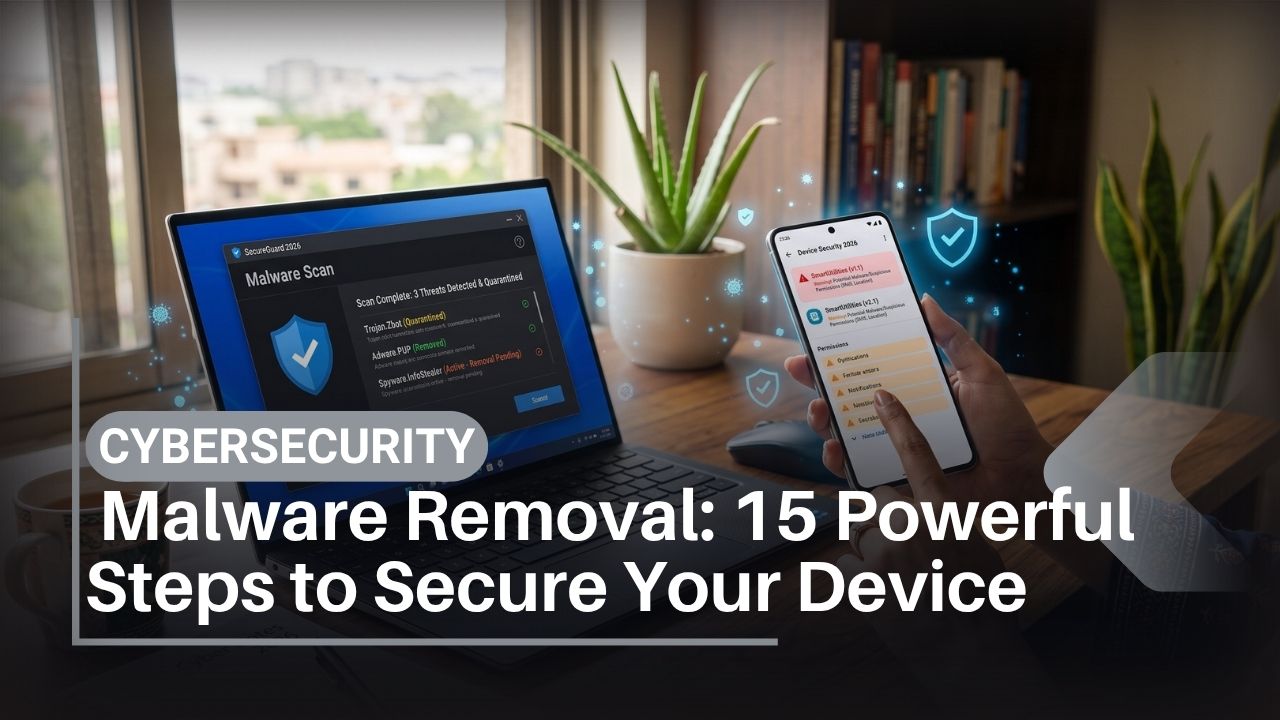
Malware removal in 2026 is not simply a matter of downloading an antivirus app and tapping “scan.” Modern attacks can involve malicious Android applications, browser notification abuse, stolen passwords, spyware, fraudulent APK files, dangerous extensions and phishing campaigns designed to make users install software themselves.
The first challenge is figuring out whether you actually have malware.
A phone getting hot does not automatically mean it has a virus. Battery drain can come from weak mobile coverage, aging hardware, gaming, 5G activity or an inefficient application. Pop-up advertisements can originate from a website notification rather than a system infection. An account can also be compromised through phishing even when the device itself is perfectly clean.
That distinction matters because different problems require different fixes.
For people in Pakistan, malware may be distributed through fake banking applications, unofficial APK websites, pirated software, fraudulent courier or job messages, social-media links and apps impersonating legitimate services. AI can also make the phishing messages surrounding malicious downloads more persuasive.
This malware removal guide explains how to isolate a suspicious device, find risky applications, use built-in protection, remove dangerous permissions, secure passwords and decide when a factory reset or professional investigation is justified. The steps apply primarily to Android phones, with specific advice for iPhone and computers where the procedure differs.
For broader account and network protection after cleanup, use IT Magazine Pakistan’s cybersecurity guide for 2026 alongside this guide.
How Do You Remove Malware Safely?
For safe malware removal, first disconnect the suspicious device from sensitive activity, preserve evidence if fraud is involved, and avoid entering banking or important passwords on it. On Android, uninstall suspicious apps, revoke dangerous Accessibility or device-administrator privileges, run Google Play Protect and install legitimate operating-system updates.
Secure potentially exposed accounts from another device you trust. Change compromised passwords and terminate unknown sessions.
If serious suspicious behavior continues after malware removal, back up essential personal files and consider a factory reset using the manufacturer’s official procedure. A persistent or highly targeted compromise may require qualified professional help.
On an iPhone, keep iOS current and investigate suspicious profiles, account compromise and browser scams rather than assuming that every pop-up or battery problem proves malware.
Key Takeaways
- Malware is malicious software; phishing and account takeover can occur without malware.
- Do not install unknown “virus cleaner” applications after seeing a frightening pop-up.
- Android malware removal should include checking apps, Accessibility access, device administration, notification permissions and account security.
- Google Play Protect is a useful built-in layer on supported Android devices, but no scanner guarantees detection of every threat.
- iPhones can face malicious activity, exploitation and account compromise, but conventional third-party antivirus apps cannot scan iOS like desktop antivirus software can.
- Change exposed passwords from a known-clean device, not from a phone you believe an attacker may be controlling.
- A factory reset is powerful but destructive; prepare backups and account credentials first.
- Ransomware and spyware may require a different response from ordinary adware.
- Never pay unknown online “hackers” who claim they can remotely clean or recover your device.
- Long-term security depends on updates, safe app installation, password security and phishing prevention.
Table of Contents
What Is Malware?
Malware is software intentionally designed to perform malicious or unwanted actions on a device, system or network.
“Virus” is often used casually to describe all malware, but technically a computer virus is only one category.
Common malware types
| Type | Main behavior | Typical concern |
| Trojan | Pretends to be legitimate software | Credential/data theft |
| Spyware | Secretly monitors activity | Surveillance |
| Adware | Displays unwanted advertising | Privacy and usability |
| Ransomware | Locks/encrypts data or systems | Extortion/data loss |
| Stalkerware | Used to monitor another person’s device | Personal safety/privacy |
| Banking malware | Targets financial credentials | Financial theft |
| Infostealer | Steals stored information | Account compromise |
Ransomware deserves particular attention because removing the malicious program does not necessarily recover encrypted files.
Is Your Device Really Infected?
Effective malware removal begins with diagnosis.
Common warning signs deserve investigation, but most are not proof on their own.
| Symptom | Could indicate malware? | Other likely explanations |
| Battery drains quickly | Yes | Aging battery, gaming, weak signal |
| Phone gets warm | Yes | Charging, camera, gaming, updates |
| Pop-up ads | Yes | Browser notification/site ads |
| Unknown app | Stronger warning | Manufacturer/carrier software |
| High data use | Yes | Video, cloud backup, updates |
| Account logins elsewhere | Possibly | Password phishing/account breach |
| Browser redirects | Yes | Bad site/notification/extension |
| Accessibility enabled for unknown app | Significant warning | Legitimate accessibility application |
| Slow phone | Possibly | Full storage, old hardware |
| Security app warning | Possibly | False positive; investigate details |
A single symptom such as heat should not trigger a factory reset.
Malware Removal Step 1: Stop Sensitive Activity
If you have reasonable evidence that a device is compromised, stop using it for banking, password changes or confidential communications until you assess the problem.
Disconnecting Wi-Fi and mobile data can interrupt some active communication with malicious infrastructure. However, do not immediately wipe a device if you need evidence for a financial dispute, employer investigation or law-enforcement report.
Use another known-trusted phone or computer for urgent financial and account-security work.
When isolation should be immediate
Disconnect promptly when:
- An unknown app visibly controls the screen.
- You see transactions occurring without authorization.
- A suspicious remote-access application is active.
- Corporate security instructs you to isolate the device.
- Ransomware is actively affecting connected resources.
Isolation buys time. It is not malware removal by itself.
Malware Removal Step 2: Preserve Evidence Before Deleting Everything
People often erase useful evidence while trying to fix an attack.
Before removing suspicious applications, record their names, suspicious URLs, phone numbers, payment references and relevant messages where doing so is safe.
Screenshots can help a bank, employer, platform or investigator understand what occurred.
Do not preserve malware installers unnecessarily simply for curiosity. Keep evidence relevant to the incident without opening potentially malicious files.
For suspected cybercrime in Pakistan, check the Government of Pakistan’s National Cyber Crime Investigation Agency for current reporting information. Reporting procedures can change, so use current government guidance.
Malware Removal Step 3: Identify Recently Installed or Suspicious Apps
On Android, review the applications installed around the time the problem started.
Open Settings > Apps, although wording varies by manufacturer.
Samsung, Xiaomi, Realme, Oppo, Vivo, Infinix and Tecno customize Android, so menus are not identical.
Look for applications that:
- You do not remember installing.
- Came from a message or unknown APK website.
- Have generic or deceptive names.
- Request capabilities unrelated to their purpose.
- Cannot explain why they need SMS or Accessibility access.
- Appeared immediately before suspicious behavior began.
Do not remove unfamiliar system applications at random. Android phones include many legitimate components whose names are not obvious.
When uncertain, compare the package against documentation from the phone manufacturer or Google.
Malware Removal Step 4: Revoke Dangerous Permissions Before Uninstalling
Some malicious Android applications use powerful privileges that make normal removal difficult.
Review Accessibility, device-administrator privileges, notification access, “display over other apps,” VPN configurations and installation permissions.
Accessibility requires particular attention
Android Accessibility services have essential legitimate purposes, including helping people with disabilities interact with devices.
Their capabilities can also be abused by malware to observe or manipulate interface interactions.
If an app you do not trust has Accessibility access, disable that privilege before uninstalling it when possible.
Google’s Android privacy and security documentation provides authoritative platform information.
Do not disable accessibility tools that you genuinely rely on simply because Accessibility is powerful.
Malware Removal Step 5: Uninstall the Suspicious Application
After removing unnecessary privileged access, uninstall the suspected application through Android Settings.
Do not simply delete its home-screen icon. An icon shortcut and an installed package are different things.
Restart the phone afterward and see whether the behavior returns.
If the uninstall button is unavailable, check whether the application still holds device-administrator or other special access. On employer-managed phones, management software may legitimately prevent uninstallation; contact the IT administrator instead of attempting to bypass controls.
Malware Removal Step 6: Run Google Play Protect on Android
Google Play Protect provides malware scanning and related protections for Android devices with Google Play services.
Google explains how it works in the official Google Play Protect documentation.
Open Google Play, locate Play Protect and run a scan if your device provides the option.
Keep Play Protect enabled unless you have a specific technical reason to change it.
Is Play Protect enough?
It is an important layer, but no security product should be described as capable of identifying every possible malicious application.
Targeted spyware, previously unknown malware or sophisticated exploitation may require specialist analysis.
Avoid responding to uncertainty by installing several unknown antivirus applications. Security software itself receives significant device access, so the vendor matters.
Malware Removal Step 7: Install Legitimate Security Updates
Malware removal without patching an exploitable vulnerability can leave the same door open.
Check for Android or iOS updates after removing suspicious software.
Google publishes security information through Android Security Bulletins. Apple publishes fixes through its official security releases.
Samsung users can also review Samsung Mobile Security information.
Other Android manufacturers—including Xiaomi, Realme, Oppo, Vivo, Infinix and Tecno—have their own update schedules. Verify support for your exact model.
For deeper preventative steps after malware removal, follow IT Magazine’s guide on how to protect your phone.
Malware Removal Step 8: Fix Browser Pop-Ups and Notification Spam
Not every frightening “Virus Found!” message comes from malware installed on your phone.
A website can display fake security alerts or obtain permission to send browser notifications. This is frequently mistaken for an operating-system infection.
What to do with fake virus pop-ups
Do not tap the alert’s “clean,” “scan” or phone-number button.
Close the browser tab. Review browser site-notification permissions and remove suspicious websites.
Clear browsing data if necessary, understanding that this may sign you out or remove local website data.
Make sure the browser itself is current.
If the problem occurs only on one particular website, that strongly suggests a web-level problem rather than proof that Android or iOS has been infected.
Malware Removal Step 9: Secure Passwords From a Clean Device
Malware removal is incomplete if the attacker already stole your credentials.
Use a different device that you trust to secure important accounts.
Prioritize:
- Primary email.
- Google Account or Apple Account.
- Password manager.
- Banking and wallets.
- Social-media accounts.
- WhatsApp and messaging.
- Employer or university systems.
Use unique passwords. Enable passkeys or appropriate multi-factor authentication.
Review active sessions and remove devices you do not recognize.
Google users can run the official Google Security Checkup.
If the incident began with a deceptive message or login page, IT Magazine’s phishing prevention guide explains how to prevent the same attack chain from happening again.
Malware Removal Step 10: Review Downloads and Unknown APK Files
An uninstalled malicious application may leave its installer in the Downloads folder.
You do not normally need APK installers after the application has been installed.
Delete suspicious installers instead of opening them again.
Why APK malware matters
Android allows software distribution outside Google Play, which is valuable for development and legitimate enterprise distribution.
The same flexibility is exploited by attackers distributing:
- Fake banking apps.
- Pirated games.
- Cracked premium applications.
- Fake software updates.
- Fake courier apps.
- “Account verification” software.
Sideloading itself is not malware. The problem is trusting unverified software.
On Android, review which applications are allowed to install unknown apps and remove unnecessary permission.
Malware Removal Step 11: Check for Suspicious VPNs, Profiles and Device Management
Malicious or unwanted configurations can alter how traffic or devices are managed.
On Android, inspect VPN settings and special administrative access.
On an iPhone, unfamiliar configuration profiles or mobile-device-management settings deserve investigation.
Important limitation
Do not remove a profile simply because you do not recognize its name if the device belongs to an employer, university or organization. Managed devices can legitimately contain configuration profiles.
Ask the administrator first.
Apple documents its operating-system security model in the official Apple Platform Security guide.
Malware Removal Step 12: Deal With Ransomware Correctly
Ransomware removal and ransomware recovery are separate problems.
Removing the program may stop additional malicious activity, but it does not necessarily decrypt files that have already been encrypted.
The ransomware overview explains the underlying threat.
If ransomware affects a computer or business network
Disconnect affected systems from networks according to your organization’s incident-response procedure.
Do not casually connect backup drives to an actively compromised system.
Contact the organization’s IT or security staff. Preserve evidence and determine the scope of the incident.
A ransom payment does not guarantee that an attacker will restore the data.
For consumers, reliable offline, isolated or appropriately versioned backups greatly improve recovery options.
Malware Removal Step 13: Decide Whether a Factory Reset Is Necessary
A factory reset is one of the strongest consumer remediation options, but it is destructive.
It removes user-installed apps and local data and returns the device to a fresh software state. It is appropriate when serious suspicious behavior continues, you cannot confidently remove a malicious application or trusted support recommends it.
Before resetting
- Back up essential photographs and documents.
- Avoid backing up suspicious APKs or executables.
- Know your Google or Apple credentials.
- Confirm whether authenticator data can be recovered.
- Save legitimate recovery codes.
- Preserve incident evidence.
- Ensure critical files exist elsewhere.
Do not factory-reset before contacting a bank if evidence on the device could be relevant to financial fraud.
Factory resets also are not a mathematical guarantee against every highly sophisticated firmware or hardware compromise. Such cases are far outside ordinary consumer malware incidents and warrant specialist assistance.
Malware Removal Step 14: Restore the Device Carefully
A clean reset loses much of its value if you immediately reinstall the same suspicious software.
After resetting:
- Install all official system updates.
- Restore personal data from a known-good source.
- Reinstall applications through trusted stores.
- Avoid restoring suspicious APK files.
- Reconfigure a strong screen lock.
- Re-enable account MFA/passkeys.
- Check banking and messaging accounts.
- Monitor for the original suspicious symptoms.
If the problem immediately returns after restoring a particular application or configuration, investigate that component.
Large backups can require considerable device storage. IT Magazine’s 128GB vs 256GB storage guide can help buyers planning their next device.
Malware Removal Step 15: Close the Infection Route
The most valuable part of malware removal is understanding how the threat arrived.
Otherwise, the same attack can simply happen again.
Ask:
- Did I install an APK from a message?
- Did a fake bank call tell me to install remote-control software?
- Did I use cracked software?
- Did a browser notification trick me?
- Was a password phished?
- Did I grant Accessibility access without checking?
- Was the phone no longer receiving security updates?
Then fix that route.
If phishing initiated the incident, improve phishing prevention. If password reuse increased the damage, adopt a password manager. If obsolete hardware can no longer receive required security support, replacement may be appropriate.
Android Malware Removal vs iPhone Malware Removal
Android and iOS have different security architectures, so the same malware removal advice should not be copied blindly between them.
Android
Android provides substantial application sandboxing, permissions, Google Play Protect on supported devices and hardware-backed security on compatible hardware.
It also supports broader software distribution, which means users can encounter malicious APK files when installing software from untrusted sources.
Android manufacturers vary in software-update schedules.
iPhone
iOS tightly restricts application access and third-party security software compared with desktop operating systems.
That does not make iPhone invulnerable. Vulnerabilities, targeted spyware, phishing, malicious web content and account compromise can still occur.
Traditional antivirus apps cannot inspect all of iOS in the way Windows antivirus can inspect a PC.
Apple users should focus on software updates, trusted applications, Apple Account security, suspicious profiles and any specific indicators of compromise.
Users choosing between mobile ecosystems can read IT Magazine’s Samsung vs iPhone comparison for broader platform differences.
Windows and Laptop Malware Removal
PC malware can require additional steps because desktop operating systems expose different functionality.
On a Windows PC, disconnect from networks if there is evidence of an active serious compromise, then use trusted security tools such as Microsoft Defender and appropriate offline scanning options.
Microsoft provides authoritative instructions through its Windows Security documentation.
Keep Windows and browsers updated.
If ransomware affects business data or several networked devices, stop treating it as an ordinary home malware-cleaning job and escalate it to qualified IT/security personnel.
Readers replacing an unsupported or failing machine can consult IT Magazine’s 2026 laptop buying guide for Pakistan.
Malware Removal Tools Compared
| Tool/method | Best use | Main advantage | Limitation |
| Google Play Protect | Android app screening | Built into supported Android ecosystem | Cannot guarantee every threat is detected |
| OS updates | Vulnerability remediation | Fixes known security flaws | Does not remove every existing compromise |
| Reputable antivirus | Scanning supported platforms | Adds detection capabilities | Quality/platform access varies |
| Password reset | Stolen credentials | Cuts off exposed password | Must also terminate sessions/review recovery |
| Factory reset | Serious persistent consumer compromise | Provides clean device baseline | Destructive; requires preparation |
| Professional forensics | Targeted/complex incident | Deep investigation | Cost, access and expertise required |
A VPN is conspicuously absent as a malware removal method because a VPN does not disinfect a device.
Does a VPN Remove or Prevent Malware?
No. A VPN and malware scanner solve different problems.
A virtual private network encrypts network traffic between your device and a VPN endpoint.
A VPN may improve network privacy or protect traffic on certain untrusted connections. It does not inspect and remove every malicious application.
VPN pros
A reputable VPN can be useful for remote work, privacy on untrusted networks and connecting securely to organizational resources.
VPN cons
It cannot:
- Remove an infected application.
- Fix password reuse.
- Stop every phishing site.
- Recover ransomware-encrypted data.
- Guarantee anonymity.
- Make pirated software safe.
Unknown “free VPN” applications may themselves create privacy concerns because users are trusting the VPN operator with significant network visibility.
Three Malware Case Studies
Case Study 1: Fake banking support
A user receives a phone call claiming their bank account has a problem. The caller instructs them to install a “support” application and grant powerful permissions.
The application gives the attacker excessive visibility or control.
Response: disconnect the device, contact the bank independently, remove the app and its privileges, secure credentials from a clean device and preserve transaction evidence.
Lesson: legitimate remote-access software can become dangerous when installed under fraudulent instructions.
Case Study 2: The fake virus browser alert
A website displays a full-screen warning claiming the phone contains “17 viruses” and provides a button to clean them.
The user has not actually received an operating-system malware diagnosis. The webpage is using fear to sell or install software.
Response: close the page, remove unwanted browser notification permission and do not install the advertised cleaner.
Lesson: a webpage cannot be trusted merely because it confidently says it scanned your device.
Case Study 3: Pirated APK infection
A student installs a modified game from an unknown APK website. The app requests Accessibility and notification access even though those permissions are unrelated to gameplay.
Suspicious activity follows.
Response: remove special privileges, uninstall the app, scan with Play Protect, secure exposed accounts and update the device.
Lesson: “free premium” software can carry costs that are much higher than its legitimate purchase price.
These examples illustrate common attack patterns; they are not descriptions of named individual incidents.
Password Security After Malware
Assume credentials entered while serious spyware or remote-control malware was active may require attention.
Change high-value passwords using another trusted device.
Do not simply add “123” to the old password.
Use a password manager to create a unique password for every service. Where available, use passkeys or strong multi-factor authentication.
Review recovery email addresses, telephone numbers and trusted devices too. Attackers sometimes maintain persistence by modifying recovery settings rather than continuing to use the original password.
Malware Removal for Students and Professionals
Students often face malware through cracked software, game modifications, fake productivity tools, pirated media and fraudulent job offers.
Use legitimate software or reputable free/open alternatives rather than unknown “activated” packages.
Professionals have an additional obligation: a compromised work device may expose other people’s information.
Do not independently wipe an employer-owned device unless organizational policy tells you to. Report suspicious behavior to IT/security. A forensic or legal requirement may make preservation of evidence important.
If you work remotely, follow the organization’s approved VPN, authentication and device-management policies rather than substituting your own security products.
Malware, AI and 2026 Threats
AI does not fundamentally redefine malware, but it can improve the surrounding social engineering.
Attackers can use generative tools to produce better phishing messages, translations, fake support scripts and convincing visual material. Defenders can also use machine-learning techniques to classify malicious software, spam and suspicious behavior.
The important consumer principle remains unchanged: do not grant trust because content looks polished.
For a broader understanding of current AI products and limitations, explore IT Magazine’s AI coverage.
Expert Malware Removal Tips
Do not measure infection by battery percentage alone. Evidence such as unknown privileged applications, unexpected device management, malicious network activity or unauthorized accounts is more meaningful than general slowness.
High-risk users—including journalists, executives, administrators and public figures—should not assume a consumer antivirus scan conclusively rules out sophisticated spyware.
Apple provides Lockdown Mode for the relatively small group of users who may face highly sophisticated targeted attacks. It intentionally restricts functionality and is not required for ordinary iPhone malware removal.
Google offers an Advanced Protection Program for people facing elevated risks to their Google Accounts.
These are protective controls, not magical malware-removal buttons.
Buying Advice: Choose Devices That Keep Receiving Security Updates
Sometimes malware removal exposes a larger problem: the device has reached the end of useful security support.
When buying an Android phone in Pakistan, check the exact manufacturer’s update commitment rather than assuming every model receives the same support.
Samsung, Google, Xiaomi, Realme, Oppo, Vivo, Infinix and Tecno all sell Android products with different update policies across ranges and markets. Apple controls iOS distribution for supported iPhones but older products eventually stop receiving the same level of software support.
IT Magazine’s Pakistan smartphone buying guide provides a broader checklist for selecting a replacement.
Snapdragon vs MediaTek security
Qualcomm Snapdragon and MediaTek platforms provide various hardware and firmware security capabilities, but neither brand alone determines whether a finished phone is secure.
Google supplies Android components, chipset companies address applicable platform vulnerabilities, and manufacturers must integrate and distribute device-specific fixes.
Qualcomm publishes product security information, while MediaTek maintains product security bulletins.
A 5G modem or AMOLED display has no direct ability to remove malware. If shopping for a replacement, prioritize software support before cosmetic specifications.
Frequently Asked Questions About Malware Removal
What is malware removal?
Malware removal is the process of identifying and eliminating malicious software, closing the route that allowed it onto a device and securing any data or accounts that may have been exposed.
How do I know whether my Android phone has malware?
Unknown applications, unexplained powerful permissions, malicious redirects, persistent unwanted advertising and unauthorized account activity can justify investigation. Battery drain, heat or slowness alone do not prove malware.
How do I remove malware from Android?
Remove suspicious app privileges, uninstall untrusted applications, run Google Play Protect, update Android and secure exposed accounts. If serious malicious behavior persists, a properly prepared factory reset may be appropriate.
Can Google Play Protect remove malware?
Play Protect can detect, warn about, disable or remove some harmful applications depending on the threat and device. No security scanner should be treated as capable of detecting every possible threat.
Does iPhone get malware?
iPhones can be affected by security vulnerabilities, malicious activity and targeted spyware, although iOS architecture limits applications differently from Android and desktop operating systems. Phishing and account compromise also affect iPhone users.
Does an iPhone need antivirus?
Traditional third-party antivirus products do not have unrestricted system-wide scanning access on iOS. Keep iOS updated, install trusted applications and secure your Apple Account.
Will a factory reset remove malware?
A factory reset is highly effective against ordinary user-installed malware because it removes user applications and local data. It is not an absolute guarantee against every theoretical firmware-level or highly sophisticated compromise.
Should I change passwords before removing malware?
If spyware or remote-control malware may be present, change sensitive credentials from another clean device. Doing so on the compromised device could expose the new password.
Can malware steal OTPs?
Some malicious applications can attempt to access notifications, SMS messages or other sensitive information if they obtain the required capabilities. This is why unusual permission requests need scrutiny.
Does 5G prevent malware?
No. 5G is a mobile network technology. Malware typically involves software, permissions, exploitation or social engineering. A 5G phone can still run a malicious application.
Does a VPN remove malware?
No. A VPN encrypts network traffic to a VPN endpoint. It does not uninstall malicious applications or clean an infected operating system.
Can antivirus remove ransomware?
Security software may detect or remove ransomware, but removal does not necessarily decrypt files already affected. Reliable backups are essential for recovery planning.
What should I do about a fake virus pop-up?
Do not tap its download or phone-number buttons. Close the site, review browser notification permissions and use trusted built-in security tools if further investigation is necessary.
Are APK files dangerous?
APK is Android’s application package format and is not inherently malicious. Risk increases when an APK comes from an unknown or deceptive source and has not benefited from normal trusted distribution safeguards.
Should I uninstall every app I do not recognize?
No. Operating systems and manufacturers install legitimate system components with unfamiliar names. Investigate the application’s origin and role before deleting or disabling system software.
Can malware survive an Android factory reset?
Ordinary user-installed malware typically will not. Persistence below the user-data level is possible in more sophisticated scenarios but is uncommon for everyday consumer incidents and requires specialist investigation.
Where can malware-related cybercrime be reported in Pakistan?
Check the official National Cyber Crime Investigation Agency for current federal cybercrime reporting channels. For telecom issues use the relevant operator and Pakistan Telecommunication Authority. Contact your financial institution immediately if financial fraud is involved.
Conclusion
Effective malware removal begins with identifying the problem correctly. A slow Android phone, warm iPhone or browser pop-up does not automatically mean the device is infected.
When there is credible evidence of malicious software, isolate sensitive activity, preserve important evidence, inspect installed applications and powerful permissions, use trusted security tools and install legitimate updates. Secure potentially exposed accounts from a clean device, especially your email, Google Account or Apple Account and financial services.
Use a factory reset when the situation justifies it, not as the first reaction to every suspicious advertisement. Restore applications cautiously afterward so the original threat does not return.
Most importantly, close the route that caused the infection. Strong password security, phishing prevention, trusted Google Play or Apple distribution, cautious permissions, reliable backups and supported operating systems provide more long-term value than an endless cycle of malware removal.
For Pakistani users choosing a replacement device, security-update support deserves the same attention as 5G, AMOLED, storage, Snapdragon or MediaTek performance. The safest device is not simply the newest one—it is one that remains supported and is configured carefully.