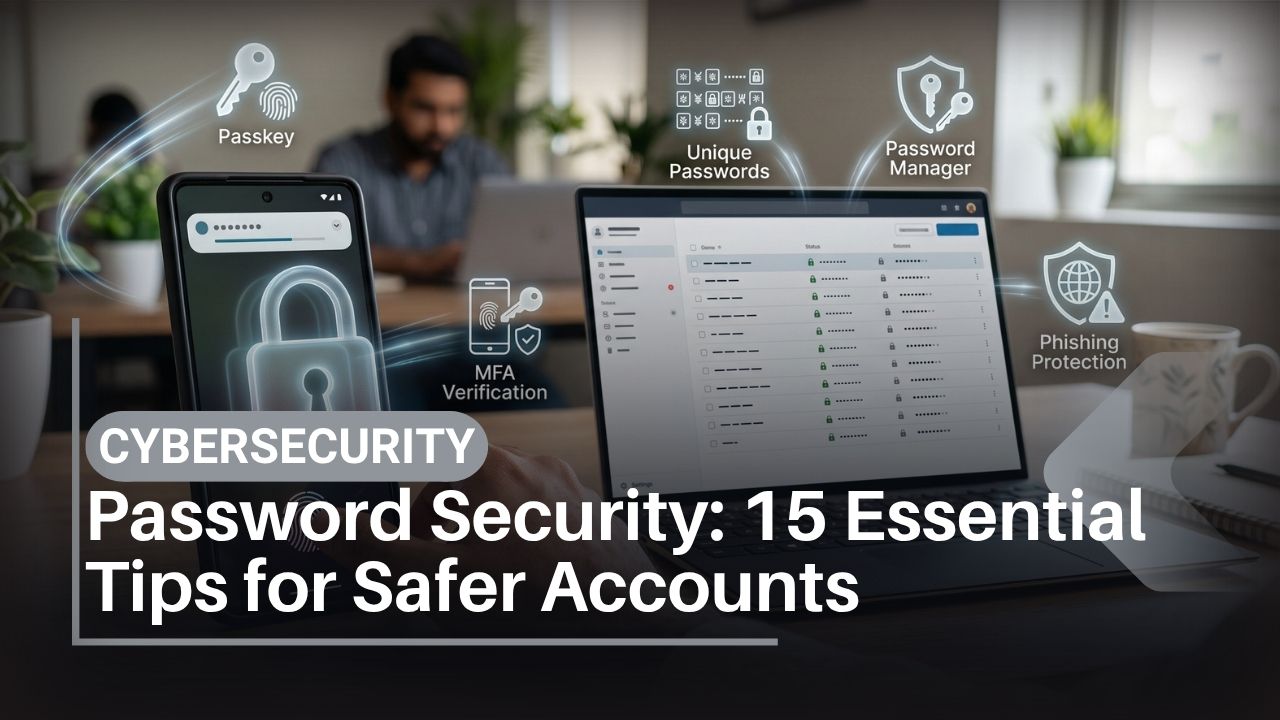
Password security in 2026 is not about creating one complicated password, memorizing it and using it everywhere.
Your email, Google Account, Apple Account, banking services, WhatsApp, social networks, university accounts and workplace systems all require protection. If you reuse one password across those services, a breach at the least important account can become the starting point for attacks against the most important one.
Passwords are also no longer the only option. Passkeys, hardware security keys, authenticator apps and other multi-factor authentication methods provide additional protection. Google, Apple and other major technology companies increasingly support passwordless or password-reducing authentication based on public-key cryptography.
Artificial intelligence also changes the threat environment. AI can help criminals create polished phishing messages and more convincing impersonation attempts, although it does not somehow “guess every password.” The major risks remain familiar: password reuse, phishing, malware, weak recovery settings and credentials exposed in data breaches.
For users in Pakistan, good password security is particularly important on smartphones because Android phones from Samsung, Xiaomi, Realme, Oppo, Vivo, Infinix and Tecno—and Apple’s iPhone—often act as the central authentication device for banking, email and digital services.
This guide explains 15 practical password security measures for 2026, including password managers, passkeys, MFA, breach response, account recovery and what to do after accidentally giving a password to a phishing site.
For wider protection beyond passwords, IT Magazine Pakistan’s complete cybersecurity guide for 2026 covers device, account and network security.
What Is the Best Password Security Strategy in 2026?
The best password security strategy is to give every account a unique credential, store those credentials in a reputable password manager and enable passkeys or strong multi-factor authentication wherever supported.
Protect your primary email and password manager particularly carefully because they can provide access to many other accounts.
Do not reuse passwords. Do not share passwords or OTPs with callers. Do not make passwords predictable by replacing letters with obvious symbols.
If a service supports a properly implemented passkey, it can offer substantially better resistance to conventional phishing than a password.
Key Takeaways
- Every important account should have a unique password.
- Longer passwords or passphrases are generally preferable to short, complicated patterns.
- A reputable password manager makes unique credentials practical.
- Protect the password manager itself with a strong, unique master password and MFA where available.
- Passkeys use public-key cryptography and are designed to resist traditional credential phishing.
- SMS MFA is generally better than password-only protection, but phishing-resistant options are preferable for high-value accounts when available.
- Do not routinely change a strong password for no reason; change it if it is weak, reused, exposed or suspected of compromise.
- Security questions should not rely on publicly discoverable facts.
- Your primary email is one of your most valuable accounts because it often controls password recovery.
- Never give a password, OTP or recovery code to someone simply because they claim to represent a bank or company.
- If malware might be monitoring the device, change credentials from a known-clean device.
- Password security includes recovery planning; locking yourself out permanently is not a successful security outcome.
Table of Contents
What Is Password Security?
Password security is the combination of creating, storing, transmitting and recovering authentication credentials in ways that reduce unauthorized account access.
A password is a secret used to demonstrate knowledge during authentication. The password overview explains the concept and its history.
Modern password security addresses several different threats:
- Guessing attacks
- Password reuse
- Credential stuffing
- Phishing
- Database breaches
- Malware and infostealers
- Social engineering
- Insecure account recovery
This is why simply adding an exclamation mark to a short password does not solve the real problem.
Password Security Methods Compared
| Method | Main advantage | Major weakness | Best use |
| Reused password | Easy to remember | One breach can expose many accounts | Avoid |
| Unique memorized password | No storage tool required | Difficult at scale | Small number of accounts |
| Password manager | Unique random credentials at scale | Manager becomes critical account | Recommended for most users |
| SMS MFA | Widely supported | Phishable; depends on phone number | Better than password-only |
| Authenticator app | Not dependent on SMS | Codes can still be phished | Strong general MFA |
| Passkey | Strong phishing resistance | Support/recovery varies by service | Preferred where supported |
| Hardware security key | Strong phishing resistance | Cost and loss planning | High-value/high-risk accounts |
Security is layered. A password manager and MFA solve different problems and work well together.
Password Security Tip 1: Never Reuse Important Passwords
Password reuse is one of the most dangerous everyday account habits.
Suppose you create an account on an online forum. Years later, its database is compromised. If the same email and password are also used for Gmail, an attacker can test the credentials there.
This automated process is known as credential stuffing.
Accounts that should never share passwords
Prioritize unique credentials for:
- Primary email.
- Google Account or Apple Account.
- Password manager.
- Banking and financial services.
- Employer or university account.
- Social media.
- Cloud storage.
Ideally, every account should have its own password—not only the important ones.
Unique credentials contain damage. If one service suffers a breach, the attacker cannot simply reuse that same password elsewhere.
Password Security Tip 2: Prefer Length Over Clever Tricks
A common misconception is that a password becomes secure because it contains an uppercase letter, number and symbol.
Complexity can help, but predictability still matters.
“Pakistan123!” may satisfy many old-style complexity rules while remaining highly guessable.
How long should a password be?
For passwords you need to remember, long, unique passphrases can be easier to use than short, arbitrary strings. For passwords stored in a manager, let the manager generate a long random value within the service’s supported limits.
The U.S. government’s NIST Digital Identity Guidelines are an authoritative technical reference for modern authentication practices.
Do not artificially shorten passwords because an old tutorial recommended eight characters. Follow the individual service’s requirements and favor longer credentials.
Password Security Tip 3: Use a Reputable Password Manager
A password manager solves the human scaling problem: you cannot realistically remember dozens of long random credentials.
A password manager can generate, store and autofill a unique password for every service.
How to set up a password manager
Start methodically:
- Choose a reputable manager with transparent security practices.
- Create a unique master password.
- Enable strong MFA where supported.
- Add your primary email first.
- Replace reused passwords gradually.
- Save account recovery codes securely.
- Install only the genuine browser extension/app.
- Test recovery before depending on the manager completely.
Built-in credential managers from Google and Apple can also integrate with their ecosystems, while reputable cross-platform services may suit users working across Android, iPhone, Windows and macOS.
Users who want broader practical tutorials can browse IT Magazine’s How To section.
Password Security Tip 4: Protect Your Master Password Carefully
Your password manager concentrates many credentials into one protected system. That makes the master password particularly important.
Never reuse it anywhere.
Do not save the master password as a plain-text note named “Passwords” on an unlocked device.
Use a strong, memorable passphrase appropriate to the manager’s requirements and enable MFA if available.
What if you forget the master password?
Recovery varies among services. Some security-focused managers deliberately make recovery difficult because the provider may not possess the information necessary to decrypt your vault.
Understand the recovery process before migrating everything.
Security and recoverability must be balanced.
Password Security Tip 5: Use Passkeys Where Available
Passkeys are one of the most significant changes to mainstream account security.
A passkey uses public-key cryptography. The service stores a public key, while the corresponding private credential remains protected by your device or credential provider.
You typically authenticate using your device PIN, fingerprint or face authentication.
Why passkeys improve phishing resistance
Traditional phishing sites ask you to type a password.
A passkey is cryptographically tied to the legitimate service, so a conventional fake website cannot simply collect the same reusable secret.
Google and Apple both support passkeys across their ecosystems, and the open standards behind them involve the FIDO Alliance.
Passkeys do not make every other security concern disappear. Device theft, account recovery and compromised endpoints still matter.
Password Security Tip 6: Add Multi-Factor Authentication
Multi-factor authentication combines more than one type of authentication evidence.
If a criminal obtains your password, MFA can prevent that credential alone from being sufficient.
Which MFA should you use?
Where practical, prioritize phishing-resistant options such as passkeys or FIDO security keys for sensitive accounts.
Authenticator apps are a useful widely supported choice.
SMS codes are generally better than password-only security when no stronger option is available, but they can be phished and depend on control of your mobile number.
Never approve a login prompt you did not initiate. Repeated push notifications can themselves be part of an attack designed to make you approve one out of annoyance.
Password Security Tip 7: Protect Your Primary Email First
Email is often the key to your digital identity.
When you tap “Forgot password?” on another site, where does the recovery link go? Usually your email.
An attacker who controls that inbox may be able to reset multiple other accounts.
Email security checklist
Use a unique password or passkey. Enable strong MFA. Review recent login activity and signed-in devices.
Check forwarding rules too. Attackers who gain email access may create automatic forwarding that survives a simple password change.
Google users can run the official Google Security Checkup.
Apple users should review official Apple Account security guidance.
Password Security Tip 8: Secure Account Recovery
A strong password is of limited value if the recovery process is weak.
Review which email addresses, telephone numbers and trusted devices can reset your account.
Remove old addresses and phone numbers you no longer control.
Recovery-code rules
Recovery codes can bypass your normal MFA method, which makes them valuable.
Keep them somewhere protected and accessible during an emergency. Avoid storing the only copy solely inside the account they are designed to recover.
For high-value accounts, more than one secure authentication/recovery method can protect against losing your only phone or hardware key.
Password Security Tip 9: Learn to Recognize Password Phishing
Phishing attacks do not crack passwords mathematically. They persuade users to hand them over.
Phishing can occur through email, SMS, WhatsApp, social media, QR codes and voice calls.
In 2026, AI can generate polished phishing language, so grammar is not a dependable authenticity test.
Password phishing checklist
Before signing in from an unexpected message:
- Inspect the actual domain.
- Ask whether you initiated the request.
- Avoid message links by opening the service independently.
- Never send a password through WhatsApp or email.
- Treat unexpected QR-code login pages cautiously.
- Do not share an OTP with someone contacting you.
A website using HTTPS can still be malicious. HTTPS secures the connection to a domain; it does not prove the operator is trustworthy.
IT Magazine’s phishing prevention guide provides a detailed response checklist.
Password Security Tip 10: Protect Passwords From Malware and Infostealers
A perfect password cannot help if malicious software reads it while you enter it or steals session information.
This is why password security must include device security.
Install applications from trusted sources. On Android, use Google Play by default and leave Google Play Protect enabled on supported devices.
Google provides official Play Protect information.
Avoid unknown cracked APK files and pirated applications. Keep Android, iOS, Windows and browsers current.
If malware may already be present
Do not change all of your passwords on the suspicious device.
Use another trusted device first. Secure the primary email and password manager, then other important services.
IT Magazine’s malware removal guide explains the cleanup sequence in more detail.
Password Security Tip 11: Respond Correctly to Data-Breach Warnings
A company’s data breach does not always mean attackers obtained your plaintext password. What was exposed depends on how the service stored and protected its data.
However, a credible breach notice deserves attention.
What to do
If the affected password was unique, change it on that service when recommended or when there is evidence it was exposed.
If you reused it, change every account that shared it immediately and stop reusing passwords.
Review account sessions and MFA settings.
Be wary of phishing messages exploiting news of a genuine breach. Instead of following a breach-notification link, you can navigate to the company’s known official website independently.
The wider concept of a data breach is useful background for understanding what organizations may expose.
Password Security Tip 12: Lock Your Smartphone Properly
Your smartphone can contain saved passwords, passkeys, authenticator apps and active sessions.
That means the device PIN is part of password security.
Use a strong PIN or passcode and enable suitable biometrics such as fingerprint or secure face authentication.
Android security varies by device
Samsung, Google, Xiaomi, Realme, Oppo, Vivo, Infinix and Tecno all build Android smartphones, but biometric hardware, update periods and security features differ by model.
A Snapdragon processor from Qualcomm or MediaTek chipset can incorporate hardware security capabilities, but chipset branding does not replace software updates or a secure lock code.
An AMOLED panel and 5G modem have no direct ability to make a password stronger.
For a complete device-security checklist, read IT Magazine’s guide on how to protect your phone.
Password Security Tip 13: Treat Banking Credentials as High-Risk Secrets
Banking passwords, PINs, card details and transaction codes should receive stricter handling than a low-value entertainment account.
Do not provide banking passwords, PINs, card PINs, CVVs or OTPs to someone who contacts you claiming to be support staff.
Pakistan banking safety
If a caller says there is a problem with your account, end the call and contact the institution through its official application or independently verified contact information.
Use the State Bank of Pakistan as an authoritative source for regulatory and relevant banking-sector information.
Never install remote-access applications merely because an unsolicited caller says they are required to secure your bank account.
If financial credentials may have been exposed, contact the affected institution promptly.
Password Security Tip 14: Stop Sharing Accounts and Passwords Unsafely
Password security often fails because people deliberately share credentials.
Families may share streaming accounts. Work colleagues may share administrative passwords. Students may send passwords to group members.
This removes accountability and multiplies the number of places where the password can leak.
Better alternatives
Use family-sharing features where the service offers them.
Businesses should create individual employee accounts and role-based access rather than one shared administrator login.
Use a password manager’s controlled sharing feature when legitimate password sharing is unavoidable and supported.
Never send a sensitive password in an ordinary group chat.
Password Security Tip 15: Audit Important Accounts, Not Every Password Every Week
Security needs to remain practical.
You do not need to manually reset dozens of unique passwords every month. Instead, periodically audit important accounts.
Quarterly password-security checklist
Review:
- Reused credentials reported by your password manager.
- Weak passwords.
- Security/breach notifications.
- Connected devices.
- Recovery email and telephone numbers.
- MFA methods.
- Third-party account access.
- Obsolete accounts you no longer need.
Remove old accounts where practical if they contain unnecessary personal information.
If your password is strong, unique and uncompromised, routine forced rotation provides little consumer benefit compared with fixing reuse and adding MFA.
Password Manager vs Passkey vs Hardware Security Key
These technologies are often presented as competitors, but they can complement one another.
| Technology | Stores passwords? | Phishing resistance | Main purpose |
| Password manager | Yes | Helps, but passwords can still be phished | Unique credential storage |
| Authenticator app | No | Moderate | Additional login factor |
| Passkey | No traditional password required | High | Passwordless authentication |
| Hardware security key | No traditional password necessarily | High | Strong physical authentication |
| SMS OTP | No | Low | Accessible second factor |
For a typical user in Pakistan, a password manager plus MFA is already a major improvement. Adopt passkeys as trusted services support them.
Higher-risk users can consider hardware security keys.
Password Security Case Studies
Case Study 1: One leaked password becomes five compromised accounts
A student uses the same password for a gaming forum, email, social media and cloud storage.
The forum is breached. Attackers test the email/password combination against other services and gain access to several accounts.
What would have stopped it: unique passwords.
Lesson: your most poorly protected account should not hold the key to your most valuable account.
Case Study 2: The fake Google login
A user receives an email saying their Google Account will be suspended. The link displays a convincing login screen.
The user manually types the password.
What would have helped: navigating to Google independently, recognizing the wrong domain, using a password manager that does not autofill on the incorrect domain, and using a passkey.
Lesson: strong passwords can still be voluntarily surrendered.
Case Study 3: Password changed, attacker remains logged in
A compromised user resets their password but does not inspect active sessions or recovery settings.
The attacker’s existing session or changed recovery method remains a problem depending on the service.
Lesson: breach response is more than changing a password. Review sessions, authentication methods and recovery information too.
These are illustrative scenarios based on common attack patterns rather than claims about named individuals.
Password Managers: Pros and Cons
Pros
Password managers make unique credentials practical. They generate random passwords, synchronize them across supported devices and reduce dependence on memory.
Autofill can also provide a useful phishing signal when a fake domain does not match the saved credential.
Cons
Your password manager becomes an important security asset. Losing the master password can create recovery difficulties, depending on the provider.
A compromised unlocked device may also expose sensitive information under certain conditions.
Choose a reputable provider, understand its architecture and recovery process, and protect it with strong authentication.
Passkeys: Pros and Cons
Pros
Passkeys provide strong resistance to conventional credential phishing. They eliminate many risks associated with reusable passwords and can offer a simpler login experience using your device’s authentication.
Cons
Availability still varies among websites and apps. Users also need to understand synchronization, device loss and recovery within the credential provider they use.
Passkeys improve authentication but do not make endpoint security irrelevant.
SMS Authentication: Pros and Cons
Pros
SMS MFA is easy to understand, widely available and generally better than password-only protection.
Cons
SMS codes can be phished. Access depends on your mobile number, creating risks around SIM control and recovery.
Where stronger alternatives exist, use them for important accounts.
For telecom-related information in Pakistan, consult the Pakistan Telecommunication Authority rather than links sent through unsolicited messages.
What to Do If Someone Steals Your Password
Speed matters, but actions should be orderly.
Use the genuine service on a trusted device.
Change the password and terminate unauthorized sessions. If you reused the password anywhere else, change those credentials too.
Review:
- Recovery email
- Recovery number
- MFA methods
- Connected devices
- Forwarding rules for email
- Third-party applications
If a phone or computer may contain malware, handle malware removal before entering new high-value passwords into that device.
If banking information is involved, contact the financial institution immediately.
For suspected cybercrime in Pakistan, consult the Government of Pakistan’s National Cyber Crime Investigation Agency for current federal reporting information. Applicable Pakistani laws can be checked through Pakistan Code.
Expert Password Security Tips for Higher-Risk Users
Journalists, executives, public figures, administrators and people who regularly receive targeted attacks may need stronger controls.
Google offers an Advanced Protection Program designed for people at increased risk of targeted account attacks.
Use phishing-resistant authentication such as suitable passkeys or physical security keys on high-value services.
Register a backup security key where supported and store it separately from your everyday key.
Keep sensitive recovery addresses and phone numbers private rather than using publicly advertised business contact details where practical.
Do not put every recovery mechanism on one physical device. Losing that single device could otherwise create a difficult recovery problem.
AI and Password Security in 2026
AI has not made strong cryptography obsolete.
Its more immediate consumer impact is social engineering. Generative systems can create better phishing copy, translate scams and help generate convincing impersonation content.
That means you should no longer use poor writing as a primary scam detector.
Use domain verification, trusted applications and authentication technology instead.
AI tools themselves also require password security. Do not upload password databases, recovery codes, API keys or authentication secrets into generative AI systems.
For broader coverage of current tools and their use, see IT Magazine’s AI tools for Pakistan in 2026.
Buying Advice: Smartphone Security Affects Password Security
A password manager and passkeys still depend on the security of the device where you use them.
When buying a new smartphone in Pakistan, consider how long the exact model will receive operating-system and security updates.
Samsung, Apple, Google, Xiaomi, Realme, Oppo, Vivo, Infinix and Tecno have different support policies across products.
Do not assume the most expensive phone automatically has the most appropriate long-term support for you. Verify the manufacturer commitment.
The Pakistan smartphone buying guide can help with the wider purchasing decision.
Snapdragon, MediaTek, AMOLED and 5G
Qualcomm Snapdragon and MediaTek platforms incorporate various hardware security technologies, but the finished phone’s security depends on the complete system, including firmware, Android, manufacturer updates and configuration.
AMOLED is a display technology. 5G is a network technology. Neither directly improves password strength.
Users comparing connectivity can see IT Magazine’s 5G phones in Pakistan guide, while password and authentication security should be evaluated separately.
Frequently Asked Questions About Password Security
What is password security?
Password security is the practice of creating, storing and using login credentials so attackers cannot easily guess, steal, reuse or recover them. It also includes MFA and secure account recovery.
What makes a strong password?
A strong password is unique, sufficiently long and difficult to predict. Random credentials generated by a password manager are excellent for accounts where you do not need to memorize the password.
How long should my password be?
There is no single perfect length for every system. Prefer long passwords or passphrases and use the maximum practical length supported by the service. Avoid short, predictable credentials.
Should every account have a different password?
Yes. Unique passwords prevent a credential exposed by one service from automatically unlocking another.
Are password managers safe?
A reputable, properly configured password manager is generally a substantial improvement over password reuse. Protect the manager itself with a strong master password and MFA, and understand its recovery process.
Should I write passwords on paper?
For some users, securely stored paper in a private physical location can be safer than reusing weak passwords or storing them in an unprotected digital document. It is not suitable where unauthorized people can easily access it.
What is a passkey?
A passkey is an authentication credential based on public-key cryptography. It replaces or reduces dependence on traditional passwords and offers strong resistance to conventional phishing.
Are passkeys safer than passwords?
For phishing resistance, properly implemented passkeys provide major advantages over reusable passwords. Device security and account recovery still matter.
Is SMS MFA safe?
SMS MFA is better than password-only authentication in many circumstances, but it can be phished and depends on control of a phone number. Use stronger phishing-resistant options where available.
Should I change passwords every month?
Not necessarily. A strong, unique password does not normally need arbitrary monthly rotation. Change passwords when they are weak, reused, compromised, exposed or when the service has a legitimate security reason to require it.
What password should I protect first?
Your primary email and password manager deserve the highest priority because they can control or store access to many other accounts.
Can hackers crack any password?
No. The feasibility of password cracking depends on factors including password entropy, storage method, computational resources and whether attackers obtained password hashes. Many real attacks instead use phishing or credential reuse.
Can AI crack my password?
AI does not make secure, high-entropy passwords instantly breakable. Its more immediate threat is improving phishing, social engineering and password-guessing strategies against predictable human choices.
Can malware steal passwords?
Yes. Certain malware categories, including infostealers and spyware, can target credentials, browser data or active sessions. Keep devices updated and avoid untrusted software.
Does a VPN protect passwords?
A VPN can protect network traffic to its endpoint, but it does not stop you from giving a password to a phishing site or prevent malware from stealing credentials on an infected device.
How do I know if my password leaked?
Take credible breach notifications seriously and use breach-monitoring features offered by reputable password managers or platform providers. Be cautious with websites that ask you to submit a password to “check” whether it leaked.
What should I do after entering a password on a phishing website?
Navigate independently to the legitimate service using a trusted device and change the credential promptly. Terminate unauthorized sessions, inspect recovery settings and enable strong MFA. Change any other account where the password was reused.
Where can password-related cybercrime be reported in Pakistan?
Use the official National Cyber Crime Investigation Agency for current federal cybercrime reporting information. Contact your bank immediately for financial compromise, and use PTA for applicable telecom issues.
Conclusion
Password security in 2026 is best understood as a system rather than a single secret.
Start by eliminating password reuse. Give every account a unique credential and use a reputable password manager instead of trying to memorize dozens of random strings. Protect your primary email and the password manager particularly carefully.
Where services support them, passkeys and phishing-resistant security keys provide a major improvement over conventional passwords. If those options are unavailable, multi-factor authentication still adds an important layer of protection.
Phishing and malware remain central threats because an attacker may not need to crack a password if they can persuade you to reveal it or steal it from a compromised device. Verify unexpected login requests independently, keep Android, iOS and applications updated, and never share OTPs or recovery codes with incoming callers.
For users in Pakistan, strong password security protects much more than social media. It helps secure banking, university accounts, workplace systems, WhatsApp, cloud storage and the smartphone that connects them all.
The rule worth remembering is simple: one account, one unique credential and a stronger phishing-resistant authentication method whenever the service supports it.