Software as a Service, or SaaS, is a way of delivering software over the internet instead of requiring every customer to install, operate, update, and maintain the application’s entire infrastructure themselves. Products such as Google Workspace, Microsoft 365, Salesforce, Slack, Zoom, Canva, and many modern business platforms use SaaS models.
For everyday users, SaaS is already familiar even if the term is not. Open Gmail in a browser, collaborate on a Google Doc, manage a project through an online platform, or use a web-based accounting application, and you are interacting with cloud-delivered software.
For businesses in Pakistan, the appeal is straightforward: SaaS can reduce infrastructure management, make remote work easier, speed up deployment, and move software spending toward subscriptions or usage-based models. The trade-offs include recurring costs, internet dependency, vendor lock-in, data-governance questions, account-security risks, and less control over the underlying infrastructure.
In 2026, the category is evolving further as generative AI becomes embedded directly into productivity, CRM, customer service, development, design, analytics, and cybersecurity applications.
This SaaS explained guide covers the model from both the user and business perspective: how SaaS works, SaaS vs PaaS vs IaaS, 15 essential facts, pricing, architecture, security, cloud backup, AI, advantages and disadvantages, and how Pakistani organizations can choose a provider intelligently.
What Is SaaS Explained?
SaaS stands for Software as a Service. It is cloud-delivered software that customers use without managing most of the underlying servers, operating systems, storage, middleware, and application infrastructure themselves.
The provider hosts and maintains the service, while customers typically access it through a browser, mobile application, desktop client, or API.
Common examples include:
- Google Workspace
- Microsoft 365
- Salesforce
- Slack
- Zoom
- Canva
- Dropbox
- HubSpot
- Shopify
- Online CRM platforms
- Web-based accounting systems
- Project-management software
- AI applications
SaaS is one of the major cloud computing service models, alongside Platform as a Service (PaaS) and Infrastructure as a Service (IaaS).
IT Magazine Pakistan’s cloud computing guide for Pakistan covers those broader models in detail.
Key Takeaways
SaaS gives customers a finished application rather than raw computing infrastructure.
The provider generally manages substantially more of the technology stack than in IaaS or PaaS, but customers still retain responsibility for areas such as user accounts, access permissions, endpoints, data use, configurations, and integrations.
SaaS can make software deployment much faster because users often need only an account, appropriate configuration, and a browser or app.
The subscription price is not necessarily the total cost. Businesses should account for implementation, training, integrations, data migration, premium features, support, storage, AI features, and foreign-currency exposure.
Cloud-based software is not automatically backed up according to your organization’s recovery requirements.
Security remains a shared responsibility.
And for Pakistani businesses, internet reliability, billing currency, payment options, data location, support, and applicable regulatory requirements deserve explicit review before purchase.
SaaS vs PaaS vs IaaS Comparison
| Feature | SaaS | PaaS | IaaS |
| Main product | Finished application | Development platform | Computing infrastructure |
| Customer manages application code | Usually no | Yes | Yes |
| Customer manages OS | No | Usually no | Usually yes |
| Customer manages physical servers | No | No | No |
| Setup complexity | Low to moderate | Moderate | Higher |
| Infrastructure control | Low | Medium | High |
| Typical user | End user/business | Developer | IT/cloud team |
| Example use | Email/CRM | App development | Virtual machines |
Responsibility boundaries vary by provider and service, so this table is a conceptual model rather than a contractual definition.
How Does SaaS Work?
A SaaS provider operates an application and its supporting infrastructure, either on its own systems or using cloud providers such as Amazon Web Services, Microsoft Azure, or Google Cloud.
Customers connect over the internet.
Authentication determines who can enter the application. Authorization determines what each authenticated user can do.
The software may use shared infrastructure while keeping customer data logically separated, or use more isolated architectures where requirements justify them.
Providers handle much of the infrastructure management, software deployment, patching, monitoring, and capacity planning.
Customers focus primarily on using and configuring the application.
This arrangement is what makes SaaS convenient: businesses consume the finished capability instead of building every layer underneath it.
1. SaaS Is a Delivery Model, Not Just a Subscription
SaaS and subscription software are closely associated but are not exactly the same concept.
SaaS describes how software is delivered and operated.
Subscription describes how it is paid for.
A SaaS provider may bill per user, per month, per year, per transaction, according to data usage, based on features, or through a mixture of these models.
Some SaaS products have free tiers supported by premium plans.
The defining characteristic is that customers consume centrally managed software as a service rather than operating the entire application stack themselves.
2. SaaS Reduces Infrastructure Management
Imagine a Pakistani company needs a CRM system.
The traditional approach could require servers, operating-system administration, databases, software installation, patching, backups, networking, security, and upgrades.
With a mature SaaS CRM, much of that infrastructure burden shifts to the provider.
The customer still needs to configure workflows, user accounts, permissions, integrations, security policies, and data governance.
SaaS reduces infrastructure responsibility. It does not eliminate IT responsibility.
That distinction prevents one of the most common cloud misconceptions.
3. SaaS Makes Deployment Faster
A major advantage is speed.
Instead of provisioning infrastructure and installing software on every machine, an organization can often create accounts and begin configuring the service quickly.
For a small business in Karachi, Lahore, Islamabad, Faisalabad, or another Pakistani city, that can reduce the technical barrier to adopting professional business software.
Rollout can still become complicated in large organizations.
Identity integration, data migration, compliance reviews, training, process redesign, API integrations, and security testing all require planning.
Fast signup does not always mean fast enterprise deployment.
4. SaaS Supports Remote and Hybrid Work
Because SaaS applications are typically accessible over networks, employees can use authorized software from multiple locations.
That is useful for Pakistani companies with distributed teams.
A cloud CRM can be accessed by sales staff in Lahore and management in Islamabad. A collaborative document can be edited by employees in Karachi and remote colleagues elsewhere.
This accessibility creates a security requirement: identity becomes a major control point.
Strong authentication, sensible permissions, secure endpoints, monitoring, and well-managed employee offboarding are essential.
IT Magazine Pakistan’s password security guide explains important account protections.
5. Multi-Tenant Architecture Helps SaaS Scale
Many SaaS applications use multi-tenant architecture.
In a multi-tenant system, multiple customers use shared application infrastructure while their data and access are isolated logically.
Think of an apartment building: residents share the structure and utilities infrastructure but have separate apartments.
This is not a perfect technical analogy, but it captures the basic idea.
Multi-tenancy can improve infrastructure efficiency and simplify software updates because a provider does not necessarily maintain a completely separate application stack for every user.
Architecture varies considerably. Some enterprise products can provide dedicated components or more isolated deployment patterns when needed.
6. Updates Usually Happen Centrally
Traditional desktop software often required users or administrators to install patches manually.
SaaS changes that model.
The provider can update server-side software centrally.
This makes it easier to distribute bug fixes, security patches, new capabilities, and interface changes across a customer base.
The disadvantage is reduced customer control.
A vendor may change a workflow or interface that employees have already learned. Features can also be changed or discontinued.
Organizations should therefore monitor provider release notes for critical business applications rather than treating SaaS as a permanently fixed product.
7. SaaS Pricing Can Be Simple and Surprisingly Complex
A familiar SaaS price might look like:
Price per user × number of employees × subscription period.
Real-world costs can go much further.
Possible charges include additional storage, API volume, premium security, AI usage, advanced analytics, extra environments, transaction volume, implementation services, support tiers, integrations, add-ons, and data export.
Seat-based pricing can also become significant as a company grows.
For Pakistani customers, exchange-rate movement matters when a provider bills in USD or another foreign currency.
Before signing an annual agreement, calculate the full expected cost in PKR under more than one exchange-rate scenario.
8. SaaS and Cloud Storage Are Related but Different
Many SaaS applications store data in the cloud, but a cloud-storage service serves a more specific purpose.
Google Drive, OneDrive, Dropbox, and iCloud focus significantly on files, synchronization, sharing, and related services.
A SaaS CRM manages customer relationships.
A SaaS accounting platform handles financial workflows.
A project-management SaaS application organizes tasks and collaboration.
Cloud storage may be one component behind a SaaS product, but it is not the entire application.
IT Magazine Pakistan’s 2026 cloud storage comparison explains consumer and business storage options.
9. SaaS Does Not Eliminate Backup Requirements
This deserves special attention.
Data existing inside a cloud application does not necessarily mean it is backed up according to your organization’s requirements.
A SaaS provider may offer redundancy, retention, recycle bins, snapshots, version histories, or disaster recovery for its own service.
Those protections are not automatically equivalent to an independent customer-controlled backup.
An employee could delete information. An administrator could make a destructive configuration change. Account compromise could affect cloud data.
Businesses should investigate:
- Native retention
- Version history
- Deleted-item recovery
- Point-in-time restoration
- Export capabilities
- Independent backup integrations
- Recovery time
- Recovery granularity
IT Magazine Pakistan’s cloud backup guide explains how to build independent recovery layers.
10. SaaS Security Uses Shared Responsibility
The provider is responsible for protecting significant portions of the underlying service.
Customers remain responsible for other areas.
Depending on the product, customer responsibilities can include:
- User identities
- Passwords
- MFA
- Role assignments
- Sharing permissions
- Endpoint security
- Data classification
- Third-party integrations
- API keys
- Employee offboarding
- Security configuration
A perfectly patched SaaS server cannot prevent an employee from approving a convincing phishing prompt and handing over credentials.
For this reason, identity security matters enormously.
IT Magazine Pakistan’s phishing prevention guide and broader cybersecurity guide provide practical defensive measures.
11. Vendor Lock-In Is a Real Consideration
The longer an organization uses a SaaS platform, the more deeply it may become embedded in business operations.
Employees learn workflows. Data accumulates. APIs connect to other systems. Reports depend on platform-specific structures. Custom automation develops.
Switching later can become difficult.
Before selecting important software, ask:
Can we export our data?
What formats are available?
Are attachments included?
Can metadata be preserved?
Does the provider offer documented APIs?
What happens when the contract ends?
How difficult would a migration be?
Lock-in is not automatically bad. A deeply integrated service may create more value than a portable but limited alternative.
The key is understanding the trade-off before adoption.
12. SaaS Can Scale With a Growing Business
A small company may begin with five users and later expand to 500.
SaaS platforms can often accommodate that growth without customers purchasing additional physical servers.
The provider handles much of the underlying scaling.
But commercial scaling is different from technical scaling.
A service that is inexpensive for ten employees may become costly with hundreds of paid seats.
Businesses should model future subscription cost before standardizing company-wide.
13. SaaS Integrations Can Create Enormous Value
Modern SaaS products rarely operate alone.
A CRM might integrate with email, accounting, customer support, analytics, messaging, payments, marketing automation, and an AI assistant.
APIs and integration platforms make these workflows possible.
The security risk is that every integration can create another trust relationship.
Before authorizing a third-party application, review what data it can access and what actions it can perform.
Remove integrations that are no longer required.
Least privilege applies to applications as well as people.
14. AI Is Transforming SaaS in 2026
Generative AI is now becoming a built-in layer across many SaaS categories.
Productivity applications can summarize documents or meetings. CRM platforms can assist with customer information. Development tools can generate or review code. Design platforms can create images. Customer-service systems can draft responses.
Agentic AI pushes the concept further.
An AI agent may not merely recommend an action; it may interact with APIs or applications to perform tasks.
That creates a new permission problem.
If an AI agent can send email, modify customer data, issue refunds, or access confidential documents, its permissions must be governed carefully.
IT Magazine Pakistan’s coverage of AI agents in the workplace explains this shift, while the best AI tools for Pakistan covers current user-facing tools.
15. SaaS Is Becoming the Default for Many Software Categories
Email, productivity, CRM, HR, project management, analytics, design, support, communication, e-commerce, and cybersecurity have all moved heavily toward SaaS delivery.
That does not mean installed software is disappearing.
Some applications still need local performance, offline capability, strict data control, specialized hardware, or direct operating-system integration.
Modern computing increasingly uses a hybrid model.
An application may have a desktop or smartphone client while using SaaS infrastructure to synchronize data and provide online services.
This is visible across Android and Apple ecosystems every day.
Common SaaS Examples in 2026
Google Workspace
Google Workspace combines Gmail, Drive, Docs, Sheets, Meet and other collaboration products.
It is particularly convenient for organizations already using Google’s identity and productivity ecosystem.
Microsoft 365
Microsoft 365 integrates Word, Excel, PowerPoint, Outlook, Teams, OneDrive and related enterprise capabilities.
Its relationship with Microsoft’s Windows and Entra identity ecosystems can make it especially attractive to established businesses.
Salesforce
Salesforce is one of the best-known enterprise SaaS examples and helped establish cloud CRM as a mainstream business model.
Canva
Canva demonstrates how SaaS has expanded into creative tools.
Users can produce graphics, presentations, social content and AI-assisted media without relying solely on locally installed professional design software.
Shopify
Shopify provides cloud-delivered e-commerce capabilities, helping businesses build stores without constructing the entire commerce technology stack themselves.
These examples solve completely different problems while sharing the SaaS delivery model.
SaaS Architecture Explained Simply
A simplified SaaS architecture might contain:
- A browser or mobile client
- Authentication and identity services
- APIs
- Application services
- Databases
- Object storage
- Caching
- Queues/event systems
- Logging and monitoring
- Security controls
- Backup and disaster recovery
- Cloud infrastructure
Large SaaS providers may run these components across several availability zones or geographic regions.
The application may use AWS, Azure, Google Cloud, another infrastructure provider, private infrastructure, or a combination.
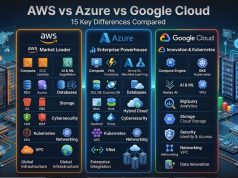
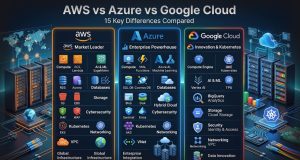
For more on the three largest public-cloud ecosystems, see IT Magazine Pakistan’s AWS vs Azure vs Google Cloud comparison.
SaaS vs Traditional Software
| Area | SaaS | Traditional self-hosted software |
| Infrastructure | Provider-managed | Customer-managed |
| Updates | Usually provider-managed | Customer often controls |
| Access | Typically network-based | Can be local/networked |
| Payment | Often subscription/usage | Varies, including licences |
| Deployment | Often faster | Often more involved |
| Custom infrastructure control | Lower | Higher |
| Offline support | Product-dependent | Often possible |
| Data control | Provider-dependent | Potentially greater |
| Scaling | Usually provider-assisted | Customer responsibility |
| Maintenance | Provider handles more | Customer handles more |
Traditional software is not inherently obsolete or worse. Some organizations deliberately choose self-hosting because they need specialized control or offline capabilities.
SaaS Security: What Businesses Should Check
Before purchasing an important SaaS product, evaluate security independently of the marketing page.
Authentication
Does the product support strong MFA?
Can enterprise plans integrate with single sign-on?
Authorization
Can administrators create roles with limited permissions?
Avoid products where every employee needs administrator access.
Encryption
Review provider documentation covering encryption in transit and at rest.
For especially sensitive data, determine whether customer-managed keys or end-to-end encryption are relevant and available.
Logging
Businesses should be able to investigate who accessed sensitive information or changed important configurations where the product’s tier and use case require it.
Security history
Look for transparent security documentation, responsible vulnerability disclosure processes, incident communication, and independent compliance information.
Account security
Administrative SaaS accounts are valuable phishing targets.
For mobile administrators, IT Magazine Pakistan’s phone security guide provides additional protection advice.
The NIST Cybersecurity Framework is also a useful official framework for organizations managing broader security risk.
SaaS for Businesses in Pakistan
SaaS can be particularly useful to Pakistani small and medium-sized businesses because it reduces the infrastructure required to adopt sophisticated software.
However, local realities matter.
Internet reliability
If the SaaS application is essential to daily operations, a connectivity outage can become a business outage.
Organizations may need redundant internet connections or defined offline procedures for critical workflows.
Payment and foreign currency
Many international SaaS providers charge in USD.
Exchange-rate changes can therefore alter the effective PKR cost over an annual subscription.
Businesses should verify available payment methods and current taxation/accounting implications with qualified professionals.
Data location
Determine where business and customer information will be stored and processed.
Organizations in regulated industries may have sector-specific requirements.
The State Bank of Pakistan is an authoritative source for relevant financial-sector requirements, while the Pakistan Telecommunication Authority provides official information in areas under its remit.
Do not make compliance decisions from a general software review.
Customer support hours
A service with excellent support may still be inconvenient if its support hours do not overlap with Pakistan Standard Time.
Verify response channels and service commitments before putting mission-critical operations on the platform.
SaaS on Smartphones
Mobile SaaS is now commonplace.
Users access collaboration tools, cloud storage, CRM systems, AI assistants, banking platforms, design services and productivity applications from smartphones.
Samsung, Xiaomi, Realme, Oppo, Vivo, Infinix and Tecno Android phones typically access SaaS applications through Google Play, browsers and provider apps, depending on software and regional availability.
Apple users access similar platforms through iPhone apps and browsers.
The phone’s Snapdragon, MediaTek or Apple processor affects local performance, while 5G or Wi-Fi influences network access. AMOLED screens affect visual experience. None of those hardware features changes the fundamental SaaS model.
Cloud applications still depend on remotely operated services.
Pakistani readers selecting a device for productivity can use IT Magazine Pakistan’s smartphone buying guide alongside software requirements.
SaaS Pros and Cons
Advantages
SaaS can provide fast deployment, predictable subscription options, automatic provider-managed updates, remote access, collaboration, reduced infrastructure work, simpler scaling, integrations, and access to sophisticated software for smaller businesses.
It can allow a team to adopt enterprise-class capabilities without running equivalent infrastructure internally.
Disadvantages
SaaS creates recurring costs and dependence on the provider.
Internet outages can affect access.
Pricing can rise.
Features can change.
Data migration can be difficult.
Businesses have less control over infrastructure and upgrade schedules.
Account compromise can expose centralized data.
Provider outages can also interrupt service.
The decision should therefore be based on the importance of the workload rather than assuming cloud delivery is automatically better.
Step-by-Step: How to Choose a SaaS Product
Step 1: Define the business problem
Do not begin with a product name.
Write down what you need the software to accomplish.
Step 2: List essential requirements
Separate “must have” requirements from optional features.
This prevents buying an expensive plan because of attractive functionality nobody will use.
Step 3: Check integrations
Verify compatibility with existing accounting, CRM, identity, collaboration, payment, analytics and cloud systems.
Step 4: Evaluate security
Check MFA, SSO, permissions, logs, encryption, backup, session management and administrator controls.
Step 5: Understand data ownership
Read the contract and documentation covering export, deletion, retention and termination.
Step 6: Calculate full cost
Include users, storage, API limits, AI features, integrations, support, implementation and foreign-exchange exposure.
Step 7: Run a trial
Use realistic workflows and data where safe.
Step 8: Test mobile and Pakistan connectivity
Check actual performance from relevant ISPs and employee locations.
Step 9: Plan migration and backup
Determine how existing data enters the platform and how you would recover or export it later.
Step 10: Review before renewal
Do not let SaaS subscriptions renew forever without measuring adoption, cost and business value.
SaaS Pricing Models Explained
Per-user pricing
Businesses pay according to the number of seats.
Simple to understand, but potentially expensive as headcount grows.
Usage-based pricing
Charges depend on consumption, such as API requests, messages, AI tokens, storage or transactions.
This can align price with use but make bills less predictable.
Tiered pricing
Providers bundle features into plans such as Basic, Professional and Enterprise.
Critical security features sometimes exist only on higher tiers, which businesses should identify during evaluation.
Freemium
Free plans attract users, while advanced functionality requires payment.
This is useful for testing, but free tiers may impose storage, collaboration or feature restrictions.
Common SaaS Mistakes
Buying too many overlapping applications is a common problem.
A company may pay separately for chat, file storage, video meetings and project management even though an existing suite already provides adequate versions of several tools.
Poor offboarding is another issue.
When an employee leaves, the organization should revoke access promptly, transfer relevant ownership and disable connected tokens or sessions.
Ignoring backup is another mistake.
And one of the most expensive errors is customizing a platform so heavily that upgrades, training and future migration become difficult.
Keep complexity proportional to business value.
Expert Tips for SaaS in 2026
Use single sign-on where appropriate for business-critical applications and enforce MFA.
Maintain a central inventory of SaaS services. “Shadow IT”—employees adopting unapproved software independently—can expose data without management knowing where it went.
Review administrator accounts regularly.
Do not grant AI features unlimited access to organizational information by default.
Check application permissions on Android, iOS and desktop devices.
Test data export before committing the organization deeply to a platform.
Finally, monitor actual usage. Removing unused licences is often one of the easiest ways to reduce software spending.
Buying Advice: Is SaaS Right for You?
Choose SaaS when you want a finished capability and do not gain business value from running the underlying infrastructure yourself.
For most small businesses, productivity suites, email, CRM, collaboration and project-management applications are natural SaaS candidates.
Consider self-hosted or custom alternatives when specialized control, offline operation, unique performance requirements, data-location constraints or deep customization justify the additional operational burden.
For developers building a product rather than buying one, PaaS or IaaS may be more appropriate.
And before selecting an infrastructure provider, use the official AWS, Microsoft Azure and Google Cloud documentation rather than assuming the cloud underneath a SaaS platform needs to match the cloud used by your organization.
Frequently Asked Questions
What does SaaS mean in simple words?
SaaS means using finished software delivered as an online service while the provider manages most of the underlying application infrastructure. Users usually access it through a browser, app or API.
What are common SaaS examples?
Common examples include Google Workspace, Microsoft 365, Salesforce, Slack, Zoom, Canva, Dropbox, HubSpot and Shopify.
What is the difference between SaaS and cloud computing?
Cloud computing is the broader concept covering computing resources delivered as services. SaaS is one cloud service model focused on providing finished applications.
What is SaaS vs PaaS?
SaaS provides a finished application. PaaS provides a managed platform on which developers build and deploy their own applications.
What is SaaS vs IaaS?
SaaS gives users an application with most infrastructure managed by the provider. IaaS gives customers virtualized infrastructure such as compute, networking and storage, leaving them responsible for more of the software stack.
Is SaaS secure?
It can be highly secure, but security is shared. Customers still need strong identities, MFA, appropriate permissions, safe integrations, endpoint protection and data governance.
Does SaaS need backup?
Potentially, yes. A provider’s availability and native retention do not automatically meet every customer’s recovery requirements. Businesses should evaluate export, versioning, retention and independent backup capabilities.
Is Google Drive SaaS?
Yes. Google Drive is a cloud-delivered software service focused on storage, synchronization, sharing and collaboration. It sits within Google’s broader cloud productivity ecosystem.
Is SaaS good for small businesses in Pakistan?
Often, yes. SaaS can reduce server administration and make sophisticated software accessible quickly. Pakistani businesses should still evaluate internet reliability, PKR costs, payment options, data location, support and security.
What are the biggest disadvantages of SaaS?
Major drawbacks include recurring subscriptions, internet dependency, vendor lock-in, reduced infrastructure control, changing features and prices, provider outages, data-governance concerns and potential migration difficulty.
Conclusion
SaaS explained simply is software consumed as an online service rather than an application stack customers have to build and operate themselves. That model now powers a large share of modern productivity, communication, CRM, design, e-commerce, analytics, cybersecurity and AI software.
Its appeal is practical. Organizations can deploy useful applications quickly, support employees in multiple locations, receive provider-managed updates and avoid maintaining much of the underlying infrastructure.
Those advantages should not create false confidence.
Customers remain responsible for identities, permissions, endpoint security, integrations, data governance and many configuration decisions. SaaS data may also require an independent backup strategy when native recovery capabilities do not satisfy business requirements.
For organizations in Pakistan, evaluate the product in local conditions. Test performance on the networks employees actually use, calculate the full cost in PKR, check payment arrangements, understand where sensitive data goes, and confirm relevant compliance requirements.
In 2026, AI is making SaaS even more capable, but also more powerful from a security perspective. An AI assistant that can only summarize text has limited authority; an AI agent that can change customer records, send messages or invoke external APIs needs carefully controlled permissions.
The best SaaS product is therefore not simply the application with the longest feature list. It is the one that solves a real problem, integrates cleanly with your existing technology, protects your information, provides a viable exit path, and continues to justify its total cost as your needs grow.