Choosing cloud storage in 2026 is less about finding the service with the biggest number beside “GB” and more about matching storage to your devices, workflow, privacy expectations, collaboration needs, backup strategy, and budget.
For most Android users in Pakistan, Google Drive is the easiest mainstream choice because it works naturally with Google accounts and the wider Android ecosystem. Microsoft OneDrive is particularly useful for Windows and Microsoft 365 users. Apple’s iCloud is the natural fit for people heavily invested in iPhone, iPad, and Mac. Dropbox remains a strong cross-platform synchronization and collaboration product, while Proton Drive and other privacy-focused services appeal to users who place a higher priority on end-to-end encrypted storage.
Businesses have a different decision. Amazon S3, Azure Blob Storage, and Google Cloud Storage are object-storage platforms for applications, backup, archives, data lakes, and infrastructure. They are not direct replacements for consumer products such as Google Drive.
That distinction is important.
This cloud storage comparison covers 15 relevant services and platforms, including their main strengths, limitations, security models, backup considerations, and suitability for users and businesses in Pakistan.
Because plans, quotas, features, taxes, currencies, and regional availability change, verify current details on each provider’s official website before paying for a subscription.
What Is the Best Cloud Storage in 2026?
There is no single best cloud storage service for everyone.
The strongest choices depend on the use case:
| User or requirement | Strong option |
| Android and Google users | Google Drive / Google One |
| Windows and Microsoft 365 | Microsoft OneDrive |
| iPhone, iPad and Mac | Apple iCloud |
| Cross-platform file sync | Dropbox |
| Privacy-focused personal storage | Proton Drive |
| Microsoft-heavy businesses | OneDrive/SharePoint |
| Google Workspace teams | Google Drive |
| Application object storage | Amazon S3 |
| Microsoft Azure applications | Azure Blob Storage |
| Google Cloud applications | Google Cloud Storage |
| Backup infrastructure | Dedicated backup service or properly configured object storage |
| Local NAS + cloud hybrid | Synology-compatible cloud strategies / suitable providers |
The most important rule is to distinguish storage, synchronization, collaboration, and backup. They overlap, but they are not identical.
For the broader infrastructure context, see IT Magazine Pakistan’s cloud computing guide for Pakistan.
Key Takeaways
Consumer cloud storage and enterprise object storage solve different problems.
Google Drive, OneDrive, iCloud and Dropbox prioritize easy file access and synchronization across devices. Amazon S3, Azure Blob Storage and Google Cloud Storage are infrastructure products intended for developers and organizations.
Storage also does not automatically equal backup. A synchronized deletion or ransomware-encrypted file can propagate across devices. Critical files need a proper backup strategy with recoverable historical copies.
Pakistani users should also check payment support, billing currency, exchange-rate exposure, actual upload speeds from their ISP, and current taxes before subscribing.
For sensitive information, examine the encryption model instead of assuming every use of the word “encrypted” means end-to-end encryption.
Finally, free tiers and paid plans change. Treat storage allowances in old articles as potentially outdated and confirm them directly with providers.
Table of Contents
Cloud Storage Comparison Table
| Service | Best for | Platform type | Key advantage |
| Google Drive | Android/Google users | Consumer/business SaaS | Google ecosystem |
| Microsoft OneDrive | Windows/Microsoft 365 | Consumer/business SaaS | Office integration |
| Apple iCloud | Apple users | Consumer cloud | Apple ecosystem integration |
| Dropbox | Cross-platform users | Consumer/business SaaS | Strong file sync |
| Proton Drive | Privacy-conscious users | Consumer/business | End-to-end encrypted design |
| Sync.com | Privacy-oriented collaboration | Consumer/business | Privacy-focused file storage |
| pCloud | General personal storage | Consumer/business | Cross-platform storage |
| Box | Enterprise collaboration | Business SaaS | Content management/governance |
| MEGA | Personal encrypted storage | Consumer/business | Privacy-oriented architecture |
| IDrive | Backup-oriented users | Backup/storage | Backup-first capabilities |
| Backblaze | Computer/cloud backup | Backup/infrastructure | Backup specialization |
| Amazon S3 | Developers/businesses | Object storage | Huge AWS ecosystem |
| Azure Blob Storage | Azure workloads | Object storage | Microsoft cloud integration |
| Google Cloud Storage | Google Cloud workloads | Object storage | GCP/data integration |
| Cloudflare R2 | Data-serving/cloud-native workloads | Object storage | S3-compatible ecosystem and egress model |
This table compares purpose, not identical products. A consumer subscription and an infrastructure object-storage service should not be evaluated as though they provide the same experience.
What Is Cloud Storage?
Cloud storage means storing data on infrastructure operated by a remote provider and accessing it over a network rather than keeping the only copy on your own device.
The underlying concept is part of cloud computing, but cloud storage appears in several forms.
Consumer services provide familiar folders and apps.
Enterprise file platforms add administration, access control, retention, collaboration and compliance capabilities.
Infrastructure cloud services expose object, block and file storage through APIs.
For a smartphone user, cloud storage may mean automatically synchronizing photos and documents.
For a Pakistani software company, it might mean storing millions of application images in Amazon S3.
Those are both cloud storage, but the operating models are completely different.
Cloud Storage vs Cloud Backup: The Difference Matters
A common mistake is treating synchronized storage as a complete backup.
Suppose a file in a synced folder exists on your laptop and in the cloud. You accidentally delete it. The synchronization service may intentionally propagate that deletion.
That is functioning correctly as synchronization, but it may not provide the recovery depth your business requires.
A proper backup strategy is designed around recovery after events such as hardware failure, accidental deletion, corruption, account compromise or ransomware.
Good backup architecture considers version history, retention, independent recovery points, encryption, restoration testing and protection against unauthorized deletion.
IT Magazine Pakistan’s ransomware guide explains why protected backups remain essential even when files are stored online.
15 Best Cloud Storage Services and Platforms Compared
1. Google Drive and Google One
Google Drive is one of the most practical cloud storage options for users in Pakistan because Google accounts are already deeply connected to Android and Google’s broader ecosystem.
Drive integrates with Google Docs, Sheets, Slides, Gmail and Google Workspace.
Google One is Google’s consumer subscription offering for additional account storage and related benefits, while Google Workspace provides business productivity and administrative services.
Best for
Google Drive is particularly convenient for Android users, students, households using Gmail and teams collaborating in Google Workspace.
Samsung, Xiaomi, Realme, Oppo, Vivo, Infinix and Tecno phones generally run Android with access to Google’s services on models sold with Google Mobile Services.
Google Drive is therefore already familiar to a large portion of Pakistan’s smartphone market.
Limitation
Your Google account can become a central point of access to email, files and other services. Strong account security is essential.
Enable multi-factor authentication and review recovery options.
2. Microsoft OneDrive
OneDrive is an especially strong choice for users who live in Windows and Microsoft 365.
Its integration with Word, Excel, PowerPoint, Teams, SharePoint and Windows can make file synchronization nearly invisible in everyday work.
Businesses using Microsoft’s identity and productivity stack can gain even more value.
Best for
OneDrive makes sense for Windows laptop users, Microsoft 365 subscribers, office environments and organizations already using Microsoft’s enterprise ecosystem.
Limitation
The value is highest when you actually use Microsoft products. Someone working entirely within Apple’s or Google’s ecosystem may prefer a more naturally integrated alternative.
For Pakistani professionals choosing new hardware for cloud-based work, IT Magazine Pakistan’s laptop buying guide covers the device side of the decision.
3. Apple iCloud
iCloud is deeply integrated with Apple’s ecosystem.
It supports services such as iCloud Drive, iCloud Photos, device-related synchronization and backups for supported Apple data.
For a person using an iPhone, iPad and Mac, iCloud often requires the least setup.
Best for
Apple users who want seamless synchronization between Apple devices.
Limitation
Although Apple provides access beyond its own hardware in several ways, the experience is most compelling inside the Apple ecosystem.
People who frequently alternate between Android, Windows and Apple devices should assess whether another service fits their cross-platform workflow better.
IT Magazine Pakistan’s Samsung vs iPhone comparison for Pakistan provides useful ecosystem context.
4. Dropbox
Dropbox helped popularize simple file synchronization and remains a strong cross-platform product.
It works across major desktop and mobile operating systems and is widely used for file sharing, synchronization and collaborative workflows.
Best for
Users who prioritize a mature cross-platform syncing experience instead of committing to Google, Microsoft or Apple’s broader ecosystems.
Limitation
If a Microsoft 365, Google Workspace or Apple subscription already includes sufficient storage for your needs, paying for a separate platform can create unnecessary subscription overlap.
Compare the whole bundle rather than cloud capacity alone.
5. Proton Drive
Proton Drive is positioned around privacy and end-to-end encryption.
Proton, based in Switzerland, also operates privacy-oriented products including Proton Mail and Proton VPN.
The service can be attractive to users who want a storage architecture designed around stronger provider-side privacy limitations than conventional mainstream services.
Best for
Privacy-focused individuals and organizations whose workflow fits Proton’s feature set.
Limitation
Privacy alone should not determine your choice.
Check collaboration, application support, synchronization features, recovery options and administrative tools against your requirements.
End-to-end encryption can also complicate certain server-side features by design.
6. Sync.com
Sync.com is another cloud service focused heavily on privacy-oriented file storage and sharing.
Its appeal lies in secure synchronization, sharing and business collaboration features.
Best for
People seeking a privacy-focused alternative to the largest consumer ecosystems.
Limitation
Users in Pakistan should test real-world synchronization speed and verify current payment arrangements before committing large datasets.
A feature advertised internationally does not guarantee identical practical convenience in every market.
7. pCloud
pCloud provides cross-platform file storage, synchronization and sharing for personal and business use.
It is often considered by users who want an independent storage provider rather than one directly connected to their operating-system vendor.
Best for
General cross-platform storage and users comparing alternatives to Google Drive, OneDrive and Dropbox.
Limitation
Pay close attention to which security capabilities are included in the selected plan and which may be separate offerings.
Never infer encryption architecture from marketing language alone.
8. Box
Box is much more enterprise-focused than a basic consumer storage drive.
Its strengths include business content collaboration, workflow, administration, access policies and enterprise governance.
Best for
Organizations that need managed content workflows and business-level control.
Limitation
For someone who simply wants to store smartphone photos, Box’s enterprise strengths may be irrelevant.
Choose according to use case rather than brand recognition.
9. MEGA
MEGA emphasizes privacy and encrypted cloud storage while supporting file synchronization and sharing.
It is available on multiple platforms and has historically attracted users seeking cloud storage outside the Google/Microsoft/Apple ecosystems.
Best for
Users prioritizing encrypted personal storage and cross-platform access.
Limitation
Understand account-recovery mechanisms carefully. With privacy-focused designs, losing essential recovery credentials can have more serious consequences.
Store recovery information safely.
10. IDrive
IDrive sits closer to the cloud-backup side of the market.
It is designed around protecting computer and device data rather than functioning solely as a collaborative cloud folder.
This distinction makes it useful in a cloud storage comparison because many users actually need backup when they search for “more cloud storage.”
Best for
Users wanting backup functionality for endpoints and files.
Limitation
Backup products and collaboration products have different strengths. Do not expect a backup-first service to behave exactly like Google Drive or Dropbox.
11. Backblaze
Backblaze is well known for backup services and also operates B2 Cloud Storage for infrastructure use.
That gives it relevance to both consumers and developers.
Best for
Backup-focused users and organizations wanting an alternative cloud object-storage platform.
Limitation
Its consumer backup experience and B2 object storage are different products. Businesses should ensure they are evaluating the correct one.
12. Amazon S3
Amazon Simple Storage Service, better known as Amazon S3, is an object-storage service within AWS.
It is not a consumer cloud drive.
Developers use S3 for website assets, application files, backup objects, logs, data lakes, media and enormous datasets.
Its API and ecosystem have been hugely influential across cloud infrastructure.
Best for
Developers, SaaS platforms, enterprises, data engineering and cloud backup architectures.
Limitation
S3 pricing is multidimensional. Storage capacity is only one component; requests, retrieval patterns, storage classes and data transfer may affect cost.
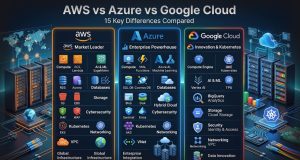
For a broader provider comparison, see IT Magazine Pakistan’s AWS vs Azure vs Google Cloud guide.
13. Azure Blob Storage
Azure Blob Storage is Microsoft’s object-storage platform.
It is suited to unstructured data, application objects, backup, archives, analytics and cloud-native workloads.
For companies already operating in Microsoft Azure, it integrates naturally with the wider Azure ecosystem.
Best for
Microsoft-centric businesses and applications hosted on Azure.
Limitation
It is infrastructure rather than a consumer OneDrive replacement.
OneDrive and SharePoint provide user-facing collaboration; Blob Storage supplies programmatic object storage.
Confusing them leads to poor architecture.
14. Google Cloud Storage
Google Cloud Storage is Google’s infrastructure-level object storage.
Applications can use it for media, data pipelines, backups, archives, data lakes and other unstructured objects.
It integrates with Google Cloud’s analytics and AI ecosystem.
Best for
Applications already hosted in Google Cloud, data systems and cloud-native workloads.
Limitation
Like S3 and Azure Blob Storage, it requires understanding of operations, networking and storage classes.
It is not the same product as Google Drive.
That distinction is critical.
15. Cloudflare R2
Cloudflare R2 is an object-storage platform designed for application and developer workloads and offers compatibility with the widely adopted S3 API ecosystem.
A major part of its positioning is its approach to egress charges, particularly when data works within Cloudflare’s ecosystem.
Best for
Developers delivering content or applications where object retrieval and network economics fit R2’s model.
Limitation
R2 is not intended to replace the consumer experience of Drive, iCloud or OneDrive.
Evaluate API requirements, geography, latency, integrations and total architecture costs.
Google Drive vs OneDrive vs iCloud
For everyday users, these are often the three most relevant options.
Choose Google Drive if:
You primarily use Android, Gmail, Google Docs, Google Photos and Google Workspace.
Android users already signed into Google Play have a natural identity connection to Google’s ecosystem.
Choose OneDrive if:
Your primary computer runs Windows and you use Microsoft 365 applications such as Word, Excel and PowerPoint.
OneDrive is also attractive to businesses using Microsoft’s identity and collaboration platforms.
Choose iCloud if:
You use iPhone, iPad and Mac and want the most native Apple integration.
Apple’s device ecosystem is where iCloud delivers its strongest experience.
What if you use everything?
Dropbox, Proton Drive or another independent service can make sense when you regularly move among Android, iOS, Windows and macOS.
You can also combine services selectively, but avoid creating a situation where nobody knows which platform contains the authoritative copy of an important file.
Cloud Storage for Android Phones in Pakistan
Smartphones increasingly combine local flash storage with online services.
A Samsung Galaxy, Google Pixel, Xiaomi, Oppo, Vivo, Realme, Infinix or Tecno phone may store apps, games and downloaded video locally while cloud services synchronize selected photos, contacts, messages or application data.
Cloud storage does not replace adequate local storage.
A phone with 128GB does not gain 256GB of local application space merely because you subscribe to 128GB of cloud storage.
Apps and operating-system data still require device capacity.
IT Magazine Pakistan’s 128GB vs 256GB phone storage comparison explains this distinction.
Likewise, 5G can make remote data access faster where coverage, spectrum, network conditions and your plan support it, but fast connectivity does not turn cloud storage into local flash memory. See the 5G phone guide for Pakistan for device considerations.
AMOLED displays, Snapdragon and MediaTek processors, cameras and RAM are device hardware. They do not directly increase cloud storage capacity.
Cloud Storage Security: What Actually Matters?
Encryption is important, but it is not the entire security model.
Evaluate:
- Encryption in transit
- Encryption at rest
- End-to-end encryption, if required
- Multi-factor authentication
- Account recovery
- Sharing permissions
- Version history
- Administrative logs
- Device/session management
- Ransomware recovery features
- Data deletion controls
- Business retention capabilities
End-to-end encryption is different
A provider saying data is encrypted at rest does not necessarily mean the provider cannot access decrypted content under any circumstances.
End-to-end encryption is designed so that content is encrypted in a way that limits provider access to plaintext, depending on implementation.
The trade-off is that some server-side features may become harder to provide.
Users should read providers’ technical security documentation instead of relying solely on marketing claims.
For account protection, IT Magazine Pakistan’s password security recommendations and phishing prevention guide are directly relevant.
Cloud Storage for Businesses in Pakistan
Businesses have requirements that personal users often do not.
Shared administration, employee onboarding and departure, audit logs, retention, legal obligations, access policies and restoration become essential.
A business should know who owns every important file.
Personal employee Google Drive, Dropbox or iCloud accounts are poor places for authoritative business records unless organizational policies and administration explicitly support the arrangement.
Pakistan-specific considerations
International cloud subscriptions may expose businesses to foreign-currency fluctuations.
Network performance also matters. Uploading large backups through a slow or unreliable connection can take considerably longer than expected.
Organizations handling regulated information should examine applicable legal and industry requirements. Financial-sector organizations should consult current State Bank of Pakistan information where relevant, while telecommunications matters may require reference to the Pakistan Telecommunication Authority.
Legal and regulatory requirements should be confirmed with appropriately qualified professionals rather than assumed from a provider’s marketing material.
Cloud Backup Architecture for Businesses
A simple business backup plan can follow a layered structure.
Step 1: Identify critical data
Determine what information the organization cannot afford to lose.
Step 2: Determine recovery objectives
How much data loss can be tolerated? How quickly must systems return?
These become recovery point and recovery time considerations.
Step 3: Separate backup from production
Do not depend entirely on the same account, credentials and permissions used for ordinary production data.
Step 4: Keep historical versions
Accidental deletion and ransomware may not be discovered immediately.
Step 5: Protect backup deletion
Use appropriate immutable or protected retention capabilities where the platform and requirements support them.
Step 6: Test restoration
A backup job completing successfully does not prove recovery will work.
Restore representative data regularly and document the procedure.
Consumer Cloud vs Object Storage
This distinction prevents many bad technology purchases.
| Feature | Consumer cloud drive | Object storage |
| Designed for people | Yes | Primarily developers/apps |
| Desktop folder sync | Usually | Not inherently |
| Office collaboration | Often | No |
| API access | Sometimes | Core feature |
| Massive application storage | Limited by product purpose | Yes |
| Pay-by-usage infrastructure model | Usually subscription | Usually |
| Examples | Drive, OneDrive, iCloud | S3, Azure Blob, Google Cloud Storage |
A photography student probably needs a consumer cloud product.
A mobile app storing 50 million user images probably needs object storage.
Pros and Cons of Cloud Storage
Pros
Cloud storage can provide access across devices, synchronization, easy sharing, off-site copies, collaboration, scalability and reduced dependence on one physical disk.
Business services can add centralized administration, permissions, audit logs and retention features.
Object storage can scale to enormous application datasets.
Cons
Cloud storage creates dependence on an internet connection and provider account.
Subscription expenses can accumulate.
Provider outages happen.
Accounts can be compromised.
Privacy models vary substantially.
Infrastructure storage can create unexpected network-transfer or request charges.
And cloud synchronization can propagate unwanted changes, which is why storage should not be confused with a comprehensive backup strategy.
Expert Tips for Choosing Cloud Storage in 2026
Do not buy the largest plan first.
Check your actual storage usage and expected growth.
Consider the ecosystem you already pay for. If Microsoft 365 or another subscription already provides adequate storage, buying another cloud subscription may duplicate benefits.
Secure the account before uploading important material.
Enable MFA, store recovery codes safely and remove unused sessions.
For irreplaceable photographs and documents, maintain another independent copy.
For businesses, test administrator recovery and employee-offboarding procedures before an emergency occurs.
When comparing object storage, calculate operations and data transfer—not just GB-month pricing.
And always test upload and download performance from your actual Pakistani ISP.
Buying Advice: Which Cloud Storage Should You Pick?
For most Android users in Pakistan, start with Google Drive because its integration is straightforward.
For Microsoft 365 and Windows users, OneDrive is difficult to ignore.
For households centered on iPhone, iPad and Mac, iCloud generally produces the smoothest experience.
Choose Dropbox if cross-platform synchronization itself is a priority.
Consider Proton Drive or another privacy-focused platform when the encryption and privacy model matters more than deep integration with mainstream productivity suites.
For backup, choose a backup-oriented service or architecture rather than assuming file sync is enough.
For developers, compare Amazon S3, Azure Blob Storage, Google Cloud Storage, Backblaze B2 and Cloudflare R2 according to application requirements.
There is no useful universal “cheapest” winner because data size, operations, retrieval frequency and network transfer change the equation.
Frequently Asked Questions
Which cloud storage is best in Pakistan?
Google Drive is convenient for many Android users, OneDrive is excellent for Microsoft 365 and Windows, while iCloud fits Apple households. The best choice depends on your devices, required storage, collaboration features, privacy needs and payment options.
Is Google Drive better than OneDrive?
Neither is universally better. Google Drive fits Google Workspace and Android particularly well, while OneDrive integrates deeply with Windows and Microsoft 365.
Is iCloud good for Android users?
iCloud is optimized primarily for Apple’s ecosystem. Android-heavy users generally get a more integrated experience from Google services or a platform-neutral provider.
Is cloud storage safe?
Reputable services can provide strong security, but account security remains essential. Use MFA, strong unique credentials, careful sharing permissions and an independent backup for critical data.
Is cloud storage the same as backup?
No. Cloud storage primarily stores and synchronizes files. A proper backup system focuses on recoverability through historical versions, retention, protected copies and restoration procedures.
Does cloud storage free phone space?
It can help when an application supports removing local copies after files are safely uploaded, but cloud capacity does not become local phone storage. Apps and operating-system files still require physical device storage.
What is the best cloud storage for photos?
Google Photos/Google’s ecosystem is convenient for Android users, while iCloud Photos integrates naturally with Apple devices. The better option depends on your devices, editing/sharing workflow, privacy expectations and plan requirements.
Which cloud storage is best for business?
Google Workspace, Microsoft 365/OneDrive/SharePoint and Box are strong collaboration options. Developers may instead require S3, Azure Blob Storage or Google Cloud Storage. Business requirements should determine the product category first.
What is the difference between Google Drive and Google Cloud Storage?
Google Drive is a user-oriented file storage and collaboration product. Google Cloud Storage is infrastructure-level object storage intended primarily for applications, developers and large-scale data workloads.
Should I keep files both locally and in the cloud?
For important files, multiple independent copies are safer than relying on one device or one synchronized service. Critical data should have a tested backup plan appropriate to its value.
Conclusion
A useful cloud storage comparison in 2026 needs to distinguish between four jobs: storing files, synchronizing devices, collaborating with other people, and recovering data after something goes wrong.
Google Drive is an easy recommendation for many Android and Google Workspace users. Microsoft OneDrive fits Windows and Microsoft 365 exceptionally well. Apple’s iCloud makes the most sense inside the Apple ecosystem, while Dropbox remains attractive for platform-independent synchronization. Privacy-focused users can consider Proton Drive, Sync.com, MEGA and similar alternatives after reviewing their current technical documentation.
Businesses and developers face a different choice. Amazon S3, Azure Blob Storage, Google Cloud Storage and Cloudflare R2 are application infrastructure rather than consumer cloud drives, and their pricing must be evaluated across storage, requests, retrieval and network transfer.
For users in Pakistan, add several local checks before purchasing: confirm the current subscription price and billing currency, evaluate payment options, account for exchange-rate exposure, and test real upload performance through the internet connection you actually use.
Most importantly, do not let convenient synchronization create false confidence. Cloud storage is valuable, but irreplaceable photos, academic work and business data still deserve an independent and tested backup strategy.