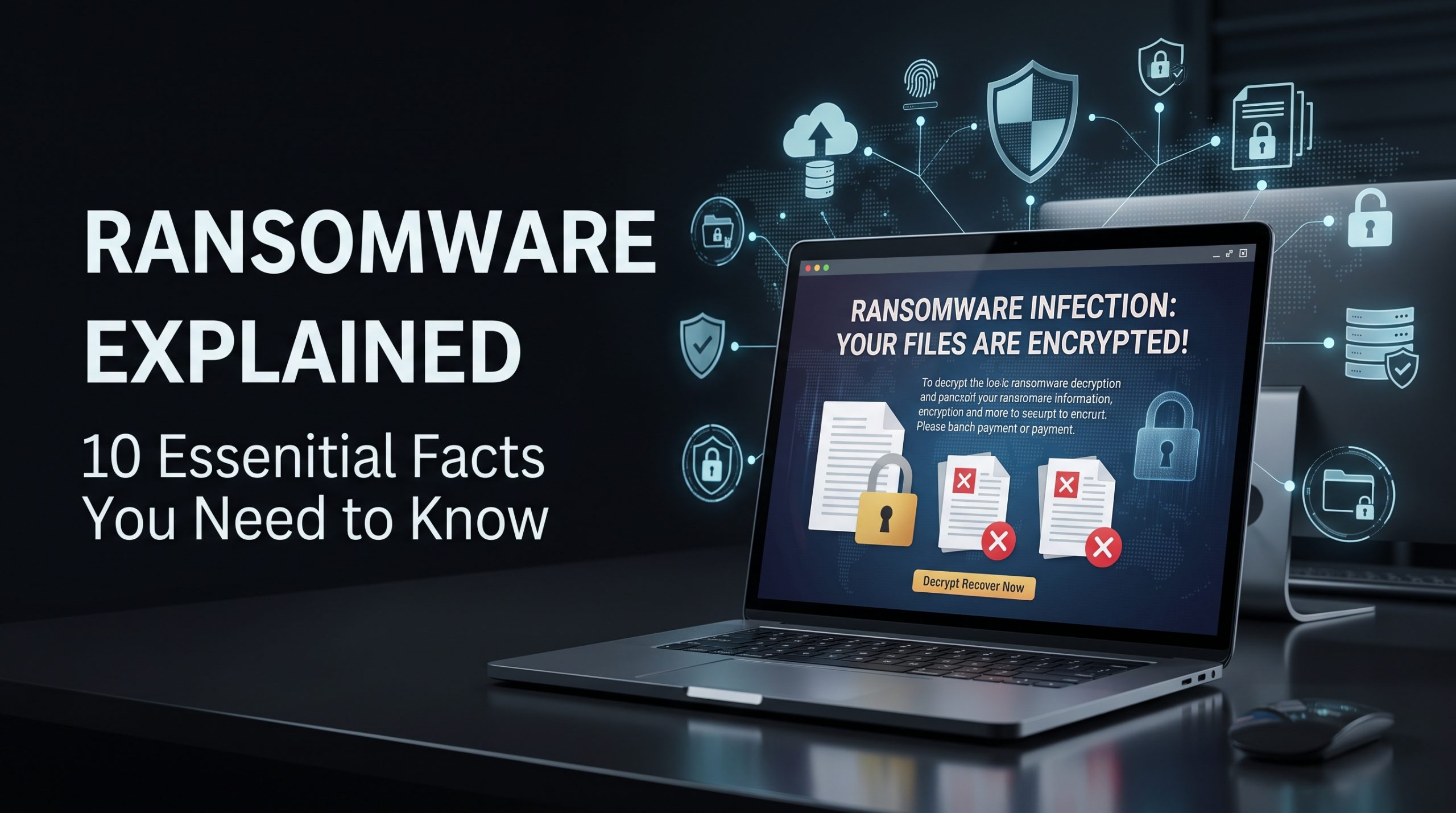
Ransomware explained simply: it is a form of malicious software or cyberattack that blocks access to systems or data and demands something typically money in return. Modern ransomware attacks can go further by stealing information before encryption and threatening to publish it.
That makes ransomware more than a “computer virus.”
For a student, an attack can make assignments and personal files inaccessible. For a professional, it can expose work documents and credentials. For a business, hospital or public organization, ransomware can disrupt operations while creating legal, financial and privacy problems at the same time.
The threat also looks different in 2026 from the stereotypical pop-up demanding Bitcoin. Attackers may first steal credentials, exploit an exposed service, compromise remote access or trick someone through phishing. Some intrusions remain undetected while criminals explore networks, steal information and find backups. Encryption or an extortion demand may come near the end of the attack rather than the beginning.
AI can make social engineering faster and more convincing, but ransomware does not succeed because artificial intelligence has magically defeated every security system. Familiar weaknesses still matter: phishing, unpatched software, weak authentication, excessive privileges, exposed services and inadequate backups.
For readers in Pakistan, ransomware defense should cover Windows PCs and business infrastructure first, while also protecting Android phones, iPhones, Google and Apple accounts, cloud data and network-connected devices.
This guide provides ransomware explained in practical terms: how it works, how it differs from malware, what to do during an attack, whether paying helps, how backups should be designed and which popular “security” tools do not actually solve the problem.
For a broader security foundation, IT Magazine Pakistan’s 2026 cybersecurity guide covers passwords, phishing, phones and account protection.
Quick Answer: What Is Ransomware and How Do You Stop It?
Ransomware is malicious software or an extortion attack that denies access to data or systems, often through encryption, and demands payment. Modern attackers may also steal data and threaten disclosure.
The strongest defenses are layered: patch operating systems and applications, use phishing-resistant multi-factor authentication where possible, limit administrative privileges, secure remote access, deploy reputable endpoint protection and maintain tested backups that an attacker cannot easily delete or encrypt.
If ransomware is actively spreading, isolate affected systems from networks, avoid destroying evidence, notify your IT/security team, protect unaffected backups and report the incident through appropriate official channels. Do not assume paying a ransom guarantees recovery.
Key Takeaways
- Ransomware is a category of malware and extortion, not a synonym for all malware.
- Modern attacks may steal data before encrypting systems.
- Encryption is often the final visible stage of a longer network intrusion.
- Phishing is one entry route, but attackers can also exploit vulnerabilities, stolen credentials and insecure remote access.
- Backups must be isolated, protected and tested; merely having a connected backup drive is not enough.
- Paying a ransom does not guarantee a working decryption key or deletion of stolen information.
- A VPN does not stop ransomware by itself.
- Smartphone ransomware exists, but enterprise ransomware is more commonly associated with Windows endpoints, servers and networks.
- Passkeys, MFA and strong password security reduce risks related to stolen credentials.
- Incident response should prioritize containment, evidence preservation, business continuity and verified recovery.
- Pakistan organizations should use current official cybercrime and sector-specific reporting channels.
- Reinstalling or decrypting systems is not enough unless the original access route is also closed.
Table of Contents
- What ransomware means
- Ransomware vs malware vs phishing
- Fact 1: ransomware is an extortion business
- Fact 2: encryption may not be the first step
- Fact 3: phishing is only one infection route
- Fact 4: backups can also be attacked
- Fact 5: paying does not guarantee recovery
- Fact 6: phones are not immune
- Fact 7: passwords and MFA matter
- Fact 8: VPNs are not ransomware protection
- Fact 9: response speed matters
- Fact 10: recovery must remove the root cause
- Ransomware warning signs
- Immediate response guide
- Protection checklist
- Case studies
- Businesses and students
- Expert tips
- Buying advice
- FAQs
What Is Ransomware?
Ransomware is malware or a cyber-extortion technique designed to deny access to information or computing resources and demand payment or another concession.
Traditional crypto-ransomware encrypts files so they cannot be opened without the necessary decryption material.
Lock-screen ransomware may instead prevent normal device access.
Modern extortion operations can steal information as well. Attackers can then threaten to publish, sell or otherwise misuse the stolen data even when the victim successfully restores systems from backups.
How a typical ransomware attack develops
A simplified attack chain might look like this:
Initial access → credential theft → privilege escalation → network discovery → data theft → backup disruption → encryption → extortion
Not every campaign follows that sequence, and individual consumer ransomware can be much simpler.
For businesses, the important lesson is that the ransom message may be evidence of an intrusion that began days or weeks earlier.
Ransomware, Malware and Phishing Compared
| Threat | What it is | Main objective | Typical defense |
| Malware | Broad category of malicious software | Varies | Updates, endpoint protection, safe software |
| Ransomware | Malware/extortion attack restricting data/system access | Extortion | Backups, patching, containment |
| Phishing | Social-engineering technique | Credentials/action/malware delivery | Verification, MFA, training |
| Infostealer | Malware designed to steal information | Credential/data theft | Endpoint security, MFA |
| Spyware | Software intended to monitor activity | Surveillance/data collection | Updates, app control, detection |
| Data extortion | Threat to leak stolen information | Extortion | Access controls, incident response |
Ransomware removal and ransomware recovery are therefore different tasks. Removing malicious code does not automatically decrypt files.
IT Magazine’s practical malware removal guide covers the broader malware-cleaning process.
Fact 1: Ransomware Is an Extortion Business, Not Just a Computer Virus
Ransomware explained only as a “virus that encrypts files” is incomplete.
Attackers generally want leverage. Encryption provides leverage because an organization may be unable to work without its data. Data theft creates another form of leverage because confidential information can potentially be leaked even after systems are restored.
This has led to terms such as double extortion, where criminals combine encryption with a threat involving stolen data.
Why this changes ransomware defense
An organization with excellent backups may recover its systems without a decryptor, but backups cannot make stolen information disappear.
That means ransomware security must include:
- Access control
- Data minimization
- Credential security
- Network monitoring
- Encryption of sensitive information where appropriate
- Incident response
- Backup and recovery
Backup is essential, but it is not the entire defense.
Fact 2: File Encryption May Be the Last Stage You Notice
The screen displaying a ransom demand is dramatic, but the important attack may already have happened.
In targeted ransomware incidents, attackers may spend time establishing access, discovering systems, stealing credentials and locating valuable information.
Why early detection matters
Defenders want to identify the attacker before widespread encryption.
Unexpected administrative accounts, unusual remote access, disabled security tooling and suspicious bulk data movement can be warning signals in organizational environments.
Ordinary consumers are unlikely to monitor those indicators themselves. Businesses should use properly managed endpoint detection, logging and network monitoring appropriate to their size and risk.
Do not wait for files to become unreadable before treating suspicious privileged activity seriously.
Fact 3: Phishing Is Important, but It Is Not the Only Entry Route
Phishing emails and malicious attachments remain important attack mechanisms, but saying all ransomware starts with phishing would be inaccurate.
Attackers can also enter through:
- Stolen usernames and passwords
- Exposed remote-access services
- Unpatched vulnerabilities
- Malicious downloads
- Compromised software or suppliers
- Previously installed malware
- Poorly secured administrative systems
Phishing prevention still matters
A malicious email may try to persuade someone to open an attachment, sign into a fake Microsoft page or execute a downloaded file.
In 2026, AI-generated language can make messages more convincing. Grammar is therefore a weak phishing detector.
Independent verification, strong attachment handling and phishing-resistant authentication are more useful.
IT Magazine’s phishing prevention guide explains practical warning signs and recovery steps.
Fact 4: A Backup Can Be Attacked Too
“Just keep a backup” is good advice, but incomplete advice.
If the backup is permanently attached to the same PC or available through credentials already controlled by the attacker, ransomware may be able to encrypt or delete it too.
The 3-2-1 principle
A common backup strategy is commonly summarized as 3-2-1:
- Keep multiple copies of important data.
- Store them using different storage systems or media.
- Keep at least one copy separated from the primary environment/location.
Modern organizations often extend that idea with immutable, offline or logically isolated backups.
The data backup overview explains the general concept.
Backups must be tested
A backup you cannot restore is not a reliable recovery plan.
Test restores periodically. Confirm that important files are genuinely included and that necessary credentials or encryption keys are available during an emergency.
Smartphone users dealing with large personal libraries may also benefit from choosing realistic device capacity; IT Magazine’s 128GB vs 256GB storage guide covers those practical storage differences.
Fact 5: Paying a Ransom Does Not Guarantee Recovery
Victims sometimes assume payment means attackers will provide a perfectly functioning decryptor and permanently delete any stolen information.
There is no guarantee of either outcome.
The criminal may disappear, provide defective tooling, demand additional payment or retain copied information.
Payment can also involve legal, regulatory, insurance and sanctions considerations depending on the entities involved and relevant jurisdictions.
Should you pay ransomware attackers?
There is no universal decision applicable to every real incident. Organizations facing a major attack should involve leadership, cybersecurity specialists, legal counsel, insurers where appropriate and relevant authorities.
The U.S. government’s CISA ransomware guidance strongly emphasizes prevention, response and recovery and notes the risks associated with ransom payments.
Consumers should be extremely cautious about paying unknown actors or “recovery experts” found through unsolicited online messages.
Fact 6: Android and iPhone Users Still Need Ransomware Protection
Ransomware is more strongly associated with Windows and enterprise networks, but smartphones should not be ignored.
Android applications can potentially perform harmful behavior if users install untrusted software or grant dangerous permissions. Mobile ransomware families have existed historically.
Android’s application sandboxing and modern security controls limit what ordinary applications can do, but security depends partly on operating-system version, permissions and device support.
Android protection
Use Google Play as the normal software source and keep Google Play Protect enabled on supported devices.
Google explains the system through its official Play Protect documentation.
Avoid random APK downloads, especially pirated games, cracked apps and fake banking or update tools.
iPhone protection
Apple’s iOS uses application sandboxing, code signing and other security mechanisms that restrict ordinary applications. That does not make iPhones universally immune from security vulnerabilities, targeted attacks or account compromise.
Keep iOS current using official updates.
Users wanting a complete mobile-security checklist can follow IT Magazine’s guide on how to protect your phone.
Fact 7: Password Security and MFA Reduce Ransomware Risk
Ransomware operators do not always need to exploit software if they can log in with legitimate credentials.
A reused password stolen elsewhere can become an entry point into remote systems, email or cloud services.
This makes password security part of ransomware prevention.
Strong credential checklist
Every important account should have a unique password.
Use a password manager. Enable multi-factor authentication, preferably phishing-resistant options for important administrative and remote-access systems where supported.
Passkeys and FIDO security keys offer strong resistance against conventional credential phishing.
The multi-factor authentication overview explains the general model.
For a full setup guide, see IT Magazine’s password security recommendations.
Administrative accounts require stronger controls
Organizations should restrict administrative access, avoid unnecessary shared credentials and apply least privilege.
The everyday employee should not normally have permanent domain-wide administrator privileges just to browse the web and edit documents.
Fact 8: A VPN Is Not Ransomware Protection
A VPN is useful technology, but it is frequently assigned abilities it does not have.
A virtual private network creates an encrypted network tunnel between endpoints.
That does not automatically inspect every file or stop malicious software.
VPN vs ransomware defenses
| Tool | Can reduce some ransomware risk? | Main purpose |
| VPN | Indirectly in some remote-access designs | Secure network tunnel |
| Endpoint protection/EDR | Yes | Detect malicious endpoint behavior |
| MFA | Yes | Reduce credential misuse |
| Offline/immutable backup | Yes | Recovery |
| Firewall | Yes, as one network layer | Control network traffic |
| Patching | Yes | Close known vulnerabilities |
| Password manager | Yes, indirectly | Eliminate password reuse |
A badly secured remote-access VPN can itself become an entry point if credentials are stolen or an appliance contains an unpatched vulnerability.
Businesses should secure remote access with current software, strong authentication and limited privileges.
For consumer VPN capabilities and limitations, read IT Magazine’s VPN comparison guide.
Fact 9: The First Response to Active Ransomware Is Containment
When files begin changing rapidly or multiple machines display ransom notes, continuing normal work can increase damage.
The priority is containment.
Immediate ransomware response
For an organization:
- Disconnect affected endpoints from wired and wireless networks where doing so is safe and consistent with the incident plan.
- Do not indiscriminately power off every machine unless your incident team advises it; volatile evidence may be useful.
- Notify IT/security immediately.
- Protect backup infrastructure.
- Disable compromised accounts where identified.
- Preserve logs and relevant evidence.
- Determine the scope of affected systems and data.
- Engage incident-response professionals when required.
- Notify appropriate authorities and regulators according to applicable obligations.
- Restore only after the environment is sufficiently understood and contained.
Consumers should disconnect an obviously compromised computer from other local devices and external storage, then seek qualified assistance if valuable data is involved.
Do not attach your only clean backup to an actively infected system.
Fact 10: Recovery Is Not Finished Until the Initial Access Is Fixed
Imagine restoring every encrypted Windows machine perfectly from backup but leaving the compromised remote-access account active.
The attacker may simply return.
True recovery requires identifying—or at least materially addressing—the likely entry route and persistence mechanisms.
Recovery checklist
Before returning systems to normal use:
- Patch exploited vulnerabilities.
- Reset exposed credentials.
- Revoke stolen sessions/tokens where possible.
- Remove unauthorized accounts.
- Rebuild affected systems when appropriate.
- Check security-tool configuration.
- Improve remote-access controls.
- Review network segmentation.
- Restore from trusted backups.
- Monitor closely for recurrence.
This is one reason professional incident response is valuable for serious business attacks. Malware removal alone does not prove that the attacker has been evicted.
Ransomware Warning Signs
Many attacks provide little useful warning to ordinary users, but organizations may detect suspicious activity beforehand.
Potential signs include unexpected administrative logins, unexplained disabled security software, large-scale file renaming, inaccessible documents, unusual network activity and unfamiliar ransom-note files.
An isolated corrupted document is not necessarily ransomware. Storage failure and ordinary software errors can also damage files.
Similarly, smartphone heat or battery drain is not evidence of ransomware.
Diagnosis matters.
Ransomware Explained: Encryption vs Data Theft
These two risks are frequently confused.
Encryption affects availability: you cannot use your files.
Data theft affects confidentiality: an attacker possesses information they should not have.
A backup primarily helps the first problem. It can restore clean copies of encrypted or deleted data.
It cannot retrieve the attacker’s copy.
That is why organizations should know where sensitive information is stored, reduce unnecessary retention and restrict who can access it.
Step-by-Step: What Should a Home User Do After Ransomware?
If your personal PC displays a credible ransomware note:
- Disconnect it from Wi-Fi/Ethernet and remove it from shared networks.
- Disconnect backup drives if it is safe to do so and they have not already been affected.
- Photograph or otherwise preserve the ransom note and file-extension details without executing unknown files.
- Do not delete encrypted files immediately.
- Use another trusted device to secure accounts if credential theft may be involved.
- Contact qualified technical support if the files matter.
- Check reputable official/security-industry resources for known decryptors only after identifying the ransomware family reliably.
- Reinstall or rebuild the computer when appropriate.
- Restore data only from verified clean backups.
- Fix the likely infection route before resuming normal use.
Do not randomly download “universal ransomware decryptor” software. There is no single decryptor that works for every ransomware family.
Ransomware Response in Pakistan
Pakistan residents and organizations should preserve relevant evidence and use current official reporting channels.
For federal cybercrime matters, check the Government of Pakistan’s National Cyber Crime Investigation Agency for current reporting and contact information.
Pakistan’s applicable electronic-crime legislation can be checked through the official Pakistan Code. Laws can change, so authoritative statutory text should take priority over blog summaries.
Telecommunications-related matters can be checked with the Pakistan Telecommunication Authority.
Financial institutions should also consider applicable obligations and current regulatory guidance from the State Bank of Pakistan.
A business ransomware incident may trigger contractual, regulatory or data-related obligations beyond making a cybercrime report. Organizations should obtain appropriate legal and incident-response advice for their circumstances.
Ransomware Prevention Checklist for Home Users
Home users can greatly reduce ransomware exposure without enterprise security software.
Use this checklist:
- Keep Windows, macOS, Android or iOS updated.
- Keep browsers and applications current.
- Do not use unsupported operating systems for sensitive work.
- Avoid pirated software and cracked installers.
- Use unique passwords.
- Enable MFA.
- Treat unexpected attachments and links cautiously.
- Keep important documents backed up.
- Maintain at least one backup that ransomware cannot easily modify.
- Do not work routinely with unnecessary administrator privileges.
- Install software only from trustworthy sources.
- Keep built-in endpoint protection enabled.
- Test backup restoration occasionally.
Microsoft’s built-in Windows Security capabilities are a useful baseline for supported Windows systems. Microsoft’s current documentation should be used rather than old tutorials that recommend disabling modern protections.
Ransomware Prevention Checklist for Businesses
Organizations require more than consumer antivirus.
A practical baseline includes:
- Asset inventory.
- Timely vulnerability and patch management.
- MFA on remote and privileged access.
- Endpoint detection/protection.
- Least privilege.
- Network segmentation.
- Email security.
- Tested incident-response plans.
- Protected centralized logging.
- Offline, isolated or immutable backup copies.
- Regular restoration tests.
- Security training.
- Controlled remote-access services.
- Strong vendor/supplier security processes.
- Incident-response contacts prepared before an emergency.
The U.S. National Institute of Standards and Technology’s Cybersecurity Framework provides a useful risk-management model for organizations worldwide, although Pakistani organizations must still follow applicable local requirements.
Ransomware Explained for Students
Students are often exposed to risky software because paid applications, games and creative tools can be expensive.
Cracked Windows software, game cheats and unofficial activators are particularly poor security trade-offs. An executable that deliberately bypasses licensing or security protections is exactly the sort of program to which users may grant elevated access.
Use legitimate student licenses, free editions or reputable open-source alternatives instead.
Keep university assignments synchronized or backed up in more than one appropriate location. If your entire semester’s work exists only on one laptop, ransomware is not the only danger—drive failure and theft create the same potential loss.
Students who also rely heavily on smartphones should apply IT Magazine’s phone security checklist to their Android or iPhone.
Ransomware Explained for Smartphone Users
Mobile buyers often ask whether Samsung or iPhone is “safer from ransomware.”
That is too simple a comparison.
Samsung, Google, Xiaomi, Realme, Oppo, Vivo, Infinix and Tecno use Android with varying hardware, security layers and update commitments. Apple controls iPhone hardware and iOS across supported devices.
Google Play Protect adds harmful-app scanning for supported Android devices. Samsung also provides security technologies under its Knox platform.
The meaningful buying question is not whether the phone contains an AMOLED screen or Snapdragon chipset. It is whether the exact model remains supported and how safely you install applications.
IT Magazine’s Samsung vs iPhone comparison covers the two ecosystems more broadly.
AI and Ransomware in 2026
AI is relevant to ransomware, but claims about it should remain proportionate.
Generative AI can make phishing emails more fluent, accelerate translation and help attackers produce persuasive social-engineering material. Defenders use machine learning and automation to analyze malware, detect abnormal behavior and prioritize alerts.
That does not mean an AI model can simply “press a button and defeat all encryption.”
Modern cryptography, endpoint controls, identity systems and human procedures still matter.
AI-generated misinformation can also appear during an attack. An employee may receive a polished message claiming to be from “IT support” instructing them to disable protection. Independent verification remains critical.
For wider background, IT Magazine’s AI coverage examines current artificial-intelligence tools and developments.
Pros and Cons of Common Ransomware Defenses
Backups
Pros: Essential for restoring files and systems without relying entirely on criminals.
Cons: Backups can be deleted, encrypted or corrupted if attackers can access them. They also do not solve stolen-data extortion.
Endpoint security
Pros: Can block or detect malicious executables and suspicious behavior before encryption becomes widespread.
Cons: No security product detects every threat. Skilled attackers may attempt to disable security tooling.
MFA
Pros: Makes stolen passwords less useful and significantly strengthens remote and privileged accounts.
Cons: Some MFA methods can still be phished. Configuration and account recovery matter.
Network segmentation
Pros: Can limit how easily compromise spreads between systems.
Cons: Requires thoughtful architecture and maintenance.
VPNs
Pros: Useful for secure remote networking when properly configured.
Cons: Not malware protection. Vulnerable or poorly authenticated remote-access services can themselves become targets.
Expert Tips for 2026
Backups should use different credentials from everyday administrator accounts where practical. If the same compromised identity can erase production systems and backups, separation has failed.
Businesses should know how long a full restoration actually takes. “We have backups” and “we can restore every critical system before operations collapse” are very different statements.
MFA should be strongest on remote administration, email and privileged accounts. Where practical, phishing-resistant FIDO authentication provides stronger protection than reusable passwords and OTP codes.
Logging should survive endpoint compromise. If attackers can erase every record using the same credentials they stole for ordinary systems, investigation becomes harder.
Finally, rehearse the incident-response plan. During an actual ransomware event is a poor time to discover that nobody knows who can shut down remote access or contact the backup provider.
Buying Advice: Security Matters More Than Headline Specifications
For personal users, replacing an unsupported device can be a legitimate security decision.
When choosing a smartphone in Pakistan, examine the manufacturer’s software-support policy as carefully as battery capacity, camera resolution, storage, AMOLED display quality or 5G support.
Qualcomm Snapdragon and MediaTek platforms contain hardware and firmware security technologies, but they are only part of the chain. Google, chipset vendors and manufacturers all have roles in delivering a secure Android device.
IT Magazine’s Pakistan smartphone buying guide provides broader purchasing advice.
For computers, long-term operating-system support matters too. Students and professionals replacing aging hardware can use the 2026 laptop buying guide for Pakistan as a starting point.
A faster processor cannot compensate for an unsupported operating system that no longer receives necessary security fixes.
Frequently Asked Questions About Ransomware
What is ransomware in simple words?
Ransomware is malicious software or a cyberattack that blocks access to files or systems and demands payment or another concession. Modern attacks may also steal information and threaten to publish it.
Is ransomware a virus?
Ransomware is malware, but it is not necessarily a computer virus. A virus is a particular type of malware capable of replicating by infecting other files or programs.
How does ransomware enter a computer?
Possible routes include phishing, malicious software, exposed services, stolen credentials, unpatched vulnerabilities and compromised remote access. There is no single ransomware infection method.
Can ransomware steal files before encrypting them?
Yes. Modern ransomware operations can include data theft before encryption, allowing attackers to threaten disclosure even when victims have backups.
Can antivirus stop ransomware?
Reputable endpoint security can detect and block many threats and suspicious behaviors, but no product guarantees prevention of every ransomware attack.
Can ransomware infect Android phones?
Malicious Android applications can engage in ransomware-like behavior or other forms of extortion. Use trusted app sources, maintain updates and avoid risky APK downloads.
Can an iPhone get ransomware?
iOS has security mechanisms that make traditional mobile ransomware scenarios different from desktop Windows attacks. However, iPhones are not immune from vulnerabilities, account compromise or extortion scams.
Does Google Play Protect stop ransomware?
Google Play Protect can identify and respond to some harmful Android applications. It is a useful layer, not an absolute guarantee against every possible threat.
Does a VPN stop ransomware?
No. A VPN creates a secure network tunnel; it does not automatically detect or remove malicious software. Secure VPN-based remote access still needs MFA, updates and access controls.
Can ransomware spread through Wi-Fi?
Malware does not become contagious simply because devices share Wi-Fi. However, an attacker or malware that compromises one system may attempt to reach vulnerable networked systems, shared resources or exposed credentials.
Can ransomware attack backups?
Yes. Accessible online backups, network shares and connected drives can be targeted. Maintain appropriately isolated, immutable or offline backup copies where practical.
Does paying a ransom recover files?
There is no guarantee. An attacker may not provide a key, the decryptor may fail, and stolen data may remain in criminal hands.
Should I delete encrypted files?
Not immediately. Preserve affected data and evidence until you understand your recovery options. A legitimate decryptor may become available for some ransomware families.
Is there one ransomware decryptor for every attack?
No. Ransomware families use different implementations and keys. Some have known weaknesses or released keys; others cannot currently be decrypted without attacker-held information or backups.
Should I factory-reset a ransomware-infected PC?
Rebuilding a system from trusted installation media may be part of recovery, but do not wipe valuable evidence or encrypted files before assessing the incident. Organizations should follow their incident-response process.
What’s the best ransomware protection?
There is no single tool. Strong protection combines patching, MFA, least privilege, endpoint security, safe email practices, network controls and tested isolated backups.
Are passwords important against ransomware?
Yes. Attackers commonly seek valid credentials. Unique passwords and strong MFA make credential-based intrusion more difficult.
Does 5G change ransomware risk?
5G changes mobile connectivity, not the basic principles of ransomware. A device connected over 5G can still receive phishing messages, download malicious software or use compromised credentials.
Can AI create ransomware?
AI can potentially assist attackers with parts of malicious development or social engineering, while defenders also use AI-assisted security tools. The practical defenses remain patching, strong identity controls, endpoint protection and backups.
How do I report ransomware in Pakistan?
Use the Government of Pakistan’s National Cyber Crime Investigation Agency for current federal cybercrime reporting information. Organizations should also follow sector-specific and regulatory obligations that apply to them.
Conclusion
Ransomware explained in one sentence is straightforward: attackers use loss of access, stolen data or both to create leverage and demand payment.
Defending against it is more complex because encryption is often only the visible end of an attack chain.
For home users, the priorities are current software, cautious downloads, strong passwords, MFA and backups that cannot easily be destroyed along with the original files. For organizations, add endpoint monitoring, least privilege, network segmentation, protected logging, secure remote access, tested restoration and a rehearsed incident-response plan.
Do not rely on a VPN, antivirus product or cloud backup as a single magic solution. Each covers only part of the problem.
If ransomware strikes, contain affected systems, protect clean backups, preserve evidence and secure compromised identities. Serious organizational incidents should be handled with qualified technical, legal and regulatory support.
In 2026, one principle remains particularly important: backup before the attack, authenticate strongly before credentials are stolen, and plan your response before encrypted files force you to make decisions under pressure.