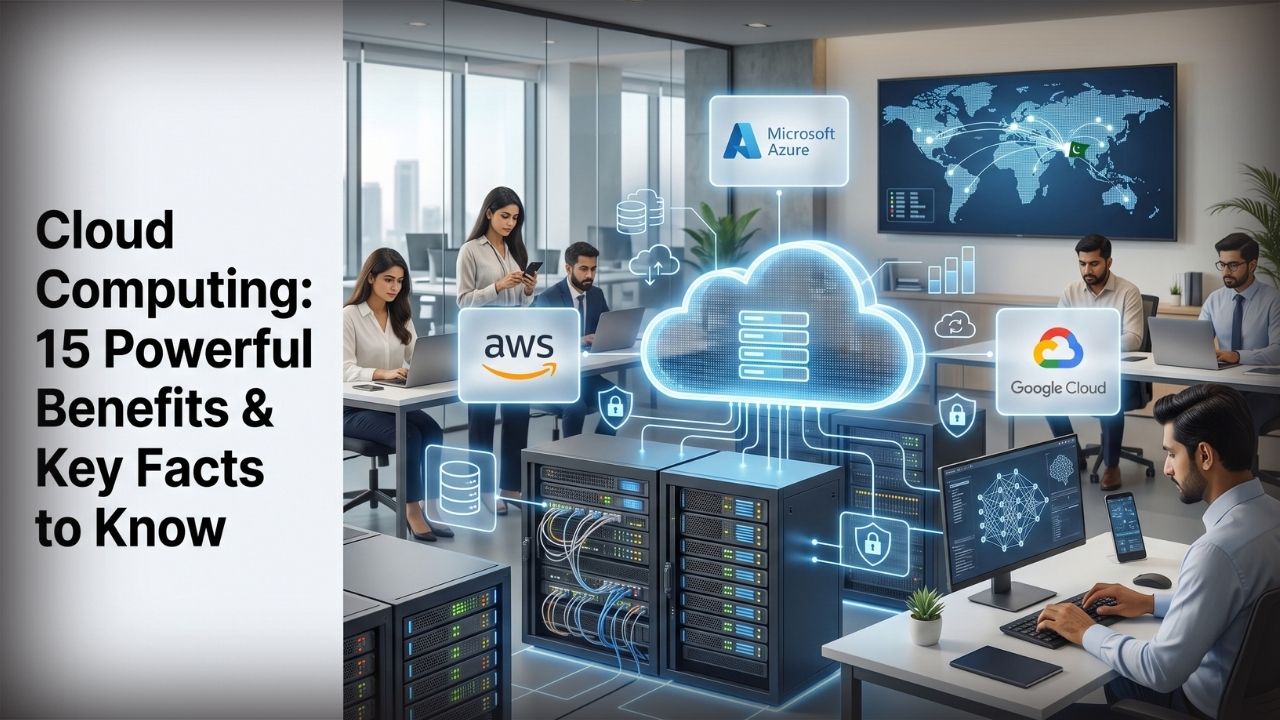
Cloud computing is the delivery of computing resources—including servers, storage, databases, networking, software, analytics, and AI capabilities—over a network, usually the internet, instead of requiring every organization or individual to own and operate the underlying physical infrastructure.
For a Pakistani student, cloud computing might mean saving coursework in Google Drive, running code in a cloud development environment, or learning Amazon Web Services (AWS), Microsoft Azure, or Google Cloud. For a business in Karachi, Lahore, Islamabad, Faisalabad, or elsewhere in Pakistan, it could mean hosting an e-commerce application, storing backups, running Microsoft 365, processing data, or deploying AI workloads without building a complete data center.
Cloud does not simply mean “someone else’s storage.” Modern cloud platforms provide computing power, managed databases, content delivery, identity systems, cybersecurity tools, containers, serverless computing, machine learning, generative AI services, backup, disaster recovery, and far more.
The central advantage is flexibility: organizations can acquire computing resources when required instead of permanently provisioning every resource for peak demand.
There is an equally important limitation. Cloud computing does not automatically make an application cheap, private, secure, highly available, or well designed. Those outcomes depend on architecture, configuration, governance, provider capabilities, connectivity, and operational discipline.
This 2026 guide explains how cloud computing works, its 15 most useful benefits, SaaS, IaaS and PaaS, AWS vs Azure vs Google Cloud, cloud storage and backup, security, pricing, architecture, migration, and the factors Pakistani businesses and students should evaluate before adopting it.
Quick Answer: What Is Cloud Computing?
Cloud computing lets users access computing resources on demand instead of buying and operating all the physical infrastructure themselves.
The U.S. National Institute of Standards and Technology’s cloud-computing definition describes cloud computing through characteristics including on-demand self-service, broad network access, resource pooling, rapid elasticity, and measured service.
In practical terms, cloud computing can provide:
- Virtual machines and computing power
- Object, file, and block storage
- Managed relational and NoSQL databases
- Application hosting
- Backup and disaster recovery
- Networking and content delivery
- Containers and Kubernetes
- Serverless functions
- Identity and access management
- Cybersecurity services
- Data warehouses and analytics
- AI and machine-learning platforms
- Software delivered through a browser or app
Amazon Web Services, Microsoft Azure, and Google Cloud are three major hyperscale cloud platforms, but cloud computing is much broader than those three providers.
Key Takeaways
Cloud computing in 2026 is a foundational technology layer behind modern applications, SaaS products, data platforms, streaming services, e-commerce systems, mobile applications, and AI.
For most Pakistani organizations, the decision should not be “cloud or no cloud.” The useful questions are which workloads belong in the cloud, which service model fits them, which provider and region meet technical and regulatory requirements, how data will be secured, and whether the long-term operational model makes financial sense.
Key points to remember:
- Cloud turns infrastructure into services that can often be provisioned on demand.
- AWS, Azure, and Google Cloud all offer mature enterprise platforms; the best choice depends on the workload rather than a universal ranking.
- SaaS gives customers the least infrastructure responsibility; IaaS provides considerably more control.
- Cloud storage and cloud backup are related but not identical.
- Security follows a shared-responsibility model.
- Multi-factor authentication, least privilege, encryption, monitoring, patching, and tested backups remain essential.
- Cloud spending needs active monitoring because elasticity can increase costs as easily as it reduces them.
- Pakistani users must consider internet reliability, foreign-currency billing, data location, latency, tax and payment arrangements, and applicable regulation.
- AI is increasing demand for cloud GPUs, managed model platforms, vector databases, data pipelines, and scalable compute.
- Learning cloud plus Linux, networking, cybersecurity, containers, databases, and automation remains valuable for technology careers.
Readers interested in the broader technology landscape can also explore IT Magazine Pakistan’s technology coverage and its guide to artificial intelligence and its core concepts.
Table of Contents
Cloud Computing Comparison Table
| Model | What you receive | Customer control | Common use |
| SaaS | Complete application | Low | Email, collaboration, CRM |
| PaaS | Managed application platform | Medium | Application development |
| IaaS | Virtualized infrastructure | High | Servers, storage, networking |
| Serverless/FaaS | Event-driven execution environment | Application/function focused | APIs, automation, event processing |
| Public cloud | Shared provider infrastructure with logical isolation | Varies | General cloud workloads |
| Private cloud | Cloud-like environment dedicated to one organization | High | Specialized control requirements |
| Hybrid cloud | Cloud plus on-premises/private environments | High complexity | Gradual migration, regulated workloads |
| Multi-cloud | Services from multiple cloud providers | High complexity | Specialized needs, organizational strategy |
Serverless should not be interpreted as “no servers exist.” The servers still exist; the cloud provider abstracts most infrastructure provisioning and management from the customer.
How Does Cloud Computing Work?
Cloud providers operate large physical data centers containing servers, networking systems, storage, power infrastructure, and specialized hardware.
Software layers expose these resources to customers through management consoles, command-line tools, APIs, and infrastructure-as-code systems.
Virtualization made it possible to divide physical computing hardware into isolated virtual resources efficiently. Containers provide another application packaging and isolation model, while managed cloud services abstract increasingly large portions of the infrastructure stack.
Suppose a Pakistani online retailer expects considerably more traffic during a major sales event. In a traditional environment, the company might have to buy enough hardware for its anticipated maximum demand and leave part of that capacity unused throughout quieter periods.
In a well-designed cloud environment, resources can be scaled as demand changes. Some services can scale automatically according to predefined conditions.
That elasticity is one of cloud computing’s defining features.
Regions and availability zones
Large public clouds organize infrastructure geographically.
A region is a defined geographic area where a provider operates infrastructure. Within regions, providers commonly use physically separated availability-zone concepts designed to improve resilience.
Terminology and architecture differ among providers, so never assume AWS, Azure, and Google Cloud implement regions and zones identically.
Region selection affects latency, service availability, resilience options, pricing, data residency, and compliance.
For Pakistani organizations, this decision deserves particular care because the geographically closest region is not automatically the correct region for every workload. Organizations should verify the provider’s current region list, connectivity, application-user locations, applicable legal obligations, and service availability using official documentation.
What Are the Main Types of Cloud Services?
Three abbreviations—SaaS, PaaS, and IaaS—explain much of the cloud market.
SaaS Explained
Software as a Service, or SaaS, delivers a finished software application to customers.
Users generally do not manage the application’s underlying servers, operating-system infrastructure, or virtualization layer.
Familiar examples of the SaaS model include productivity suites, CRM systems, online accounting services, project-management platforms, and many subscription applications.
Google Workspace and Microsoft 365 are recognizable examples.
SaaS is attractive because organizations can focus on using software rather than maintaining all its infrastructure.
It provides less infrastructure control, however, and customers remain responsible for important areas such as account security, user permissions, data governance, endpoint security, and configuration.
PaaS Explained
Platform as a Service gives developers a managed environment in which applications can be deployed without managing as much underlying infrastructure.
Depending on the service, the provider may manage operating systems, runtime environments, patching of platform components, scaling capabilities, middleware, or related infrastructure.
PaaS can reduce operational work and speed up development.
The trade-off is less infrastructure-level control and potentially greater dependence on provider-specific capabilities.
IaaS Explained
Infrastructure as a Service exposes resources such as virtual machines, networks, disks, and related infrastructure components.
Customers receive much greater control but also take on more responsibility.
For example, running an application on an IaaS virtual machine can leave the customer responsible for operating-system security, application patching, firewall configuration, identity permissions, monitoring, data protection, and backups.
Serverless Computing
Serverless platforms let developers execute applications or functions without directly provisioning persistent servers for every workload.
Billing may be based partly on requests, execution, duration, resources, or other provider-specific metrics.
Serverless can work well for event processing, APIs, automation, scheduled jobs, and irregular workloads.
It is less appropriate for some continuously running applications or workloads that need very specific infrastructure control.
Public Cloud vs Private Cloud vs Hybrid Cloud
A public cloud uses provider-operated infrastructure made available as cloud services to multiple customers with isolation mechanisms separating customer workloads.
AWS, Azure, and Google Cloud are prominent examples.
A private cloud provides cloud characteristics on infrastructure dedicated to one organization. It may run in an organization’s own facilities or be hosted by another party.
Hybrid cloud combines cloud infrastructure with private or on-premises systems.
An organization may, for example, keep selected legacy systems or regulated data in an existing environment while running customer-facing applications or analytics workloads in a public cloud.
What is multi-cloud?
Multi-cloud means deliberately using services from more than one cloud provider.
Using AWS for one workload and Google Cloud for another is a simple example.
Multi-cloud can provide access to specialized services or support organizational and resilience strategies, but it also increases operational complexity.
Teams must understand multiple identity models, networking systems, pricing structures, security tools, and management platforms.
Using three clouds is not automatically better than using one.
15 Powerful Benefits of Cloud Computing
The real benefits vary by workload. These are the major reasons organizations adopt cloud technologies, along with the limitations that accompany them.
1. Lower Upfront Infrastructure Requirements
Traditional IT infrastructure can require substantial initial investment in servers, storage, networking, facilities, power, cooling, and redundant equipment.
Cloud computing allows many resources to be consumed as services rather than acquired as permanent hardware.
That can be particularly useful for startups and growing Pakistani companies that do not want to build their own data center.
This does not guarantee lower total cost.
Poorly managed cloud resources can become expensive. The benefit is primarily reduced upfront infrastructure ownership and the ability to align capacity more closely with actual demand.
2. Faster Provisioning
Provisioning physical infrastructure can take days or considerably longer when procurement, shipping, installation, and configuration are involved.
A cloud virtual machine, database, storage bucket, or serverless service can often be provisioned in minutes.
Modern teams can automate provisioning through infrastructure-as-code tools.
That changes the pace of product development.
A Pakistani startup can experiment with an idea without first buying a rack of servers. A development team can create temporary environments, test software, and remove those resources when no longer needed.
Speed is valuable, provided governance keeps uncontrolled resource creation from turning into security or spending problems.
3. Elastic Scalability
Elasticity means capacity can expand or contract as demand changes.
This is useful for:
- E-commerce promotions
- News websites during major events
- University admissions
- Ticketing systems
- Seasonal business applications
- Mobile backends
- Streaming workloads
- AI inference
- Batch data processing
Autoscaling can add or remove resources based on metrics or demand, depending on the service.
Applications must still be designed to scale properly. Moving an inefficient monolithic application to a cloud virtual machine does not magically make it elastic.
4. Global Infrastructure Access
A small organization can deploy applications using infrastructure distributed across multiple geographic regions without constructing facilities itself.
That makes international expansion more accessible.
A software company in Pakistan serving customers in the Middle East, Europe, Asia, and North America can place workloads nearer appropriate user populations, subject to architecture, service availability, data protection rules, and costs.
Content delivery networks can additionally cache appropriate content at edge locations to improve delivery performance.
5. Improved Availability Options
Major cloud providers offer building blocks that can support highly available architectures.
These include multiple zones, load balancing, autoscaling, replicated storage, managed databases, health monitoring, and disaster-recovery capabilities.
But cloud does not equal automatic uptime.
An application deployed to one virtual machine with no backup can still fail.
High availability requires deliberate architecture. Critical applications may need redundancy across availability zones or, for some requirements, regions.
Cloud provides the tools; architects must use them correctly.
6. Better Backup and Disaster-Recovery Options
Cloud storage can make off-site backup and disaster recovery significantly easier than relying entirely on local media.
Organizations can replicate data, retain multiple backup versions, automate backup schedules, and place protected copies away from the primary environment.
The important distinction is that storage is not automatically backup.
Synchronization can replicate accidental deletion, ransomware-encrypted files, or unwanted changes. A proper backup strategy requires independent recovery points, suitable retention, protection from unauthorized deletion, and restoration testing.
This distinction becomes increasingly important as ransomware evolves. IT Magazine Pakistan’s ransomware explainer provides further security context.
7. Managed Services Reduce Operational Work
Managing databases, message queues, Kubernetes clusters, analytics systems, and other infrastructure requires expertise.
Cloud providers offer managed versions of many technologies.
With an appropriate managed database, for example, the provider can automate parts of patching, backups, infrastructure operations, replication, and availability management.
Customer responsibility does not disappear.
Teams still need to design databases correctly, protect credentials, set access policies, test recovery, monitor performance, and control spending.
The advantage is that engineers can spend less time maintaining undifferentiated infrastructure.
8. Better Support for Remote Work
Cloud-based applications helped make distributed work practical at large scale.
Employees can access authorized resources from different locations without every application being hosted on an office desktop or local server.
This is useful for Pakistani companies with teams across Karachi, Lahore, Islamabad, Rawalpindi, Peshawar, Quetta, Faisalabad, Multan, and international locations.
Remote access also increases security requirements.
Organizations should combine cloud access with strong authentication, endpoint security, access controls, monitoring, and appropriate conditional-access policies.
The practical recommendations in IT Magazine Pakistan’s online cybersecurity guide complement cloud security controls.
9. Stronger Collaboration
Cloud-based document, software-development, project-management, and communication platforms make it easier for distributed teams to work with centralized information.
Multiple employees can collaborate on documents, source code, dashboards, and workflows without constantly exchanging copies by email.
Version history and centralized identity management can improve administration.
Organizations should still control sharing.
Public links, poorly configured permissions, abandoned accounts, and unmanaged third-party integrations can expose business data.
Collaboration and governance need to be designed together.
10. Advanced Analytics Become More Accessible
Traditional data analytics infrastructure can be difficult and expensive to build.
Cloud platforms provide data warehouses, object storage, streaming systems, ETL/ELT services, business-intelligence integrations, machine-learning platforms, and data-governance tools.
Organizations can centralize data from websites, mobile applications, operations, and customer systems for analysis.
This helps businesses understand customer behavior, demand, operational performance, fraud patterns, and product use.
The difficult part is often not the analytical service itself. Data quality, privacy, governance, and skills remain significant challenges.
11. Cloud Makes AI Infrastructure Easier to Access
Modern AI depends heavily on computing resources.
Cloud platforms offer GPUs and specialized accelerators, managed model services, machine-learning environments, vector-search capabilities, data pipelines, model monitoring, and generative AI platforms.
Organizations no longer need to purchase every accelerator they might temporarily require.
This can make experimentation more accessible.
AI workloads can nevertheless be expensive, and sensitive information should not be uploaded to third-party AI services without understanding privacy, contractual, and security implications.
For practical applications, see IT Magazine Pakistan’s coverage of AI tools available in 2026 and its analysis of how AI agents are changing work.
12. Automation Improves Consistency
Cloud infrastructure can be managed through APIs and code.
Teams can use infrastructure-as-code, automated deployment pipelines, policy enforcement, monitoring rules, and configuration management.
Automation makes environments more reproducible.
Instead of an administrator manually building 20 servers and inevitably configuring them slightly differently, infrastructure definitions can standardize provisioning.
Automation can also scale mistakes.
A bad infrastructure template can rapidly deploy an insecure configuration everywhere. Code review, automated testing, and policy controls remain essential.
13. Security Tools Can Be Highly Advanced
Leading cloud providers invest heavily in physical security, infrastructure security, encryption capabilities, threat detection, identity systems, hardware security, and cybersecurity research.
Customers gain access to tools that would be costly to build independently.
Yet this creates one of the biggest cloud misconceptions: “The provider secures everything.”
It does not.
Cloud uses shared responsibility. The provider protects specific parts of the stack; the customer remains responsible for other parts, including many identity, configuration, application, data, and endpoint controls.
A public storage bucket accidentally configured to expose sensitive files is still a security incident even if the underlying cloud data center is extremely secure.
14. Faster Product Experimentation
Cloud services lower the infrastructure barrier to experimenting.
Teams can prototype an application, test a managed database, deploy an API, process a dataset, or experiment with AI without committing to years of hardware ownership.
Resources that are no longer useful can often be deleted.
This supports iterative development.
But temporary environments have a habit of becoming permanent when nobody owns cleanup. Organizations should use tagging, budgets, automation, and governance so experiments do not become forgotten monthly expenses.
15. Organizations Can Focus More on Their Core Business
Most companies do not gain competitive advantage from manually replacing hard drives in servers.
Cloud computing allows organizations to outsource portions of infrastructure operation and focus engineering effort on products, customers, applications, data, and business processes.
The degree of outsourcing depends on the chosen model.
SaaS transfers far more responsibility to a provider than IaaS.
Organizations should consciously choose which technical responsibilities provide business value and which are better consumed as managed services.
AWS vs Azure vs Google Cloud in 2026
Amazon Web Services (AWS), Microsoft Azure, and Google Cloud are the three providers most frequently compared for large-scale public cloud workloads.
There is no universal winner.
| Area | AWS | Microsoft Azure | Google Cloud |
| General cloud breadth | Extremely broad | Extremely broad | Broad |
| Enterprise Microsoft integration | Strong | Particularly strong | Available through integrations |
| Data/analytics reputation | Strong | Strong | Particularly notable |
| AI/ML ecosystem | Extensive | Extensive | Extensive |
| Kubernetes | Amazon EKS | Azure Kubernetes Service | Google Kubernetes Engine |
| Object storage | Amazon S3 | Azure Blob Storage | Cloud Storage |
| Serverless functions | AWS Lambda | Azure Functions | Cloud Run functions / related serverless services |
| Identity | AWS IAM ecosystem | Microsoft Entra/Azure identity ecosystem | Google Cloud IAM |
| Best choice | Workload-dependent | Workload-dependent | Workload-dependent |
Service names, features, quotas, pricing, and availability change frequently. Verify current information directly on the official AWS website, Microsoft Azure documentation, and Google Cloud documentation before making architecture or procurement decisions.
When AWS makes sense
AWS is a strong candidate when broad service selection, mature cloud-native tooling, extensive third-party support, and deep infrastructure capabilities align with requirements.
It also has a massive training and certification ecosystem.
Its breadth can be a disadvantage for beginners because several services may appear capable of solving similar problems.
When Azure makes sense
Azure is often attractive to organizations deeply invested in Microsoft technologies.
Businesses already using Microsoft identity, Windows Server, SQL Server, Microsoft 365, .NET, and other Microsoft enterprise technologies may find parts of the Azure ecosystem familiar.
Microsoft has also expanded Azure’s AI and cloud-native capabilities substantially.
When Google Cloud makes sense
Google Cloud has strong offerings in data analytics, Kubernetes, AI/ML, networking, and cloud-native application platforms.
Google’s history with technologies such as Kubernetes gives it substantial relevance in modern application infrastructure.
The right choice still depends on specific services, team expertise, compliance requirements, region availability, latency, support, and total cost.
Should Pakistani businesses use multiple clouds?
Only when there is a clear reason.
Using AWS, Azure, and Google Cloud simultaneously can sound resilient, but it introduces major complexity.
Skills, identity, networking, logging, security, billing, and governance all become harder.
For many small organizations, one well-designed cloud environment is better than three poorly managed ones.
Cloud Storage Comparison
Cloud storage is one of the most widely used forms of cloud computing.
But “storage” covers several different technologies.
| Storage type | Best suited to | Examples of use |
| Object storage | Massive scalable unstructured data | Images, videos, backups, logs |
| Block storage | VM disks, databases | Server volumes |
| File storage | Shared hierarchical files | Shared enterprise folders |
| Archive/cold storage | Rarely accessed information | Long-term backup/archive |
| Consumer sync storage | Personal documents/photos | Google Drive, OneDrive, iCloud |
Object storage
Object storage is fundamental to cloud-native architecture.
Amazon S3, Azure Blob Storage, and Google Cloud Storage are major examples.
It is suitable for files, images, logs, application assets, data lakes, backup objects, and enormous unstructured datasets.
It should not be treated exactly like a traditional disk attached to a computer.
Consumer cloud storage
Google Drive, Microsoft OneDrive, Apple’s iCloud, and similar products provide user-friendly file synchronization and sharing.
For Pakistani smartphone users, cloud storage can also help keep data accessible when replacing an Android phone, Samsung Galaxy device, Xiaomi, Oppo, Vivo, Realme, Infinix, Tecno handset, or Apple iPhone—provided the relevant application data is actually configured to sync or back up.
Phone storage and cloud capacity solve different problems. IT Magazine Pakistan’s 128GB vs 256GB phone storage guide explains the local-storage side of that decision.
Cloud Backup vs Cloud Storage
Cloud storage and cloud backup are not interchangeable.
Cloud storage primarily gives you space to store, synchronize, retrieve, or share data.
Backup is designed around recovering information after deletion, corruption, ransomware, device failure, infrastructure failure, or another incident.
Consider a synchronized folder. If ransomware encrypts local files and the synchronization system faithfully uploads the changed copies, the cloud can now contain those unwanted versions too.
A robust backup strategy may use:
- Multiple recovery points
- Versioning
- Retention policies
- Encryption
- Access separation
- Immutable or protected backup options where appropriate
- Geographic separation
- Regular restoration tests
A backup that has never been restored successfully is an unproven backup.
Organizations should test recovery, not merely verify that a backup job says “successful.”
Cloud Security: Is the Cloud Safe?
Cloud platforms can be highly secure, but cloud use is not automatically secure.
The correct model is shared responsibility.
Exactly where responsibilities divide depends on the provider and service.
With SaaS, customers generally have fewer infrastructure responsibilities.
With IaaS, the customer is responsible for considerably more of the operating environment.
Essential cloud security practices
A strong baseline includes:
- Enable multi-factor authentication wherever available.
- Protect the root, owner, or highest-privilege account aggressively.
- Use least-privilege access.
- Prefer individual identities over shared credentials.
- Rotate or eliminate long-lived credentials where possible.
- Encrypt sensitive data in transit and at rest as appropriate.
- Centralize logs and security monitoring.
- Patch customer-managed operating systems and applications.
- Separate production from development.
- Back up critical information.
- Test disaster recovery.
- Scan infrastructure configurations.
- Protect APIs.
- Restrict public exposure.
- Secure administrator endpoints.
- Maintain an incident-response plan.
IT Magazine Pakistan’s practical guide to password security and phishing prevention provide additional protection for the human side of cloud accounts.
The identity perimeter matters
A cloud administrator account may provide access to enormous amounts of infrastructure.
This makes stolen credentials exceptionally valuable.
Attackers do not always need an exotic vulnerability. Successful phishing against an administrator without appropriate MFA can be enough.
Identity is therefore one of the most important cloud security layers.
Zero trust
Zero trust is a security approach that avoids assuming users or devices should be trusted merely because they are inside a traditional network boundary.
NIST provides extensive zero-trust architecture guidance.
The concept is particularly relevant to cloud and hybrid environments where users, applications, and systems communicate across traditional organizational boundaries.
Cloud Architecture: A Practical Example
Consider a Pakistani online store.
A basic cloud architecture might contain:
- DNS directs visitors toward the application.
- A content delivery network serves cacheable content.
- A web application firewall filters relevant malicious traffic.
- A load balancer distributes requests.
- Application servers, containers, or serverless services process requests.
- A managed database stores transactional information.
- Object storage holds images and static assets.
- A caching layer improves frequently accessed responses.
- A queue separates asynchronous tasks.
- Monitoring records logs, metrics, and alerts.
- Identity systems restrict administrator access.
- Backup services protect critical application data.
A production design could be considerably more complex, but each layer should exist for a reason.
Complexity itself is not a sign of good architecture.
The best architecture is the simplest one that reliably meets security, performance, availability, recoverability, and business requirements.
Cloud Computing for Businesses in Pakistan
Pakistani businesses can gain considerable value from cloud computing, but they also face practical constraints different from those of organizations operating in markets with domestic hyperscale regions and uncomplicated international billing.
Internet reliability
Public cloud access depends on network connectivity.
Businesses should consider redundant internet links for critical operations, especially when essential cloud applications would otherwise become unavailable during an ISP outage.
Offline workflows may be necessary for selected business functions.
Latency
Physical distance still matters.
Cloud marketing cannot repeal physics.
Applications serving primarily Pakistani users should test real latency to potential regions rather than assuming one region will always perform best.
Application architecture, peering, CDN use, ISP routing, and user location can materially affect real-world performance.
Data location
Organizations handling sensitive, regulated, financial, government, healthcare, or customer information should determine where their information will be stored and processed.
Pakistan’s regulatory requirements can evolve, and industry-specific rules may apply.
Organizations should consult qualified legal or compliance professionals rather than relying on a generic technology article for legal conclusions.
Relevant public-sector information can be checked through institutions such as the Pakistan Telecommunication Authority and State Bank of Pakistan where their jurisdiction applies.
Foreign-currency exposure
Major international cloud providers frequently price services in foreign currencies.
For a Pakistani organization earning primarily in PKR, exchange-rate movements can affect actual local cost.
Budgeting should account for this rather than treating an international list price as a permanently fixed rupee expense.
Payment and taxation
Payment methods, withholding rules, taxes, reseller arrangements, and invoicing requirements can differ by organization and service.
Verify current requirements with the provider and qualified accounting or tax professionals.
Skills
Cloud adoption without trained staff can create expensive and insecure environments.
Pakistani companies should invest in skills covering:
- Linux
- Networking
- IAM
- Databases
- Cloud architecture
- Cybersecurity
- Containers
- DevOps
- Infrastructure as code
- Monitoring
- Cost management
- Backup and disaster recovery
Cloud is an operating model, not simply a hosting destination.
Cloud Computing Pricing Explained
Cloud pricing can be confusing because there may be dozens of metered dimensions within one architecture.
Common charge categories include:
- Compute time
- CPU and memory allocation
- Storage capacity
- Storage operations
- Database resources
- Data transfer
- Public IP resources
- Load balancing
- API requests
- Logging and monitoring
- Backup storage
- AI model consumption
- GPU resources
- Premium support
Data transfer deserves attention
Teams often focus heavily on server prices while ignoring network transfer.
Outbound data transfer can materially affect costs, depending on provider, destination, architecture, and commercial terms.
Always model data movement before migrating a bandwidth-heavy service.
Cloud cost optimization
Useful practices include rightsizing virtual machines, deleting unused disks and snapshots, scheduling non-production resources, using appropriate storage tiers, monitoring data transfer, setting budgets and alerts, and evaluating commitment discounts only for predictable workloads.
Cost optimization is continuous.
One-time cleanup does not create sustainable financial control.
Step-by-Step: How to Move a Business Workload to the Cloud
Migration should start with discovery, not with copying servers.
Step 1: Inventory the workload
List applications, servers, databases, dependencies, integrations, users, data volumes, compliance requirements, and current performance.
Do not migrate what nobody understands.
Step 2: Classify the data
Identify sensitive information, business-critical records, customer information, financial data, credentials, and regulatory constraints.
Determine what can move and under what controls.
Step 3: Define objectives
Decide why the workload is moving.
Possible objectives include resilience, scalability, faster deployment, reduced hardware ownership, international availability, disaster recovery, or access to managed services.
Without objectives, success cannot be measured.
Step 4: Select an architecture and provider
Compare AWS, Azure, Google Cloud, SaaS alternatives, or other appropriate providers.
Evaluate region availability, latency, skills, security, service requirements, pricing, support, and portability.
Step 5: Build identity and security first
Configure administrative identities, MFA, role-based access, logging, network controls, encryption, security monitoring, and backup policies before production migration.
Step 6: Test with a lower-risk workload
A controlled pilot can expose mistakes without putting the most critical system at risk.
Test performance, cost, operations, security, and user experience.
Step 7: Migrate data carefully
Choose a migration technique appropriate for data size and downtime tolerance.
Validate data before and after migration.
Maintain recovery options.
Step 8: Test failure scenarios
Test application failure, database recovery, credential loss procedures, backup restoration, traffic spikes, and relevant network disruptions.
A migration is not complete merely because the application loads once.
Step 9: Monitor after launch
Track availability, security events, latency, application errors, database performance, capacity, and spending.
Step 10: Optimize
Once real usage patterns are available, rightsize the system and evaluate managed services or architectural improvements.
Cloud-Native Architecture: Containers and Kubernetes
Containers package software with the runtime components it needs, making applications more portable across compatible environments.
Docker popularized modern container workflows.
Kubernetes, originally developed at Google and now maintained as an open-source project under the Cloud Native Computing Foundation, orchestrates containers across clusters.
AWS offers Amazon EKS, Azure provides AKS, and Google Cloud provides GKE.
Kubernetes is extremely powerful, but teams should not adopt it simply because it is fashionable.
For a straightforward web application, a managed application platform or serverless container service may require much less operational overhead.
Use Kubernetes when its orchestration capabilities solve a genuine problem.
Cloud Computing and AI in 2026
AI is increasingly inseparable from cloud infrastructure.
Modern generative AI systems demand large amounts of compute, data storage, networking, and specialized accelerators.
Public clouds make these capabilities available without every company buying its own GPU cluster.
Businesses can use managed AI platforms for model APIs, training, fine-tuning where supported, inference, data pipelines, vector search, document processing, and agentic applications.
AI creates new cloud risks
Organizations need to think about data leakage, prompt injection, excessive agent permissions, model output reliability, intellectual-property considerations, cost spikes, and observability.
AI agents are especially important because an agent that can call APIs or modify business data has more impact than a chatbot that only produces text.
Grant AI systems the minimum permissions necessary.
Cloud and AI security now overlap heavily, which is why IT Magazine Pakistan’s AI tools for students guide also matters for users learning responsible use of online AI platforms.
How Cloud Computing Affects Smartphones
Modern smartphones rely heavily on cloud services even when users never think about “cloud computing.”
Android phones from Samsung, Google, Xiaomi, Oppo, Vivo, Realme, Infinix, Tecno, and other manufacturers commonly use cloud services for app data, media synchronization, push notifications, maps, account systems, AI features, backups, and software services.
Apple integrates iCloud deeply with iPhone, iPad, and Mac products.
Google connects Android and Google Play services with cloud-backed account and synchronization features.
Hardware remains important.
A Qualcomm Snapdragon or MediaTek-powered phone still executes large amounts of processing locally. AMOLED displays, 5G radios, cameras, and on-device AI accelerators remain device-side technologies.
The future is increasingly hybrid: some work happens locally for speed, privacy, or offline capability, while resource-intensive or synchronized operations can occur in the cloud.
Readers comparing new devices can explore IT Magazine Pakistan’s smartphone buying guide for Pakistan and its overview of 5G phones available to Pakistani buyers.
Advantages and Disadvantages of Cloud Computing
Pros
Cloud computing can provide rapid deployment, elastic capacity, global infrastructure, managed services, sophisticated security tools, scalable storage, powerful analytics, AI infrastructure, automation, and easier disaster-recovery options.
It can reduce the need to purchase substantial infrastructure before knowing exactly how much capacity an application will require.
Cons
Cloud can create ongoing cost uncertainty, provider dependence, migration complexity, internet dependency, data-residency concerns, skills requirements, and potentially significant data-transfer costs.
Misconfigured identity or storage can expose sensitive data.
Provider outages can affect customers.
Some workloads may be cheaper or more appropriate on dedicated or on-premises infrastructure.
The correct goal is not “move everything to cloud.” It is to place each workload where it creates the best combination of reliability, security, cost, performance, and operational simplicity.
Common Cloud Computing Mistakes
One frequent mistake is migrating servers without redesigning anything and expecting dramatic savings.
Another is allowing every developer unrestricted permission in a production account.
Organizations also commonly overlook log costs, backup retention, idle resources, network transfer, abandoned storage, or forgotten development environments.
Vendor lock-in is another consideration. Using deeply provider-specific services can deliver enormous productivity gains but make migration harder.
That is not automatically bad.
Avoiding every proprietary service can mean sacrificing useful cloud capabilities in the name of theoretical portability that may never be required.
Make the trade-off consciously.
Expert Tips for Cloud Computing in 2026
Cloud projects become much easier when organizations establish good foundations early.
Use separate environments or accounts/projects/subscriptions for production and non-production where practical. Centralize identity. Require MFA. Tag resources consistently. Establish budgets before scaling. Turn on appropriate audit logs from the beginning.
Encrypt sensitive information and manage encryption keys carefully. Keep secrets out of source code. Use managed secrets systems instead of embedding passwords in applications.
Test restore procedures.
Security teams often focus on preventing incidents while overlooking recovery. Ransomware, accidental deletion, software bugs, and operator mistakes make recoverability equally important.
For endpoint protection around cloud administration, IT Magazine Pakistan’s phone security guide is useful for administrators who access business accounts from mobile devices.
Finally, document architecture and ownership. Every production cloud resource should have a purpose and an accountable owner.
Cloud Computing Buying Advice: How to Choose a Platform
Do not select a provider because it has the longest service list.
Start with requirements.
Choose based on workloads
Identify whether you need web hosting, Microsoft workloads, data analytics, AI, mobile backends, managed databases, large-scale storage, Kubernetes, serverless systems, or disaster recovery.
Then compare providers for those exact workloads.
Calculate total cost
Include compute, storage, network transfer, backups, logging, support, licensing, taxes where applicable, administration, training, and engineering time.
A cheap virtual machine can become part of an expensive architecture.
Test Pakistan latency
Measure from the ISPs and cities where real users operate.
Do not rely exclusively on geographical distance or someone else’s benchmark.
Evaluate support
Mission-critical applications may justify a stronger support arrangement.
Understand response expectations before an incident occurs.
Consider existing skills
A team deeply experienced with Microsoft infrastructure may have a different optimal choice from a cloud-native startup experienced with AWS or Google Cloud.
Training has a cost.
Review exit strategy
Ask how difficult it would be to export data and move the workload if business requirements change.
You do not necessarily need perfect portability, but you should understand your dependencies.
Cloud Careers and Skills for Pakistani Students
Cloud computing can be a useful career path, but learning provider dashboards alone is insufficient.
Strong cloud engineers understand the systems underneath cloud products.
Prioritize networking fundamentals, Linux, DNS, HTTP/HTTPS, TLS, storage, databases, authentication, authorization, scripting, Git, containers, security, and basic software architecture.
Then learn one major cloud thoroughly.
AWS, Azure, and Google Cloud all offer introductory learning materials and certification paths.
Once fundamentals are strong, expanding to a second platform becomes considerably easier because the underlying concepts transfer even when service names change.
Students interested in broader technology careers can follow IT Magazine Pakistan’s artificial intelligence section alongside cloud learning, because data engineering, AI infrastructure, DevOps, cybersecurity, and cloud architecture increasingly overlap.
Suggested Internal Links
The following internal links are already suitable for contextual placement within this cloud computing topic:
- Technology news and guides — place near the introduction or related-resources section.
- Artificial intelligence explained — place in the cloud-and-AI introduction.
- Best AI tools for 2026 — place in the managed AI platform section.
- How AI agents are changing work — place in the AI-agent security discussion.
- Cybersecurity tips for staying safe online — place in the cloud security section.
- Ransomware explained — place in the cloud-backup section.
- Password security best practices — place in the IAM discussion.
- Phishing prevention tips — place near administrator account protection.
- Phone security tips — place near endpoint security.
- Phone storage comparison for Pakistan — place in consumer cloud storage.
- Smartphone buying guide for Pakistan — place in the smartphone cloud section.
- 5G phones in Pakistan — place in the mobile connectivity discussion.
- AI tools for Pakistani students — place in cloud learning/AI education.
- VPN comparisons for Pakistan — place in a networking/security related-resources area.
Suggested External References
For information that changes over time, readers and IT teams should prioritize primary documentation:
- NIST definition of cloud computing for the foundational cloud definition.
- NIST zero-trust architecture guidance for security architecture.
- Amazon Web Services documentation for current AWS technical information.
- Microsoft Azure documentation for current Azure services.
- Google Cloud documentation for current Google Cloud capabilities.
- Google’s Android Developers documentation for Android platform development.
- Apple Developer documentation for Apple platform integration.
- Samsung developer resources for Samsung technologies.
- Qualcomm developer resources for Qualcomm platforms and edge technologies.
- MediaTek developer resources for current MediaTek platform information.
- GSMA for mobile-industry information.
- Pakistan Telecommunication Authority for relevant Pakistani telecommunications information.
- State Bank of Pakistan for relevant financial-sector requirements and official information.
- Wikipedia’s overview of cloud computing for useful background and historical context, while using primary provider and government sources for operational decisions.
Recommended Schema Markup
This article is suited to Article, BreadcrumbList, Organization, Person, and ImageObject schema.
FAQPage markup may be technically appropriate where the implementation meets Google’s structured-data policies, although publishers should not assume FAQ rich results will be displayed.
VideoObject is appropriate only if IT Magazine Pakistan publishes a genuine companion video.
Product and Review schema should not be added to this article because cloud computing is a broad technology subject rather than one reviewed product. Structured data should accurately represent visible page content rather than being added solely to pursue search features.
Frequently Asked Questions
What is cloud computing in simple words?
Cloud computing means using computing resources such as servers, storage, databases, applications, and AI services over a network instead of owning and operating all the underlying infrastructure yourself. Google Drive is a consumer-facing example; AWS EC2 is an infrastructure example.
What are the three main types of cloud computing services?
The traditional main service models are SaaS, PaaS, and IaaS. SaaS provides a finished application, PaaS provides a managed application platform, and IaaS provides virtualized computing infrastructure. Serverless services provide another widely used abstraction for modern applications.
Which is better: AWS vs Azure vs Google Cloud?
None is universally better. AWS offers exceptional service breadth, Azure is especially compelling in Microsoft-centric enterprises, and Google Cloud is strong in cloud-native systems, data, and AI. Evaluate your exact workload, regions, skills, security requirements, support, and total cost.
Is cloud computing secure?
Cloud computing can be highly secure when configured correctly. Security follows a shared-responsibility model: providers secure defined parts of the cloud infrastructure while customers remain responsible for areas such as identities, access policies, data, application security, and many configurations.
Is cloud storage the same as cloud backup?
No. Storage keeps data available, while backup is designed to preserve recoverable copies after deletion, corruption, ransomware, or failure. File synchronization alone should not be treated as a complete backup strategy.
Is cloud computing good for small businesses in Pakistan?
It can be. Small businesses may benefit from lower upfront infrastructure requirements, SaaS applications, managed backups, scalability, and remote access. They should still evaluate PKR exchange-rate exposure, connectivity, data location, security, support, and total cost.
Does cloud computing require fast internet?
Internet quality matters for services accessed remotely, but bandwidth requirements depend on the workload. A browser-based accounting system needs very different connectivity from transferring terabytes of video. Critical organizations should also plan for internet outages.
Can cloud computing reduce IT costs?
It can, but savings are not guaranteed. Cloud can reduce upfront hardware ownership and operational work, while poorly managed resources, data transfer, overprovisioning, logs, backups, or unused services can make cloud expensive. Continuous cost management is essential.
Is Google Drive cloud computing?
Yes. Google Drive is a cloud-based storage and collaboration service and is part of the broader cloud-computing ecosystem. It represents a user-facing cloud service rather than infrastructure like virtual machines.
Is cloud computing useful for students in Pakistan?
Yes. Cloud skills are relevant to software engineering, DevOps, cybersecurity, data engineering, AI, networking, and systems administration. Students should learn foundational computing concepts first and then gain practical experience with a major cloud platform.
What is serverless computing?
Serverless computing lets developers run applications or functions without directly provisioning and maintaining servers for each workload. Physical servers still exist, but the cloud provider handles much of their management and scaling.
What is hybrid cloud?
Hybrid cloud integrates cloud services with private or on-premises infrastructure. Businesses may use it when some systems need to remain in existing environments while other workloads benefit from public-cloud services.
What is multi-cloud?
Multi-cloud means using services from multiple cloud providers. It can provide flexibility or access to specialized capabilities but introduces additional complexity in skills, security, networking, governance, and billing.
Which cloud is best for AI?
AWS, Microsoft Azure, and Google Cloud all offer substantial AI capabilities in 2026. The better choice depends on the required models, accelerators, data platform, region, security controls, enterprise integrations, skills, and pricing.
Will cloud computing replace local computers and phones?
No. Modern computing increasingly uses a hybrid of local and cloud processing. Smartphones still perform substantial work using Apple silicon, Qualcomm Snapdragon, MediaTek and other processors, while cloud platforms handle synchronization, large-scale storage, online services, and selected AI processing.
Conclusion
Cloud computing in 2026 is no longer simply an alternative place to host a website. It has become a broad computing model spanning infrastructure, databases, storage, cybersecurity, analytics, SaaS, application development, backup, disaster recovery, containers, serverless computing, and artificial intelligence.
Its strongest advantages are flexibility and access. Organizations can provision sophisticated infrastructure quickly, scale capacity with demand, use managed services, and access technologies that would otherwise require major investment.
Those benefits come with responsibilities.
Cloud environments need disciplined identity management, security monitoring, tested backup and recovery, cost controls, architecture planning, and skilled people. Moving a poorly designed application to the cloud does not automatically make it resilient or affordable.
For businesses in Pakistan, the decision also requires local context. Connectivity, latency, foreign-currency exposure, data location, applicable regulation, provider-region availability, payment arrangements, and staff expertise can materially change the answer.
For students and technology professionals, cloud computing remains an important skill because it now intersects with nearly every major technology field: cybersecurity, software engineering, AI, data engineering, mobile services, DevOps, networking, and enterprise IT.
The best starting point is fundamentals. Learn networking, Linux, identity, databases, storage, HTTP, security, and scripting. Then learn one cloud platform deeply enough to build and secure real applications.
For businesses, start smaller. Inventory the workload, understand the data, define measurable objectives, compare providers using official documentation, build security before production, run a controlled pilot, test recovery, and monitor real costs.
That approach captures what cloud computing does best: giving people and organizations access to powerful computing infrastructure without pretending that good engineering, security, and operational judgment have become optional.