Cloud backup is the process of creating recoverable copies of data and storing them on remote infrastructure so files can be restored after device failure, accidental deletion, corruption, theft, cyberattack, ransomware, or another data-loss event.
That sounds similar to cloud storage, but there is an important difference. Google Drive, Microsoft OneDrive, Apple’s iCloud and Dropbox are excellent storage and synchronization platforms, yet file synchronization alone is not necessarily a complete backup strategy. If a bad change or deletion synchronizes everywhere, an independent recovery copy becomes critical.
In 2026, this distinction matters more because personal and business data is spread across smartphones, laptops, SaaS applications, servers, NAS systems and public clouds. Backups therefore need to protect more than a traditional office PC.
For Pakistani users, additional considerations include upload bandwidth, internet reliability, foreign-currency subscriptions, mobile-data usage, data location and the time required to restore large datasets.
This guide explains 15 practical benefits of cloud backup, modern backup architecture, ransomware protection, smartphone backup, the 3-2-1 strategy, encryption, business recovery, AWS vs Azure vs Google Cloud options, and how to choose a service without paying for features you do not need.
For the bigger picture, IT Magazine Pakistan’s complete cloud computing guide explains the infrastructure and service models behind modern cloud technologies.
What Is Cloud Backup?
Cloud backup copies selected data to a remote provider’s infrastructure so it can be recovered if the primary copy is lost, damaged, corrupted, encrypted by ransomware, or accidentally deleted.
A strong backup system should answer three questions:
- What data is protected?
- How far back can I recover it?
- How quickly can I restore it?
If those answers are unclear, simply seeing a green “backup complete” message is not enough.
The safest strategy for important information uses multiple independent copies rather than trusting one device, disk, or cloud account.
Key Takeaways
Cloud backup protects against failures that ordinary file synchronization may not fully address. It is particularly valuable as an off-site copy because a disaster affecting your home or office does not automatically destroy data stored in another location.
A modern backup plan should use versioning or historical recovery points, strong encryption, multi-factor authentication, restricted deletion rights, and regular restoration tests.
For businesses, backup design should be based on recovery objectives rather than simply storage capacity.
Ransomware changes the threat model. Attackers may target backups as well as production data, so protected, immutable or logically isolated copies can be valuable.
Cloud backup also applies to smartphones, SaaS platforms, databases, virtual machines and cloud workloads—not only desktop files.
Finally, no backup should be trusted until restoration has been tested.
Table of Contents
Cloud Backup Comparison Table
| Backup approach | Protects against | Main strength | Main limitation |
| External drive | Device failure | Fast local recovery | Can be lost/damaged with device |
| Cloud backup | Local disaster/device loss | Off-site protection | Internet dependent |
| File synchronization | Device access and collaboration | Convenience | Not inherently full backup |
| NAS backup | Multiple local systems | Centralized local protection | Location-wide disaster risk |
| Immutable/protected backup | Ransomware/deletion | Harder to alter | Requires correct configuration |
| SaaS backup | Cloud-app data | Protects SaaS records | Separate service may be needed |
| Hybrid backup | Multiple failure scenarios | Local speed + remote copy | More management |
| Object-storage backup | Servers/apps | Flexible and scalable | Technical configuration required |
These approaches are complementary. A business may use local backup for fast restores and cloud backup for off-site resilience.
What Is Cloud Backup and How Does It Work?
Cloud backup software identifies files, application data or system workloads that should be protected, encrypts the information as appropriate, and transfers copies to provider-managed infrastructure.
Later backups are often incremental: rather than uploading the entire dataset again, the system transfers data that has changed.
Backup platforms may provide schedules, retention policies, version histories, deduplication, encryption, monitoring and restoration tools.
Enterprise systems can additionally protect databases, virtual machines, Microsoft 365 data, Google Workspace information, containers, cloud workloads and entire servers.
The important concept is recovery.
Storage capacity is merely a component of backup. A backup system exists to restore usable information after something goes wrong.
For general historical context, backup technology has evolved from tape and removable media to automated disk, cloud and hybrid architectures, while the underlying goal remains the same: maintain recoverable copies independent from the primary data.
Cloud Backup vs Cloud Storage
These terms are often used interchangeably, but they solve different primary problems.
Cloud storage
Cloud storage is mainly designed to make data available remotely.
Google Drive, OneDrive, iCloud Drive and Dropbox allow people to store, synchronize and share files.
If you edit a synchronized document on a laptop, the new version can become available on another device.
That is useful collaboration.
Cloud backup
Cloud backup prioritizes recovery.
It should maintain enough historical state to recover data after a destructive event, according to the service and retention configuration.
For example, if ransomware encrypts synchronized files, a synchronization service may upload those modified files. Version-history capabilities may help, but a separate protected backup provides another recovery layer.
IT Magazine Pakistan’s detailed cloud storage comparison explains the differences among Google Drive, OneDrive, iCloud, Dropbox, object storage and backup-oriented platforms.
Types of Cloud Backup
File-level backup
This protects individual files and folders.
It works well for documents, photographs, project folders and other user data.
Image-based or system backup
An image captures more of a system, potentially including the operating system, applications, settings and files.
This can support broader machine recovery where the selected backup product supports it.
Server backup
Organizations can back up physical servers, virtual machines, databases and application workloads.
Application-aware backups become important for databases because simply copying files while a database is actively changing may not produce a consistent recoverable state.
SaaS backup
Businesses increasingly keep critical information inside Software as a Service applications.
Email, cloud documents, CRM records and collaboration platforms can require independent backup depending on organizational recovery requirements and the SaaS provider’s native retention features.
Hybrid backup
Hybrid backup combines local recovery copies with remote or cloud copies.
This can deliver fast local restoration while maintaining protection from location-wide events.
15 Essential Benefits of Cloud Backup
1. Protection From Device Failure
SSDs and hard drives are reliable until they are not.
A laptop can fail unexpectedly, storage can become corrupt, and electronic components can be damaged.
When the only copy of your thesis, family photographs, client documents or business records exists on that device, hardware failure becomes a data crisis.
Cloud backup creates another copy outside the failed machine.
For Pakistani students and professionals choosing a new computer, IT Magazine Pakistan’s laptop buying guide for Pakistan covers hardware—but even premium hardware still needs backup.
2. Protection From Theft
Laptop and smartphone theft creates two separate problems: loss of the device and loss of the information stored on it.
Cloud backup cannot recover the physical device, but properly protected remote data may remain recoverable from replacement hardware.
Device encryption and account security matter here too. A stolen device should not give an attacker easy access to your cloud credentials.
3. Off-Site Disaster Protection
A local external drive is useful but can be vulnerable to the same event as the computer.
Fire, flooding, electrical damage, theft or another location-wide incident could affect both.
Cloud backup stores data remotely, adding geographic separation.
For important information, a combination of local and off-site copies is stronger than relying entirely on either.
4. Automated Protection
People are poor at remembering repetitive backup tasks.
Automated cloud backup reduces dependence on someone connecting an external disk every Friday and remembering to start a copy.
Scheduled or continuous backup can protect new data with less manual effort.
Automation does not eliminate oversight. Administrators still need to monitor failed jobs, expired credentials, storage limits and unusual activity.
5. Version History
Good backup systems can maintain several historical versions.
This helps when a file is corrupted or accidentally overwritten but the problem is not discovered immediately.
A backup made five minutes ago may contain the corrupted copy too.
Historical recovery points allow users to go further back.
Retention policy therefore matters as much as backup frequency.
6. Better Ransomware Recovery
Ransomware can encrypt or otherwise disrupt production data.
Attackers may also attempt to destroy or encrypt accessible backups.
A resilient backup system uses protection measures such as restricted credentials, immutability where appropriate, separate security boundaries and historical versions.
The U.S. Cybersecurity and Infrastructure Security Agency’s ransomware guidance recommends maintaining offline or otherwise protected backups and regularly testing them.
IT Magazine Pakistan’s ransomware explainer for 2026 provides additional context for Pakistani users.
7. Easy Recovery After Accidental Deletion
Users delete important data surprisingly often.
Sometimes it is one file. Sometimes an administrator deletes an entire folder or database.
A backup with appropriate retention creates a route back.
Synchronization alone can be less useful because intentional-looking deletions can propagate across synced endpoints.
The backup should provide an independent historical state.
8. Scalability
Cloud backup storage can usually expand without buying and installing new disks every time requirements grow.
That is valuable for organizations generating growing quantities of documents, media, database records, application data and AI datasets.
Scaling still has a cost.
Retention policies should reflect business requirements rather than keeping unlimited versions forever without reason.
9. Centralized Protection for Multiple Devices
Backup services can protect multiple computers or workloads from one administrative platform, depending on the product.
Businesses can see whether endpoints have completed backups and identify machines with protection failures.
This is much better than assuming employees are manually copying files to USB drives.
10. Remote Recovery
Cloud backups can generally be accessed without returning physically to the original backup device.
That helps distributed organizations.
A company with employees across Karachi, Lahore, Islamabad, Rawalpindi, Faisalabad, Multan or other Pakistani cities can manage backups centrally rather than depending entirely on office-local media.
The trade-off is internet dependency for substantial restorations.
11. Supports Business Continuity
Backup contributes to business continuity by reducing the chance that one incident permanently destroys essential information.
It is not the whole continuity plan.
Organizations must also consider replacement hardware, networking, alternative working locations, application dependencies, staff communications and incident response.
But without recoverable data, many continuity plans cannot progress far.
12. Can Protect Cloud Workloads Too
Running a workload in AWS, Azure or Google Cloud does not make backup unnecessary.
Cloud infrastructure can be highly redundant while still preserving a customer’s accidental deletion or software corruption perfectly.
Backup and infrastructure availability solve different risks.
Businesses comparing providers can use IT Magazine Pakistan’s AWS vs Azure vs Google Cloud comparison to understand each ecosystem.
13. Better Recovery Governance
Business backup systems can establish policies defining which systems are protected, how often, for how long and by whom they can be restored or deleted.
This creates repeatability.
Instead of asking, “Did Ahmed remember to copy the accounting folder?”, administrators can monitor policy compliance centrally.
Governance is particularly useful as companies grow.
14. Encryption Options
Reputable backup platforms support encryption to protect data during transfer and at rest.
Some services provide customer-managed key options or architectures offering stronger control over encryption secrets.
Encryption introduces responsibilities.
Lose certain customer-controlled keys and the provider may be unable to recover the data.
Key management should therefore have its own secure backup and recovery process.
15. Reduced Dependence on One Physical Location
Perhaps the greatest backup benefit is removing a single point of failure.
A smartphone, computer, external drive, office NAS or server can all be lost.
A well-designed cloud backup creates separation between the production system and recovery data.
That independence is what makes backup valuable.
The 3-2-1 Backup Rule Explained
The traditional 3-2-1 rule recommends:
- Keep at least three copies of important data.
- Use two different types of storage or media.
- Keep at least one copy off-site.
A simple personal implementation could be:
Original files on your laptop, a backup on an external drive, and another protected copy through a cloud backup provider.
Modern security teams sometimes extend this idea with immutable/offline copies and verification, producing variants such as 3-2-1-1-0.
The exact slogan matters less than the engineering objective: avoid one failure or compromised account destroying every recoverable copy.
Cloud Backup and Ransomware: What Works in 2026?
Ransomware-resistant backup starts with separation.
If malware running under an ordinary user account can delete every backup, the recovery architecture is too exposed.
Useful protections include separate backup credentials, MFA, restricted deletion rights, immutable retention where appropriate, anomaly monitoring and recovery copies outside the production security boundary.
Immutability
An immutable backup is designed so it cannot be modified or deleted for a defined period, subject to the platform’s implementation.
Amazon S3 Object Lock, Azure storage immutability capabilities and Google Cloud retention/object protection options provide examples of cloud technologies that can support protected retention scenarios.
Configuration matters enormously.
Simply enabling a feature without understanding retention and permissions does not create a complete ransomware strategy.
The NIST Cybersecurity Framework provides a broader framework for managing cybersecurity risk.
Smartphone Cloud Backup in Pakistan
Smartphones now contain financial apps, messages, contacts, photographs, documents and authentication data.
Android and Apple devices provide cloud-based backup and synchronization capabilities, but exactly what is protected varies by app and operating system.
Android
Google provides Android backup and account services, while manufacturers such as Samsung may provide additional synchronization and device-transfer tools.
Phones from Samsung, Xiaomi, Oppo, Vivo, Realme, Infinix and Tecno commonly use Android, but manufacturer features differ.
Do not assume every application’s data is included automatically.
Google’s official Android backup documentation explains consumer backup features.
iPhone
Apple provides iCloud Backup for supported iPhone and iPad data. Users should verify what is included, particularly where data is already synchronized separately through iCloud.
Apple’s official iCloud Backup documentation is the authoritative reference.
Does phone hardware change backup quality?
A Qualcomm Snapdragon or MediaTek processor, AMOLED screen or 5G modem can influence device performance and connectivity but does not replace a backup strategy.
Likewise, cloud space does not become physical phone capacity.
IT Magazine Pakistan’s phone storage guide explains how local storage differs from online capacity.
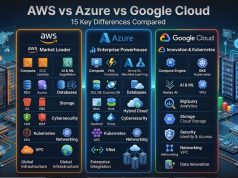
AWS vs Azure vs Google Cloud for Backup
All three hyperscale platforms provide storage and protection capabilities that can underpin enterprise backup architectures.
AWS
Amazon S3 provides object storage with multiple storage classes and features such as versioning and Object Lock. AWS also offers AWS Backup for centrally managing backups across supported AWS services.
Microsoft Azure
Azure provides storage tiers and Azure Backup for supported workloads, alongside immutable-storage capabilities within its broader data protection ecosystem.
Google Cloud
Google Cloud provides object storage, retention features and Backup and DR offerings for supported workloads.
Do not select a provider by storage price alone.
Consider API operations, retrieval, data transfer, retention, restore performance, regional requirements and management tooling.
Cloud Backup Security
Backup security deserves at least as much attention as production security because a backup can contain almost every sensitive file an organization owns.
Important controls include:
- MFA for administrators
- Least-privilege permissions
- Separate backup credentials
- Encryption
- Secure key management
- Audit logging
- Restricted deletion
- Immutable copies where appropriate
- Alerting for unusual changes
- Tested account recovery
- Documented restore permissions
A phishing attack against an administrator can bypass many expensive security controls if stolen credentials provide unrestricted access.
IT Magazine Pakistan’s phishing prevention guide and broader online cybersecurity guide cover these user-level defenses.
Cloud Backup for Businesses in Pakistan
Pakistani companies should evaluate cloud backup in the context of local operating conditions.
Internet upload speed
The first cloud backup may involve hundreds of gigabytes or several terabytes.
Upload performance—not advertised download speed—is often the important bottleneck.
Estimate initial backup duration before deployment.
Restore bandwidth
Backup is only half the problem.
How long would downloading 2TB take during a business emergency?
For critical workloads, local recovery copies or provider-supported bulk recovery methods may be valuable.
Foreign-currency exposure
International backup services may charge in USD or another foreign currency.
PKR exchange-rate movement can therefore alter effective local costs.
Regulatory requirements
Organizations handling regulated data must evaluate where information is stored and applicable sector-specific requirements.
Financial organizations should consult current State Bank of Pakistan resources where applicable. Telecommunications-related questions may require reference to the Pakistan Telecommunication Authority.
Seek qualified legal or compliance advice for specific obligations.
Step-by-Step: How to Set Up a Reliable Cloud Backup
Step 1: Inventory your important data
Identify documents, photographs, projects, databases, business records and application information that cannot easily be recreated.
Step 2: Decide recovery requirements
Ask how much recent work you can afford to lose and how quickly you need it restored.
Businesses formalize these as recovery point objectives (RPOs) and recovery time objectives (RTOs).
Step 3: Choose the correct service
For personal computers, a dedicated endpoint backup service may be easiest.
For businesses, choose a platform that supports the required servers, databases, SaaS systems and cloud workloads.
Step 4: Configure encryption and MFA
Secure backup accounts before uploading critical data.
Avoid shared administrator credentials.
Step 5: Set a backup schedule
Critical data may require much more frequent protection than static archives.
Match frequency to recovery requirements.
Step 6: Define retention
Decide how far back users must be able to recover data.
Longer retention can improve recovery options but consume additional storage.
Step 7: Protect deletion
Ensure one compromised endpoint cannot easily erase every recovery point.
Step 8: Perform the first backup
Monitor failures rather than assuming every file uploaded successfully.
Step 9: Restore sample data
Recover files to another location and verify integrity.
Step 10: Repeat testing
Restore testing should be routine, not something done for the first time during a ransomware incident.
Cloud Backup Pros and Cons
Pros
Cloud backup provides off-site protection, automation, scalable capacity, historical versions, remote management and recovery after hardware loss or location-wide incidents.
It can reduce dependence on manual USB-drive routines and provide consistent business policies.
Cons
Cloud backup depends on connectivity, particularly during large restores.
Recurring costs can grow with data volume and retention.
Initial uploads can take substantial time on slower Pakistani connections.
Security remains dependent on correct account and permission configuration.
Provider lock-in can also matter when proprietary backup formats or APIs are involved.
Cloud backup is therefore strongest as part of a wider recovery strategy rather than a magic replacement for every other protection method.
Common Cloud Backup Mistakes
The first mistake is assuming sync equals backup.
The second is never testing a restore.
Another common error is protecting the primary server but forgetting cloud applications, employee laptops or critical SaaS data.
Businesses can also create excessive retention without understanding cost.
At the other extreme, keeping only a few recent versions may fail when corruption is discovered weeks later.
Finally, using the same unrestricted administrator credentials for both production and backup increases risk.
Backup should be recoverable even when normal production systems are in trouble.
Expert Tips for 2026
Create at least one backup layer that is difficult for ordinary production credentials to alter.
Protect backup administrator accounts with strong MFA.
Monitor backup failures and unexpectedly large changes, which can sometimes indicate ransomware or misconfiguration.
Keep documentation outside the system being backed up so recovery instructions remain available during an outage.
For businesses, assign ownership. Every critical workload should have someone responsible for its backup and recovery testing.
Treat smartphones as business endpoints when employees keep unique business information on them. IT Magazine Pakistan’s phone security guide covers additional safeguards.
Most importantly, measure restore time. Knowing that a backup exists is less useful than knowing the company can actually recover before operational damage becomes unacceptable.
Buying Advice: How to Choose a Cloud Backup Service
Start with recovery rather than price.
Check exactly which devices, operating systems, applications and cloud workloads the service supports.
Examine retention policies carefully. “Unlimited backup” and “unlimited history” are not necessarily the same promise.
Determine whether deleted files remain recoverable and for how long.
Evaluate ransomware controls, immutable retention options, encryption, MFA, logging and administrator separation.
For businesses, ask whether the system supports centralized policy enforcement and compliance requirements.
Calculate the total cost across storage, retained versions, network transfer, restores and licensing.
Finally, conduct a proof of concept with real data.
A backup platform that looks excellent in a feature table but cannot reliably restore your application is the wrong platform.
Frequently Asked Questions
What is cloud backup?
Cloud backup creates remote recoverable copies of files, systems or application data so they can be restored after deletion, hardware failure, corruption, theft, ransomware or another loss event.
Is cloud backup the same as Google Drive?
Not necessarily. Google Drive is primarily a cloud storage, synchronization and collaboration service. A dedicated backup system focuses specifically on historical recovery and data protection.
What is the 3-2-1 backup rule?
Keep at least three copies of important data, use two types of storage or media, and keep at least one copy off-site. The goal is to avoid a single incident destroying every copy.
Can ransomware infect cloud backups?
Ransomware can affect files that synchronize to cloud services, and attackers may attempt to delete accessible backups. Separate credentials, protected retention, immutability and multiple recovery copies reduce that risk.
What is an immutable backup?
An immutable backup is protected from modification or deletion for a defined retention period according to the storage system’s controls. It can help protect recovery data against ransomware and administrator mistakes.
Should I back up my Android phone?
Yes, particularly if the phone contains irreplaceable photographs, contacts, documents or app information. Verify exactly which data Google’s, Samsung’s or another manufacturer’s backup system protects.
Does iCloud automatically back up everything on an iPhone?
No. iCloud Backup protects supported data, while some information synchronizes separately through iCloud and third-party apps may have their own systems. Review Apple’s current documentation and your individual settings.
Is AWS, Azure or Google Cloud best for backup?
There is no universal winner. AWS, Azure and Google Cloud all provide backup and storage capabilities. The correct choice depends on where your workloads run, recovery requirements, region, security controls and total cost.
How often should I back up my data?
Backup frequency depends on how much data you can afford to lose. A personal archive might change infrequently, while a critical production database may require very frequent recovery points.
How do I know whether my backup works?
Restore data from it. Regularly recovering representative files, databases or systems is the only practical way to validate that your backup process can meet actual recovery needs.
Conclusion
Cloud backup in 2026 is not simply about uploading files to the internet. It is about creating recoverable, independent copies that remain useful when the original data is unavailable, corrupted, accidentally deleted or under attack.
For individuals in Pakistan, a sensible strategy may combine the original files, an external backup and a protected cloud copy. Smartphone users should verify what Android, Google, Samsung, Apple iCloud or individual apps actually protect instead of assuming every piece of data is automatically backed up.
For businesses, the standard is higher. Define RPO and RTO requirements, maintain suitable retention, isolate backup permissions, protect critical recovery points, and test restoration regularly.
Cloud platforms such as AWS, Microsoft Azure and Google Cloud provide powerful backup infrastructure, while specialist products can simplify endpoint, SaaS and server protection. The best choice depends on what must be restored, how quickly it must return and what risks you are protecting against.
The most important backup rule remains simple: a backup you have never successfully restored is only a promise. Test it before you need it.