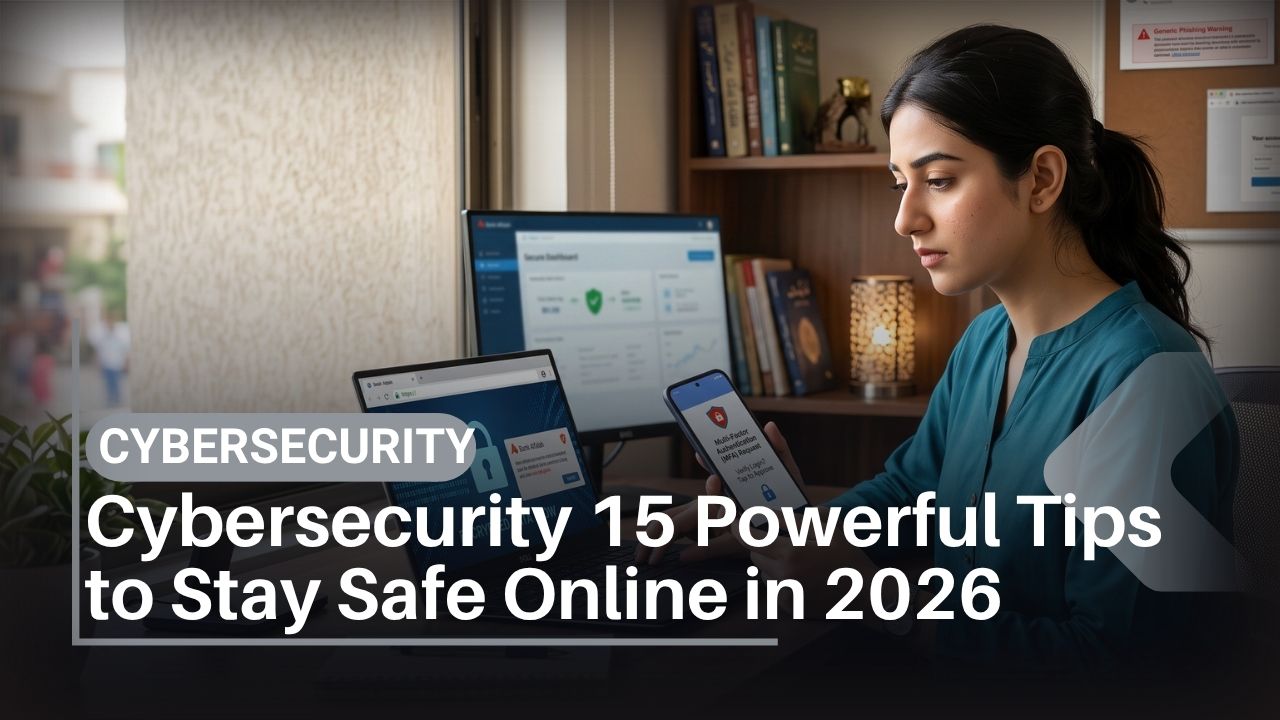
Cybersecurity in 2026 is no longer just an IT department problem. Your smartphone is simultaneously your camera, wallet, identity tool, email terminal, social network, university portal, office device and gateway to online banking. Losing control of it—or of the Google Account or Apple Account connected to it—can have consequences far beyond losing the hardware.
For people in Pakistan, the practical threats include phishing, fraudulent calls and messages, compromised social-media accounts, malicious Android apps, stolen devices, SIM-related fraud and attempts to obtain banking credentials or one-time passwords. Artificial intelligence has added another complication: convincing text, images, audio and video can now be generated cheaply, making appearance and writing quality poor indicators of authenticity.
The useful response is not fear. It is layered security. A unique password is useful, but a unique password plus multi-factor authentication is better. Add current software, a locked SIM, reliable backups, careful app installation and a recovery plan, and an attacker has considerably more work to do.
This guide explains the cybersecurity controls that matter in 2026, including what to configure on Android and iPhone, how to identify AI-assisted scams, how to secure WhatsApp and financial accounts, and what to consider when buying a new smartphone in Pakistan.
Cybersecurity is commonly used as an umbrella term for protecting computer systems, networks, software and information against unauthorized access and other attacks. For technical background, the Wikipedia overview of computer security provides a useful introduction, while official vendor and government guidance should be preferred for security procedures that can change over time.
How Can You Stay Safe Online in 2026?
For most people, effective cybersecurity starts with seven actions: update every device, use unique passwords through a password manager, enable passkeys or multi-factor authentication, protect your main email account, install apps only from trusted sources, maintain backups and never give another person your OTP, password, PIN or account-recovery code.
Your email and primary Google or Apple account deserve special attention because they can be used to reset other accounts. Secure those before worrying about less important services.
In Pakistan, also protect the mobile number attached to financial and messaging accounts. If your SIM unexpectedly loses service, contact your mobile operator promptly instead of assuming it is simply a network outage.
Key Takeaways
- A password alone is no longer adequate protection for an important account. Use a passkey or multi-factor authentication where available.
- Protect your primary email first because password-reset links for other services often go there.
- Keep Android, iOS, Windows, macOS, browsers and applications updated.
- Do not share an OTP, verification code, password, card PIN or CVV because someone claims to represent a bank, telecom operator or government body.
- AI-generated voices, images and messages make independent verification increasingly important.
- Google Play and Apple’s App Store reduce app-installation risk, although no app store can guarantee that every application is harmless.
- SMS authentication is useful when it is the only option, but phishing-resistant passkeys and security keys provide stronger protection for supported services.
- Backups are part of cybersecurity because prevention can never guarantee that an incident will not happen.
- Smartphone security support should be considered alongside cameras, 5G, AMOLED displays, Snapdragon or MediaTek processors and battery life when buying a phone.
- After an account compromise, speed matters: secure email, terminate unknown sessions, contact financial institutions and preserve evidence.
Table of Contents
What Cybersecurity Means in 2026
Cybersecurity is the combination of technologies, processes and personal habits used to protect systems, accounts, networks and information from unauthorized access, theft, manipulation or disruption.
For an ordinary smartphone owner, that definition becomes much simpler. Good cybersecurity means preventing another person from controlling your email, WhatsApp, financial accounts, photos, cloud storage or device.
Confidentiality, integrity and availability
Information security is traditionally built around three objectives.
Confidentiality means information is accessible only to people who should have it. Encryption and access controls help achieve this.
Integrity means data remains accurate and has not been changed without authorization.
Availability means legitimate users can still obtain their information or use a service when they need it.
These principles explain why backups are a security measure. Encryption protects confidentiality, while a backup can help restore availability after device failure, theft, accidental deletion or ransomware.
Cybersecurity versus privacy
Security and privacy overlap, but they are not identical.
Cybersecurity is primarily about preventing unauthorized access or damage. Privacy concerns who legitimately collects your information, why it is collected, how long it is retained and how it is used.
An application can therefore be technically secure while collecting more information than you want to share.
Cybersecurity Threat Comparison for Pakistan in 2026
| Threat | Typical warning sign | Main risk | Strong protection |
| Phishing | Urgent message containing a login/payment link | Credential theft | Verify independently and use passkeys/MFA |
| Password reuse | Same password across several services | Credential stuffing | Password manager and unique passwords |
| Account takeover | Unexpected login/reset notification | Loss of email/social accounts | MFA, session monitoring, secure recovery |
| Malicious Android app | APK from unknown source requesting extensive access | Data or credential theft | Trusted app sources and permission review |
| SIM-related fraud | Phone unexpectedly loses mobile service | SMS/account recovery abuse | Strong account security and immediate operator contact |
| WhatsApp takeover | Unrequested registration code | Account hijacking | Never share code; enable two-step verification |
| AI impersonation | Urgent voice/video requesting money | Financial/social engineering fraud | Independent callback or family verification phrase |
| Device theft | Missing smartphone | Account and data exposure | Strong lock, encryption, Find My features |
| Ransomware | Files become inaccessible | Data loss/extortion | Updates and tested backups |
| Public Wi-Fi attack | Untrusted hotspot or fake network | Traffic/account risks | Mobile data, HTTPS and cautious usage |
No single product stops all of these threats. Effective cybersecurity comes from combining controls so that failure of one does not expose everything.
Tip 1: Use Unique Passwords and a Password Manager
Password reuse remains one of the easiest ways to turn one breach into several compromised accounts.
Suppose a low-value website suffers a data breach and your password becomes available to criminals. If that password is also your email password, an attacker can try the same credentials against email. This automated technique is commonly called credential stuffing.
A unique password breaks that chain.
How to build a safer password system
Use a reputable password manager rather than trying to remember dozens of complicated passwords. Your manager can generate a different random credential for every service and automatically fill the correct one on recognized sites and apps.
Start with the accounts that would cause the greatest damage if compromised:
- Primary email.
- Google Account or Apple Account.
- Password manager itself.
- Banking and financial accounts.
- WhatsApp and social networks.
- University or workplace accounts.
- Cloud storage.
Use a strong, unique master password for the password manager and enable MFA on the manager if supported. Never reuse its master password elsewhere.
Does changing passwords every month improve cybersecurity?
Usually not if the password remains secret and the service has not instructed you to change it.
Routine forced password changes can encourage predictable patterns. A better approach for consumers is to use long, unique passwords and change one when you know or reasonably suspect that it has been compromised.
For practical technology tutorials beyond account security, IT Magazine Pakistan’s how-to guides provide additional step-by-step coverage.
Tip 2: Use Passkeys and Multi-Factor Authentication
Multi-factor authentication, or MFA, requires more than one category of evidence before access is granted. The multi-factor authentication explainer provides additional background.
MFA is valuable because stealing a password may no longer be enough to access an account.
Passwords, SMS, authenticator apps and passkeys compared
| Method | Phishing resistance | SIM dependent? | Convenience | Best use |
| Password only | Low | No | High | Avoid alone for critical accounts |
| SMS OTP | Low to moderate | Yes | High | Better than password alone |
| Authenticator code | Moderate | No | Good | Strong general-purpose option |
| Push authentication | Varies | No | Very high | Useful when prompts show context |
| Passkey | High | No | Very high | Preferred where supported |
| Hardware security key | High | No | Moderate | High-value/high-risk accounts |
What is a passkey?
A passkey is a modern authentication credential based on public-key cryptography. Rather than sending a reusable password to a server, the system uses cryptographic keys associated with the legitimate service.
The key cybersecurity advantage is phishing resistance. A passkey is designed for the correct site or application, making it much harder to trick a user into handing a reusable credential to a fake login page.
Google, Apple and other major platform providers now support passkeys across many services and operating systems. The Wikipedia introduction to passkeys is useful background, while setup instructions should be obtained from the relevant platform provider because menus and capabilities can change.
Which accounts need MFA first?
Start with email, your Apple or Google identity, password manager and financial services. Next secure messaging and social-media accounts.
Store recovery codes securely. Do not keep the only copy in an account that the recovery codes are intended to recover.
Tip 3: Keep Your Operating System and Applications Updated
Updates are one of the least glamorous cybersecurity measures and one of the most important.
Android, iOS, Windows, macOS and individual applications contain millions of lines of software. Vulnerabilities are discovered over time. Security patches correct known weaknesses, including some that may already be exploited.
Android security update checklist
Menu names vary between Samsung, Google, Xiaomi, Realme, Oppo, Vivo, Infinix and Tecno phones, but the process is broadly similar:
- Open Settings.
- Find Software Update, System Update or Security.
- Install available system updates.
- Restart if requested.
- Open Google Play.
- Update applications.
- Check for Google Play system updates where your Android device exposes that option.
- Enable automatic updates when practical.
Google publishes technical information through the official Android Security Bulletins, which document vulnerabilities addressed in Android.
iPhone security updates
On an iPhone, open Settings > General > Software Update and review automatic-update options.
Apple also publishes official information about fixes on its Apple security releases page.
Do not rely solely on the Android or iOS version advertised at launch. The manufacturer’s promised support period for the exact model is a major part of long-term security.
That matters particularly when shopping for low-cost devices. IT Magazine’s budget phones in Pakistan guide can help create a shortlist; verify each shortlisted manufacturer’s current update policy before buying.
Tip 4: Protect Your Google Account or Apple Account
Your platform account is one of your most valuable digital identities.
An Android user’s Google Account may contain Gmail, Google Photos, contacts, backups, saved credentials and device-location functions. An Apple Account can connect iCloud, photos, backups, Find My, purchases and other Apple services.
Compromise can therefore affect far more than email.
Google Account security checklist
Visit Google’s account settings directly rather than through links in unsolicited emails. Check:
- Recent security activity.
- Signed-in devices.
- Recovery email and phone.
- MFA or passkeys.
- Third-party applications with account access.
Google provides an official Security Checkup for reviewing important settings.
Apple Account security checklist
Review devices associated with your Apple Account and remove hardware you no longer own or recognize. Keep trusted phone numbers current and use Apple’s account security controls.
Apple’s official Apple Account security guidance explains available protections.
Your recovery methods deserve as much attention as the password. An attacker who can defeat account recovery does not necessarily need to crack the original password.
Tip 5: Protect Your SIM, eSIM and Mobile Number
Your mobile number is frequently connected to WhatsApp, bank notifications and account recovery. That makes it valuable.
A SIM-swap scam broadly involves an attacker obtaining control of someone else’s telephone number, potentially allowing them to receive calls or text messages intended for the victim.
Use a SIM PIN—but understand what it does
A SIM PIN can stop someone who physically obtains your SIM from simply placing it in another handset and using it.
It is useful, but it should not be described as a complete SIM-swap defense. A SIM PIN does not by itself prevent fraudulent re-provisioning by a mobile operator.
Do not guess a forgotten SIM PIN repeatedly. Too many incorrect attempts can lock the SIM and require the appropriate unlock code from your operator.
Warning signs requiring immediate attention
Unexpected loss of cellular service can have innocent causes, but if it occurs alongside password-reset alerts or unexpected account activity, contact your operator immediately.
Check SIM ownership and telecom guidance through the official Pakistan Telecommunication Authority and your own network operator rather than trusting links sent by unknown numbers.
Reduce dependence on SMS for your most important accounts when passkeys, authenticator applications or hardware security keys are available.
Tip 6: Secure WhatsApp and Social-Media Accounts
Messaging accounts are useful targets because criminals can impersonate a trusted person after taking one over.
A typical scam is simple: an attacker tries to register your WhatsApp number and then persuades you to reveal the registration code. If you receive a code you did not request, do not send it to anyone.
WhatsApp security checklist
Open WhatsApp’s account settings and enable two-step verification. Add a recovery email if the current application offers it and keep that email protected.
Also review linked devices regularly and sign out unknown sessions.
Protect the phone itself with a strong PIN and biometrics. Where supported, use WhatsApp’s additional app or chat locking options for sensitive conversations.
WhatsApp’s encryption protects message transport, but end-to-end encryption does not stop someone from stealing your unlocked phone, obtaining your verification credentials or socially engineering you.
Facebook, Instagram, TikTok and other accounts
Use unique passwords and MFA. Review active sessions and recovery information periodically. Be particularly careful about messages claiming copyright violations, verified-account problems, advertising restrictions or unexpected prizes.
A polished login page can still be fraudulent.
Tip 7: Recognize Phishing and AI-Powered Scams
Phishing is an attempt to trick someone into disclosing sensitive information or taking an unsafe action by impersonating a trusted party.
In 2026, grammatical mistakes are no longer a reliable way to identify phishing. Generative AI can produce polished Urdu and English, generate realistic graphics and help criminals adapt messages to specific audiences.
Common scam themes relevant to Pakistan
Fraudulent communications may impersonate:
- Banks or digital wallets.
- Mobile operators.
- Courier companies.
- Government departments.
- University administrators.
- Employers and recruiters.
- Friends or family.
- Online marketplaces.
- Social-media support teams.
The recurring pattern is urgency: pay now, verify immediately, disclose a code or risk losing an account.
The five-question phishing test
Before acting, ask:
- Did I initiate this transaction or support request?
- Is someone asking for a password, OTP, PIN or recovery code?
- Does the domain exactly match the organization’s official domain?
- Can I independently open the official app instead of following this link?
- Is urgency being used to stop me from checking?
A legitimate-looking padlock is not proof that a website is legitimate. HTTPS means the connection to that domain is encrypted; criminals can obtain HTTPS for phishing sites too. The HTTPS overview explains the underlying concept.
AI voice-cloning scam defense
If a familiar voice unexpectedly requests urgent money, a password or confidential information, verify through a second channel.
Call the person using a number already saved in your contacts. Families can also agree on a private verification phrase that is not publicly posted online.
AI is relevant to both attack and defense. For broader context on current tools, see IT Magazine’s coverage of artificial intelligence in 2026.
Tip 8: Download Applications Safely
Application installation represents one of the most important differences between ordinary smartphone use and secure smartphone use.
For most Android users, Google Play should be the default source. Google Play Protect can scan applications and warn about potentially harmful software. Google explains its protection system through the official Google Play Protect documentation.
Apple users should generally obtain consumer applications through Apple’s approved distribution mechanisms available for their platform and region.
No app store is an absolute guarantee. Users should still verify the developer, permissions and purpose of an application.
Why random APK files carry additional risk
Android allows software distribution outside Google Play in various circumstances. That is useful for developers and organizations but creates an additional decision point for consumers.
Pirated apps, modified games, “premium unlocked” APKs and fake banking applications may contain malicious code. Avoid them.
If an app asking to display a simple wallpaper also wants Accessibility, SMS, microphone, contacts and device-administration privileges, investigate before accepting.
Accessibility permission deserves special caution
Android Accessibility services legitimately help people use their devices and support some specialized applications. Unfortunately, powerful permissions can also be abused by malware.
Never grant Accessibility privileges simply because an unknown application says they are necessary for an update.
For Android’s authoritative technical guidance, use the official Android Developers security documentation rather than random APK websites.
Tip 9: Review App Permissions and Privacy Settings
Apps frequently request access to location, camera, microphone, photos, contacts and other sensitive information.
Some requests are necessary. A camera application obviously needs camera access. A navigation application needs location while providing navigation.
The question is whether the permission matches the feature.
Android permission audit
On most current Android devices:
- Open Settings.
- Find Privacy or Security & Privacy.
- Open Permission Manager.
- Review camera, microphone, location, contacts and files.
- Remove unnecessary access.
- Prefer “while using the app” where appropriate.
- Remove applications you no longer use.
Exact menus depend on Android version and manufacturer software.
Samsung’s One UI, Xiaomi’s HyperOS, and interfaces from Realme, Oppo, Vivo, Infinix and Tecno may use different wording even when they expose similar Android controls.
iPhone privacy audit
Open Settings > Privacy & Security. Review location, contacts, microphone, camera, photos and tracking permissions.
Again, do not disable functionality blindly. The goal is least privilege: an application should receive only the access required to do its job.
Tip 10: Secure Wi-Fi, Routers and Public Networks
Your home router is part of your cybersecurity perimeter. Every phone, laptop, smart TV and Internet of Things device may depend on it.
Home router security checklist
Change the router’s default administrative credentials if applicable. Install firmware updates when the manufacturer or ISP supplies them. Use current Wi-Fi encryption such as WPA2 or WPA3 rather than obsolete standards such as WEP.
Turn off features you do not use, particularly remote administration exposed to the internet. Consider a separate guest or IoT network when your equipment supports one.
For technical context, Wikipedia’s Wi-Fi Protected Access overview explains WPA generations.
Is public Wi-Fi dangerous in 2026?
Modern HTTPS has reduced some historical risks of public Wi-Fi, but an unknown network remains less trustworthy than your own connection. Fake hotspots and malicious captive portals can still deceive users.
For banking or highly sensitive work, your own mobile-data connection is usually the simpler option.
Do you need a VPN?
A VPN encrypts network traffic between your device and the VPN provider’s server. It can be useful on untrusted networks and for specific privacy or organizational requirements.
But a VPN does not:
- Detect every phishing website.
- Make a weak password strong.
- Remove malware already installed.
- Make a fraudulent online shop legitimate.
- Guarantee anonymity.
A questionable free VPN can simply shift trust from your internet provider to an unknown company. Choose carefully.
Tip 11: Protect Banking Apps, Cards and Digital Wallets
Financial cybersecurity requires a strict rule: credentials are for you, not the person contacting you.
Never disclose a banking password, app PIN, card PIN, CVV, OTP or account-recovery code because a caller says they are from a bank.
Safer financial habits in Pakistan
Use your bank’s official application and type or bookmark its official website instead of relying on links in messages.
Enable transaction notifications. Read the complete OTP or authorization message before approving anything; do not focus only on the code.
Do not let an unknown caller persuade you to install screen-sharing or remote-control software. Remote-control tools have legitimate uses, but handing control of a banking device to a stranger is extremely dangerous.
Pakistan’s banking regulator, the State Bank of Pakistan, should be preferred for regulatory information and official consumer notices concerning the country’s financial sector.
Keep lock-screen notifications private
A locked phone should not reveal sensitive OTPs or personal messages to anyone holding it. Android and iOS both provide notification privacy settings.
Configure them to hide sensitive content until the device is unlocked.
Tip 12: Back Up and Encrypt Important Information
A good backup transforms certain disasters from permanent data loss into a recovery task.
Android and iPhone users can back up supported data through Google’s and Apple’s cloud services. The exact items covered depend on the operating system, application and configuration, so verify rather than assuming everything is protected.
Follow the 3-2-1 principle for critical data
For irreplaceable material, the traditional 3-2-1 backup idea remains useful: maintain multiple copies, on different types of storage, with at least one copy separated from the primary device or location.
Cloud storage can form part of that strategy, but synchronization and backup are not always the same thing.
Is smartphone data encrypted?
Modern iPhones and many contemporary Android devices provide encryption tied to device security, but the protection is only as useful as your access controls.
A four-digit code based on your birth year weakens an otherwise sophisticated device.
Use a strong device PIN. Biometrics add convenience, while the PIN or password remains a critical fallback credential.
Tip 13: Prepare for Smartphone Theft or Loss
Physical security and cybersecurity meet when your phone disappears.
A stolen phone may contain email, authenticator applications, messages, photos, financial apps and logged-in sessions. Prepare before the device is lost.
Android theft-preparation checklist
Google provides device-finding and account security features whose names and capabilities can evolve. Confirm they are active while you still have the phone.
Know how to access Google’s device-finding service from another trusted device.
Samsung users may also have manufacturer-specific security and device-location capabilities. Samsung publishes security information through its official Samsung Mobile Security portal.
iPhone theft protection
Enable Apple’s Find My features before loss occurs. Apple provides official instructions for finding a lost Apple device.
Use a strong passcode and review additional theft protections made available in your installed iOS version.
What if your phone is stolen in Pakistan?
Priorities include securing important accounts, contacting your mobile operator, protecting financial services and following official procedures for the stolen device.
For telecom-related information, consult PTA’s official website and do not pay unknown people claiming they can unofficially unlock, trace or recover a device.
When replacing a handset, our smartphone buying guide for Pakistan covers broader hardware considerations alongside the security criteria discussed here.
Tip 14: Secure Laptops, Tablets and Other Connected Devices
Smartphones receive much of the attention, but your account can be compromised through another device.
A Windows laptop with an infected browser, an obsolete tablet still signed into Gmail, or an old shared PC can undermine otherwise strong phone security.
Laptop security essentials
Keep the operating system, browser and applications current. Use automatic screen locking, full-device encryption where available, and separate accounts when multiple people share one computer.
Do not disable built-in security features simply to run unknown pirated software.
Students and professionals replacing older hardware can use the 2026 laptop buying guide for Pakistan for broader buying considerations.
Remove obsolete devices from accounts
Periodically inspect the list of hardware signed into Google, Apple, Microsoft, Meta and other important services.
A phone you sold three years ago should not remain a trusted device indefinitely.
Before selling a phone, back up required information, sign out appropriately, remove relevant account/device locks according to manufacturer instructions and perform a factory reset.
Tip 15: Create a Cybersecurity Incident-Response Plan
Perfect prevention does not exist. A recovery plan is therefore one of the most useful pieces of cybersecurity preparation.
The exact response depends on what has been compromised.
Step 1: Secure your primary email
From a known-clean device, change credentials if appropriate and enable or repair MFA. Review recovery information, active sessions and forwarding rules.
Attackers who control email sometimes create forwarding rules so they can continue seeing messages even after another setting changes.
Step 2: Terminate unauthorized sessions
Google, Apple, Meta and many other providers allow users to review connected devices or sessions.
Sign out devices you do not recognize.
Step 3: Deal with financial exposure immediately
If banking credentials, cards or wallets may be involved, contact the financial institution using an official number or application. Do not wait for a suspicious transaction to become a completed loss.
Step 4: Contact your network if the SIM is affected
If your number has unexpectedly stopped working, contact the mobile operator through an official channel.
Step 5: Preserve evidence
Keep screenshots, transaction references, usernames, email headers where useful, phone numbers, URLs, dates and times.
Do not destroy useful evidence in a rush to clean the device.
Step 6: Report cybercrime through the current official channel
Pakistan’s cybercrime institutional arrangements and reporting mechanisms can change, so use current government sources rather than an old phone number copied from a social-media post.
The Government of Pakistan’s National Cyber Crime Investigation Agency is the federal agency to check for current cybercrime reporting and contact information. Pakistan’s legal framework also includes the Prevention of Electronic Crimes Act, 2016 (PECA); consult Pakistan Code for the authoritative statutory text and subsequent amendments rather than relying on summaries.
For telecom complaints and device/SIM matters, consult the Pakistan Telecommunication Authority. If financial fraud is involved, contact the affected bank or wallet provider immediately and consult State Bank of Pakistan guidance where relevant.
How AI Changes Cybersecurity in 2026
AI deserves separate attention because it changes both sides of online security.
Generative systems can make phishing copy more fluent, translate scams rapidly and generate synthetic voices, photographs and videos. This makes superficial clues—bad grammar, poor graphics, strange pronunciation—less dependable than they once were.
At the same time, AI is also used legitimately for spam filtering, fraud detection, malware analysis, account-risk detection and security operations.
The important consumer lesson is simple: authenticity must be verified through trusted channels rather than judged by how convincing a message looks or sounds.
IT Magazine’s AI tools coverage for Pakistan provides broader context on the current AI ecosystem.
A practical AI-scam verification routine
If someone asks for money or confidential information:
- Stop communicating through the incoming channel.
- Contact the person or organization through a known official channel.
- For family members, ask something an impersonator is unlikely to know or use your prearranged verification phrase.
- Never treat a familiar voice as authentication by itself.
- Do not transfer money until identity and request are independently verified.
That principle will remain useful even as synthetic media improves.
Smartphone Cybersecurity Buying Advice for Pakistan in 2026
A phone’s security lifespan should be treated as a purchasing specification.
Pakistani buyers understandably compare battery size, AMOLED panels, camera hardware, 5G support, storage and processors. Qualcomm’s Snapdragon platforms and MediaTek chips are prominent across Android smartphones, but processor branding alone does not tell you how long the finished product will receive security updates.
The manufacturer controls a large part of the update experience.
What to check before buying a phone
Before paying, identify the exact model and verify:
- Manufacturer-promised operating-system upgrade period.
- Manufacturer-promised security-update period.
- Whether that policy applies to your model and market.
- Current Android or iOS version.
- Hardware-backed security features where documented.
- Biometric options.
- Availability of official service and support.
- Whether the device is legitimately approved for use on Pakistani mobile networks.
Do not assume every phone from the same company receives identical support.
Samsung
Samsung combines Android with its own One UI software and Knox security technologies. Support periods differ across models and generations, so check the policy for the exact model you are considering.
If you are comparing Samsung with Apple’s ecosystem, IT Magazine’s Samsung vs iPhone 2026 comparison provides useful buying context.
Google Pixel
Google develops Android and its Pixel devices receive Google’s first-party security features and update policies. Pakistani buyers should additionally consider local availability, warranty, network compatibility and repair support before importing any handset.
IT Magazine’s iPhone 17 vs Pixel 10 comparison examines these two mobile ecosystems from a broader consumer perspective.
Apple iPhone
Apple controls both iPhone hardware and iOS, which enables centralized software distribution across supported devices. Buyers should still confirm that a particular iPhone remains supported rather than assuming all older models receive every current feature indefinitely.
Xiaomi, Realme, Oppo and Vivo
These manufacturers offer Android devices across many price brackets. Security-update policies can vary significantly by series and model.
Do not judge a device’s security solely by its Android version on the shop counter. Check how long that exact product is promised updates.
For shoppers considering two related value-focused ecosystems, see the Oppo vs Realme comparison.
Infinix and Tecno
Infinix and Tecno compete strongly in cost-sensitive Android segments, including devices with large batteries and AMOLED displays. As with every manufacturer, verify the stated update commitment for the exact handset before purchase.
Qualcomm Snapdragon versus MediaTek security
Neither “Snapdragon” nor “MediaTek” by itself guarantees a secure or insecure phone.
Qualcomm and MediaTek provide chipset-level technology and security capabilities, while Google maintains Android components and smartphone manufacturers integrate devices, firmware and update delivery. The final security outcome depends on that whole supply chain.
Official technical information is available from Qualcomm product security and MediaTek security bulletins.
Does 5G improve cybersecurity?
Do not buy a 5G phone simply because you think 5G makes apps or accounts immune to attacks. Network-generation security and end-user account security are separate layers.
A phishing victim can give away a password over 4G, 5G, Wi-Fi or a wired connection.
If mobile connectivity is part of your upgrade decision, see IT Magazine’s 5G phones in Pakistan guide and then verify software support for the model you choose.
AMOLED, storage and cybersecurity
AMOLED is a display technology, not a security technology. Snapdragon and MediaTek are processor platform brands. Neither should be presented as a substitute for software support.
Storage has an indirect practical effect. A nearly full device can make updates and backups inconvenient, so buy realistic capacity for the period you expect to own your handset.
Our 128GB vs 256GB phone storage guide can help with that choice.
New Phone Cybersecurity Checklist
When setting up a new Android phone or iPhone, complete these steps before transferring your entire digital life:
- Install all available operating-system updates.
- Set a strong device PIN or password.
- Configure fingerprint or secure facial authentication where supported.
- Enable the platform’s device-finding features.
- Configure backup.
- Sign into your password manager.
- Enable passkeys/MFA on critical accounts.
- Review lock-screen notification privacy.
- Check Google Play/App Store updates.
- Enable WhatsApp two-step verification.
- Review application permissions after restoring apps.
- Remove software you do not need.
- Verify your account recovery options.
- Keep recovery codes somewhere secure.
- Test that you can recover your account before an emergency occurs.
Consumers still choosing hardware can browse the best smartphones in Pakistan for 2026 before applying this setup checklist.
Monthly Cybersecurity Checklist
You do not need to spend hours every week monitoring security.
Once a month, check software updates, review important account security alerts, confirm backups are completing, remove unused apps and investigate any unrecognized login.
Every few months, review recovery information and connected devices on your major accounts.
Avoid turning security into constant notification anxiety. Automated updates, password managers and MFA exist partly so users do not need to manually manage everything.
Cybersecurity Checklist for Students
Students face an interesting mix of risks because university accounts, social media, cloud documents, online freelancing and payment services can all exist on one device.
Use separate passwords for university and personal accounts. Do not install cracked software simply to obtain paid tools. Verify internship and scholarship links through the institution’s actual website.
Be particularly cautious when a stranger asks for CNIC images, bank details or fees before an interview.
Keep important assignments in at least two locations. A laptop failure the evening before a deadline is not necessarily a cyberattack, but good backup practices solve both security and reliability problems.
Cybersecurity Checklist for Professionals and Remote Workers
Employees should follow their employer’s policies when those requirements are stricter than generic consumer advice.
Keep personal and work accounts separated. Use employer-provided VPNs, device-management systems and authentication tools as instructed. Do not move confidential business documents into a personal AI service, cloud drive or messaging app without authorization.
Avoid discussing confidential material in public or posting images that reveal badges, screens, QR codes or internal documents.
Lock your computer whenever you leave it.
People choosing hardware for work can also consult IT Magazine’s broader technology coverage for current device guides.
Cybersecurity Checklist for Parents and Families
The best family cybersecurity system is understandable enough for every person to use.
Teach family members never to share verification codes. Create a family rule that urgent money requests must be confirmed by a voice call made to an already-known number, ideally with a verification phrase.
Help less technical relatives bookmark the real websites for banks and government services instead of searching for them each time.
Children and teenagers also need privacy guidance. Explain that a screenshot, image or message sent electronically can be copied and redistributed even when an app claims content will disappear.
Technology can reduce risks, but it cannot replace communication and judgment.
Three Cybersecurity Case Studies and What They Teach
Case study 1: The WhatsApp verification-code trick
A user receives an unexpected WhatsApp registration code. Shortly afterwards, someone claiming to be a friend says a code was accidentally sent to the user’s phone and asks them to forward it.
The code is actually being used to register the victim’s account.
Lesson: verification codes authenticate you. A legitimate stranger—or friend—does not need your code.
Case study 2: The urgent family voice message
A parent receives a convincing voice message resembling a relative. The caller claims to need an urgent transfer and insists there is no time to call anyone else.
Whether generated by AI or produced using another impersonation method, the defense is identical: independently contact the person using a number already known to you.
Lesson: voices and images are no longer strong proof of identity.
Case study 3: One reused password unlocks several accounts
An old shopping site is compromised. A criminal obtains an email/password combination and tests it against other popular services.
The same password works on the victim’s email account. Password resets then expose additional accounts.
Lesson: unique passwords contain breaches. MFA limits the damage further.
These scenarios are illustrations of common attack patterns, not claims about specific named Pakistani victims.
Pros and Cons of Common Cybersecurity Tools
Password managers
Pros include generating unique credentials, reducing password reuse and making complex sign-ins easier.
The main limitation is concentration of importance: the password manager itself becomes a valuable account. Protect it with an excellent master password and MFA, and understand its recovery method before relying on it.
Biometrics
Fingerprint and secure facial authentication are convenient and reduce the temptation to use very weak device codes.
Biometrics still rely on fallback credentials, and implementation quality varies by hardware. They should complement a strong device PIN rather than justify a weak one.
Authenticator apps
Authenticator applications avoid dependence on SMS and are widely supported.
The major practical concern is recovery. Know what happens when the phone is lost or destroyed, and securely store recovery codes.
Hardware security keys
Physical security keys can provide highly phishing-resistant authentication and are especially valuable for people at elevated risk.
They cost money and require planning for a lost key. High-risk users should register a backup key where the service permits it.
VPN services
VPNs can protect traffic on untrusted networks and meet some privacy or workplace requirements.
They are frequently over-marketed. A VPN cannot protect someone who voluntarily types a password into a convincing phishing site, installs malware or transfers money to a scammer.
Expert Cybersecurity Tips for 2026
The most effective advanced improvements are usually small changes to recovery and identity management rather than installing more “security booster” applications.
Keep recovery methods current. Register more than one strong authentication method where the service supports it. Store account recovery codes securely offline or in another protected location.
For high-risk individuals—such as journalists, administrators with privileged systems, public figures or people experiencing targeted attacks—consider phishing-resistant hardware security keys and dedicated advanced-protection programs offered by major platform providers.
Google, for example, provides an official Advanced Protection Program for accounts facing elevated risk.
Apple provides Lockdown Mode as an extreme optional protection intended for the relatively small number of users who may face highly sophisticated targeted attacks. It deliberately limits some functionality and is not necessary for the average iPhone owner.
Those examples highlight an important point: more security is not automatically better if it introduces complexity that the user cannot manage. Choose protections proportionate to the threat.
Myths That Can Make Your Cybersecurity Worse
“iPhones cannot be hacked”
False. Apple’s security architecture can provide strong protections, but no general-purpose connected computing platform is invulnerable. Apple publishes security updates precisely because vulnerabilities exist and are fixed.
“Android always needs a third-party antivirus”
Too broad. Android includes built-in security mechanisms such as application sandboxing and Google Play Protect on supported Google-certified devices. A reputable security app can offer useful capabilities for some users, but it cannot substitute for patches, safe downloads and MFA.
“Incognito mode makes me anonymous”
No. Private browsing mainly prevents your browser from retaining some local history and session data after the private session. It does not make you invisible to websites, employers, network providers or all other parties.
“A VPN protects me from hackers”
Not by itself. It secures a network path to the VPN provider. Account security, application security and social engineering remain separate problems.
“HTTPS means a website is legitimate”
No. HTTPS means the connection to that domain is encrypted and authenticated for the domain involved. Attackers can create encrypted phishing websites.
Always verify the domain itself.
“5G phones are automatically more secure”
No. Modern cellular networks include security improvements, but application permissions, software patches, passwords and phishing remain important regardless of network generation.
A Practical Cybersecurity Emergency Summary
If you suspect an account compromise, use a trusted device and act in this order where relevant:
- Secure the primary email and Google/Apple account.
- Change compromised or reused credentials.
- Restore MFA and remove unknown authentication methods.
- Terminate unrecognized sessions and devices.
- Contact your mobile operator if the SIM/number is affected.
- Contact financial institutions immediately if money is at risk.
- Preserve screenshots, messages, URLs and transaction records.
- Update and scan affected devices, or obtain professional help if compromise persists.
- Use current official Pakistani cybercrime-reporting channels for criminal incidents.
- Warn contacts if your messaging/social account was used to impersonate you.
Do not pay an anonymous “hacker” on social media who claims they can recover an account. Account recovery should go through the platform provider’s official process.
Frequently Asked Questions About Cybersecurity
What is cybersecurity in simple words?
Cybersecurity is the protection of computers, phones, accounts, networks and information against unauthorized access, theft, fraud, manipulation and disruption. For everyday users, it primarily means securing devices, passwords, online accounts and personal data.
What are the most important cybersecurity habits in 2026?
Use unique passwords, a reputable password manager, passkeys or MFA, current software, trusted app sources and reliable backups. Protect your main email account particularly carefully.
What is the number one online threat for ordinary users?
There is no universal number-one threat for every user, but phishing, credential theft, account takeover and social engineering are major risks. The safest approach is layered protection rather than preparing for only one attack type.
Are passkeys safer than passwords?
For supported services, passkeys provide strong phishing resistance and remove the need to send a reusable password to the service. They are one of the strongest practical authentication improvements available to consumers.
Is an SMS OTP safe?
SMS-based MFA is generally better than password-only authentication, but it has limitations including phishing and attacks involving control of a telephone number. Use a passkey, hardware security key or appropriate authenticator method where stronger options are supported.
Should I share an OTP with bank staff?
No. Treat one-time passwords, account PINs, passwords, card PINs, CVVs and recovery codes as secrets. If a caller claims to represent your bank, terminate the call and contact the institution through its official channel.
How can I tell whether a link is phishing?
Check the full domain carefully, avoid acting through unsolicited links and independently open the organization’s official application or website. Urgency, requests for credentials and unexpected payments are warning signs.
Is Android secure in 2026?
A currently supported Android phone can provide strong security. Security varies with OS version, security patches, manufacturer support, application sources, configuration and user behavior.
Is iPhone more secure than Android?
There is no useful one-word answer. Apple tightly controls iPhone hardware and iOS distribution, while Android security varies across manufacturers and models. Both can be secure when current and correctly configured. Update lifespan and threat model matter more than brand slogans.
Does Google Play guarantee an application is safe?
No distribution system can promise zero malicious apps. Google Play and Play Protect provide substantial safeguards, but users should still evaluate developers, permissions and unusual behavior.
Should I install APK files?
Most ordinary Android users should avoid unknown APK downloads. Sideloading has legitimate uses, but it bypasses some protections and requires more trust and technical judgment.
Do I need antivirus software on my smartphone?
Not necessarily. Modern Android and iOS platforms include multiple security mechanisms. Some reputable security products add useful features, but an antivirus application cannot compensate for an unsupported operating system, compromised password or phishing decision.
Does a VPN make online banking safe?
A VPN can protect network traffic in certain circumstances but does not authenticate a banking website for you or prevent scams. Prefer your own trusted mobile/data connection, the bank’s official application and strong account authentication.
What should I do if my SIM suddenly loses signal?
Network outages happen, but unexpected loss of service combined with account alerts should be treated seriously. Contact your network operator using an official channel and immediately review security on email and other important accounts.
What should I do if my WhatsApp account is hacked?
Follow WhatsApp’s official account-recovery procedure, protect the mobile number and email associated with the account, review linked devices and warn contacts if the compromised account was used to solicit money or information.
Can AI clone someone’s voice?
Modern generative AI can create synthetic speech resembling a person given appropriate source material. A familiar voice should therefore not be considered sufficient proof when an unexpected caller requests money or sensitive information.
How can families defend against AI impersonation?
Use independent verification. Call the family member on a known number and establish a private family verification phrase. Never send money solely because an incoming voice note sounds convincing.
How often should I change passwords?
Change a password when it is known or suspected to be exposed, when a service instructs you to do so after an incident, or when it is reused or weak. Unique, high-quality credentials are more useful than repeatedly rotating one predictable password.
What is the safest authentication method?
For services that support them, passkeys and FIDO-style hardware security keys offer strong phishing resistance. Authentication choice still needs a secure recovery plan.
How do I report cybercrime in Pakistan in 2026?
For current federal cybercrime information, use the official National Cyber Crime Investigation Agency rather than relying on old social-media posts. For telecom matters consult the Pakistan Telecommunication Authority, and contact your financial institution immediately when financial fraud is involved.
What information should I save after an online scam?
Preserve relevant screenshots, URLs, usernames, telephone numbers, emails, dates, times and transaction references. Do not edit evidence unnecessarily. A bank, platform or investigating authority may need those details.
Conclusion: The Best Cybersecurity Strategy for 2026
Cybersecurity works best as a set of layers rather than one app, product or setting. Start by securing your primary email and Google or Apple account. Replace password reuse with a password manager, use passkeys or MFA, keep operating systems and applications current, review permissions and maintain recoverable backups.
For people in Pakistan, your mobile number also deserves protection because it can connect messaging, identity recovery and financial services. Treat unexpected loss of SIM service, unrequested OTPs and urgent requests for money as reasons to verify independently.
AI has made impersonation more convincing, but the fundamental defense remains effective: do not trust an identity merely because a message, voice or video looks genuine. Verify important requests through a known second channel.
Finally, make security support part of your next smartphone purchase. Samsung, Apple, Google, Xiaomi, Realme, Oppo, Vivo, Infinix and Tecno all sell devices with different combinations of features and support. Qualcomm Snapdragon or MediaTek performance, AMOLED displays, 5G and camera specifications are useful buying considerations, but none can compensate for an unsupported operating system or poor security habits.
The strongest cybersecurity setup is ultimately one you can maintain: current software, unique credentials, phishing-resistant authentication where available, careful verification, reliable backups and a clear recovery plan.